12
DPL 2210
ENGLISH
This product will play automatically once insert card, when playing,
press ENTER key can pause the playing, press ENTER again
return back to play mode; press EXIT key can return to photo
browsing mode, press EXIT key again can return to the main menu.
Press EXIT key again will go to USB/SD Card mode.
Desired photo, press ENTER key to pause the browsing,
press again ENTER key to play.
2.5.2 Photo
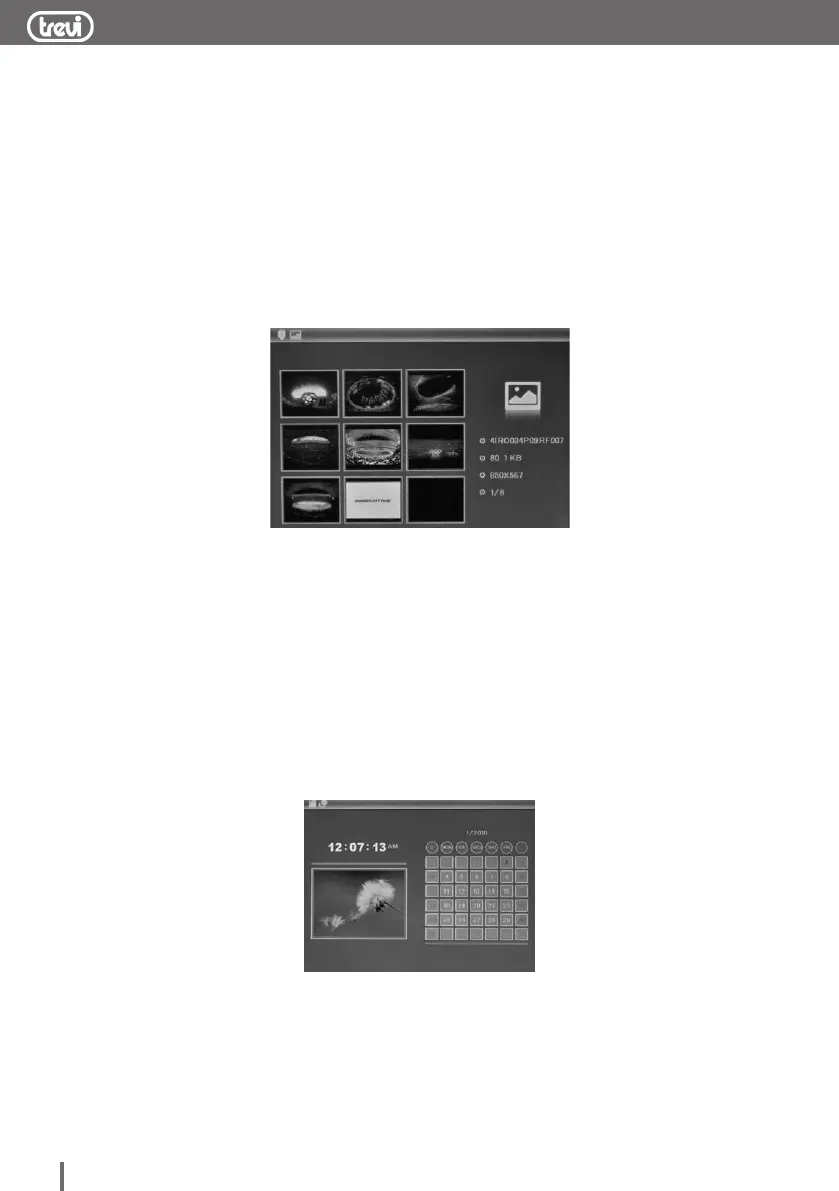
9 screen image preview, press SETUP can pop up delete file
sub-menu, you can delete the file you want to delete. 6 screen
image preview, select a picture after press ENTER key to
full-screen preview image, press SETUP can pop up setup menu,
You can set image display mode: save picture /rotate/zoom
operation, Save picture can save the picture to the built-in
memory(if can’t copy pictures to the built-in memory, please format
memory first),after full-screen preview, press ENTER again it will
slide show.
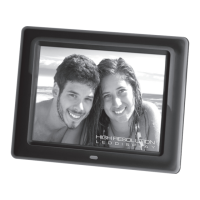
2.5.3 Clock and calendar display
enter to selection mode , select calendar to display the clock and
calendar


 To Next Page