13
DPL 2210
ENGLISH
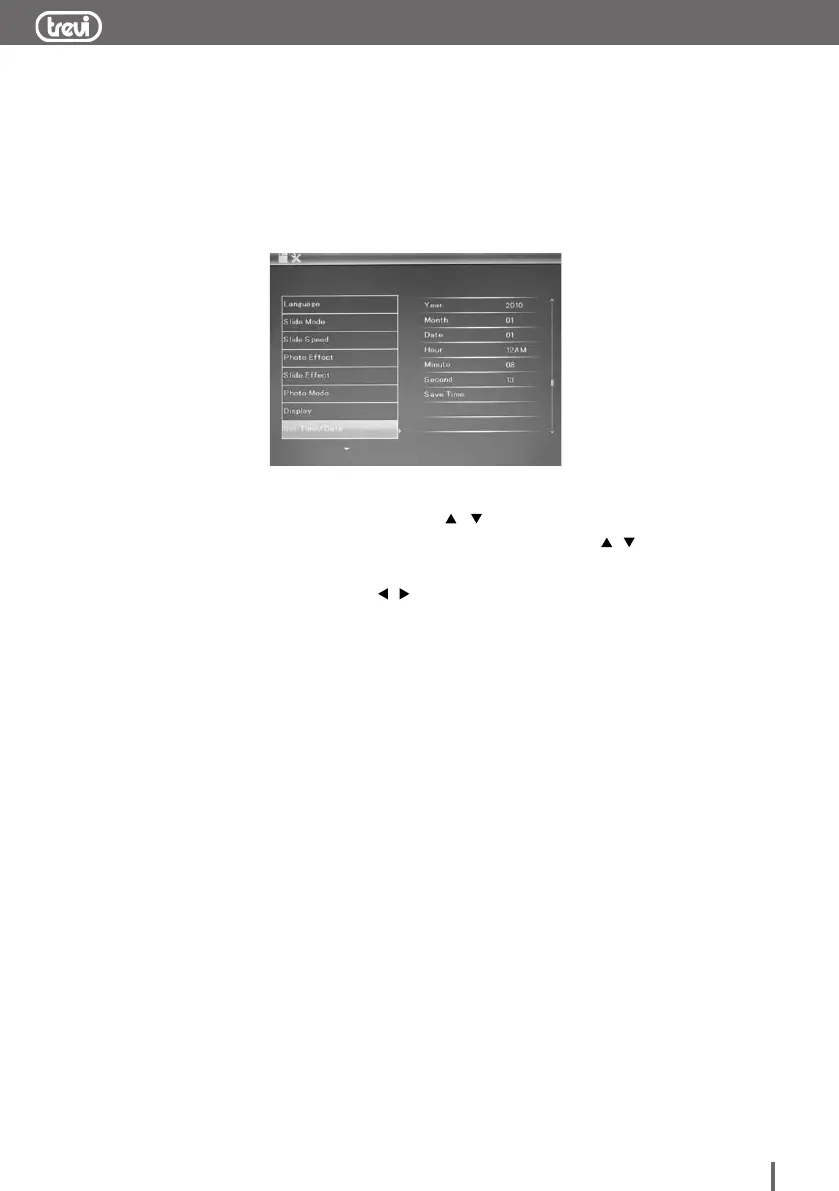
2.5.4 Time and calendar setting
Select SETUP menu under selection mode or press MENU key
directly,
it will display the setup menu, press / key to select time/date
menu, press ENTER key to enter to sub-menu, press / key
to select the item you want to change, press ENTER key again till
the item change to red, press / key to set up the time or
calendar, press ENTER key once more till the item change to green,
then select save time to save.


 To Next Page