17
IP 360 S8
CONNECTIONS
Installation
• To turn on the device, connect the power adapter supplied to the power socket DC (8)
of the IP 360 S8 and the other end to the wall outlet;
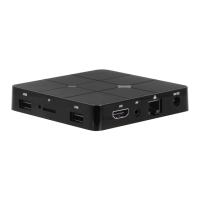
• Connect one end of the HDMI cable to socket (5), connect the other end to the HDMI
socket of your TV;
• Turn on the TV and press
power button (9) on the remote control;
• Wait a few seconds for the device loads the operating system.
WARNING: The unit is factory set with video output on HDMI, if you want to use the
composite AV output (cable not included), first connect the unit to a TV via HDMI and
then from the menu Apps”/“Droid Setting”/“Display”/“Screen resolution”, select the
video resolution to 480 or 576.
Shutdown:
• To completely switch off the device press and hold for a few seconds the
power button
(9) on the remote control, select Shutdown with the navigation keys (11) and press OK
(19) to confirm. Wait a few seconds the Blue Led on the front panel becomes Red.
Regulation framework:
At first power you need to set some parameters such as language, the connection to the
network and regulation of the framework.
Adjust the image according to your TV; to adjust the picture, select “Apps”/“Droid
Setting”/“Display”/“Screen position”. Select “Zoom out” to tighten, select “Zoom in” to
enlarge.
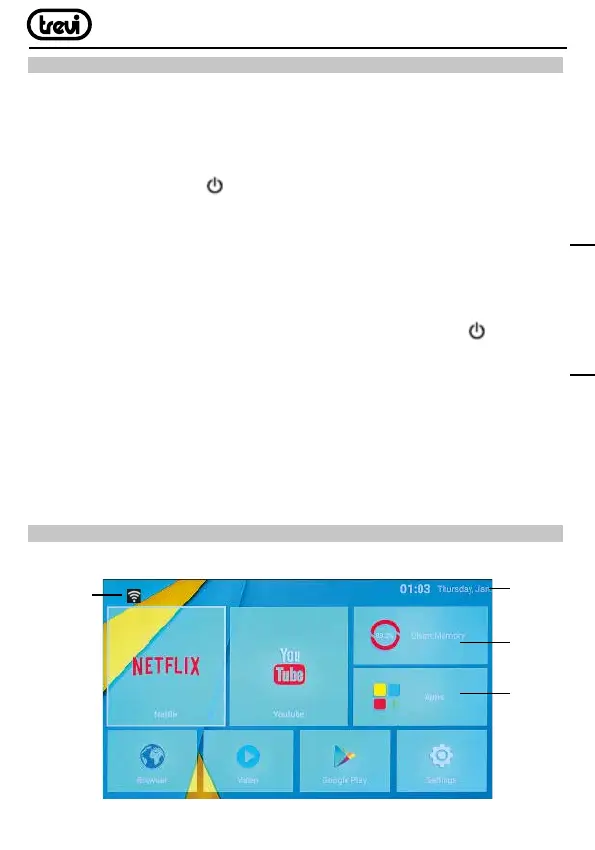
HOME PAGE
HOME menu
Data and
Clock
Connection
to the
network
indicator
Installed
applications
Clean
Memory
ENGLISH


 To Next Page