36
LTV 3209 SMARTENGLISH
LED COLOR TV
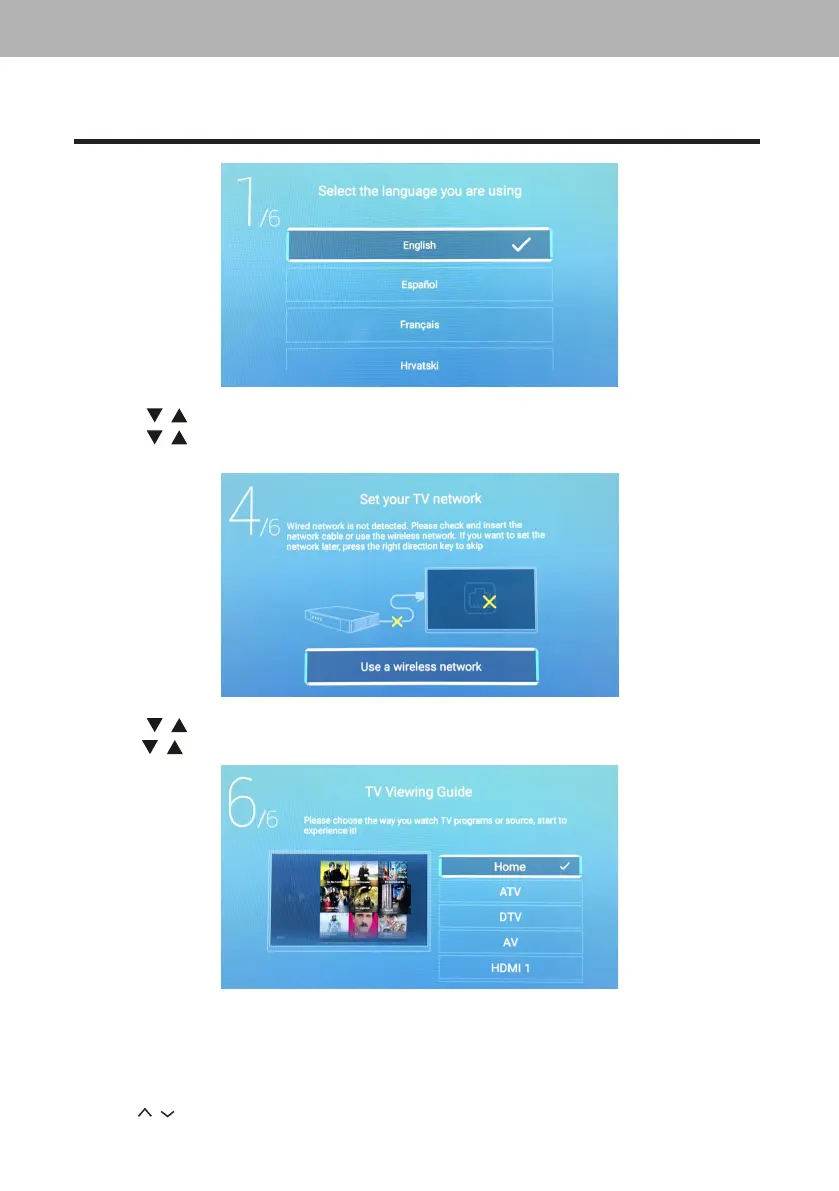
2. Press
/
buttontoselectthecountry.
3. Press
/
buttontoselectthetimezone.
4. PressOKbuttontoconnecttheWIFI/network.
5. Press
/
buttontoselecttheStoreMode.
6. Press
/ buttontoselecttheinputsource.
4. Changing Channels
4.1. Using Change Buttons
PressP
/
tochangechannels,andtheTVchangeschannelsinsequence.Yo uwillsee
allchannelsthathavebeenmemorized.Channelserasedornot.


 To Next Page