37
LTV 3209 SMART ENGLISH
LED COLOR TV
4.2. Adjusting the Volume
PressV +/-toadjustvolume.
Toturnothevolume,press
.
Torestorevolume,press
again.
5. Home Main Menu
5.1. Enter the home main menu
Twowaysareallowedtoenterthemainmenuinterface:
1).Pressthe
button.
2).SelecttheHomeinmainmenu,pressOKtoentertheHomemainmenu.
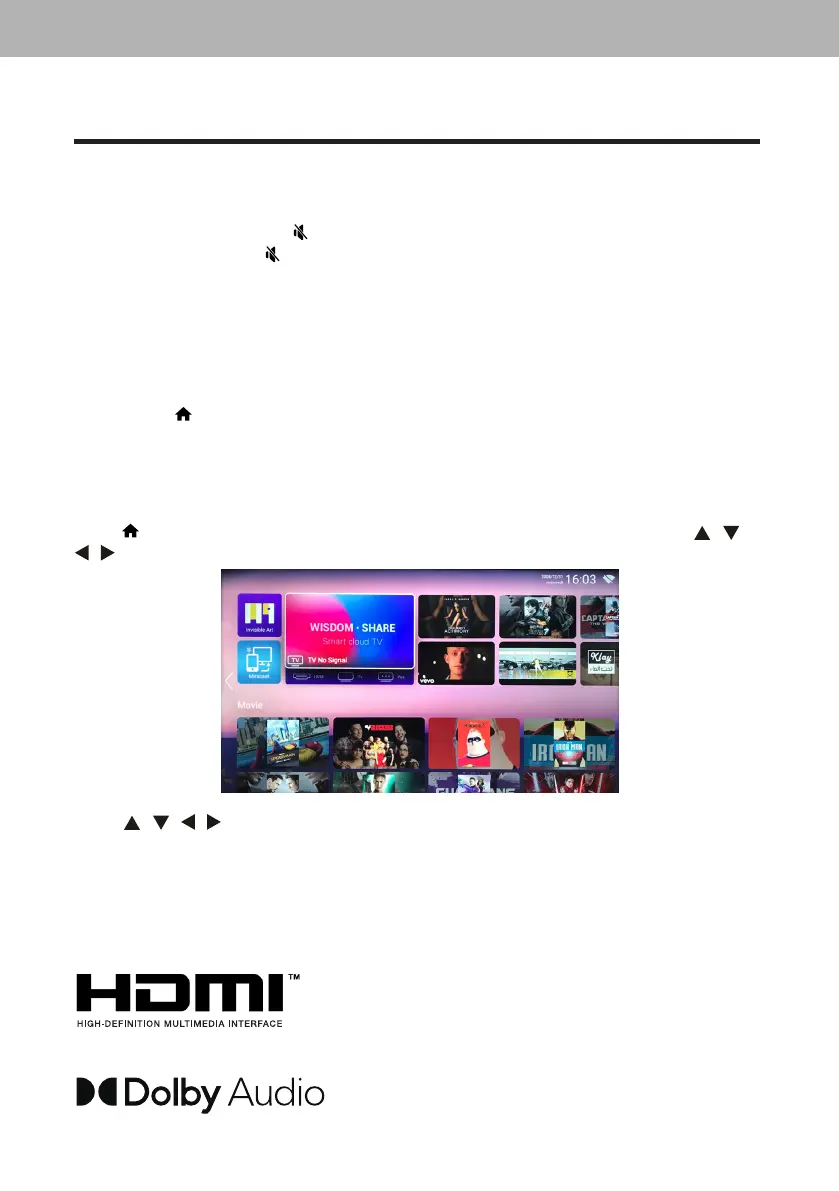
5.2. Home main menu
Press
buttonontheremotecontroltodisplaytheTVmaininterface,thenpress
/ /
/
buttontoselectApps/Network/Media/Settings,thenpressOKtoenter.
Press
/ / /
toselectMovie/TV/HOTAPP/FAVAPP/MUSIC.
Youcanchoosetheprogramyouwantonthehomepage.
Note:IfyouforgotyourPINcode,youcanoverridethecurrentcodeuse4711andenter
anewcode.
ThetermsHDMIandHDMIHigh-DenitionMultimedia
Interface,andtheHDMILogoaretrademarksor
registeredtrademarksofHDMILicensingAdministrator
Inc.intheUnitedStatesandothercountries.
ManufacturedunderlicensefromDolbyLaboratories.
Dolby,DolbyAudioandthedouble-Dsymbolare
trademarksofDolbyLaboratories.Condential
unpublishedworks.Copyright1992-2020Dolby
Laboratories.Allrightsreserved.
LED COLOR TV
14
2. Press
/
buttontoselectthecountry.
3. Press
/
buttontoselectthetimezone.
4. PressOKbuttontoconnecttheWIFI/network.
5. Press
/
buttontoselecttheStoreMode.
6. Press / buttontoselecttheinputsource.
4. Changing Channels
4.1. Using Change Buttons
PressP
/
tochangechannels,andtheTVchangeschannelsinsequence.Yo uwillsee
allchannelsthathavebeenmemorized.Channelserasedornot.


 To Next Page