45
Finger gestures
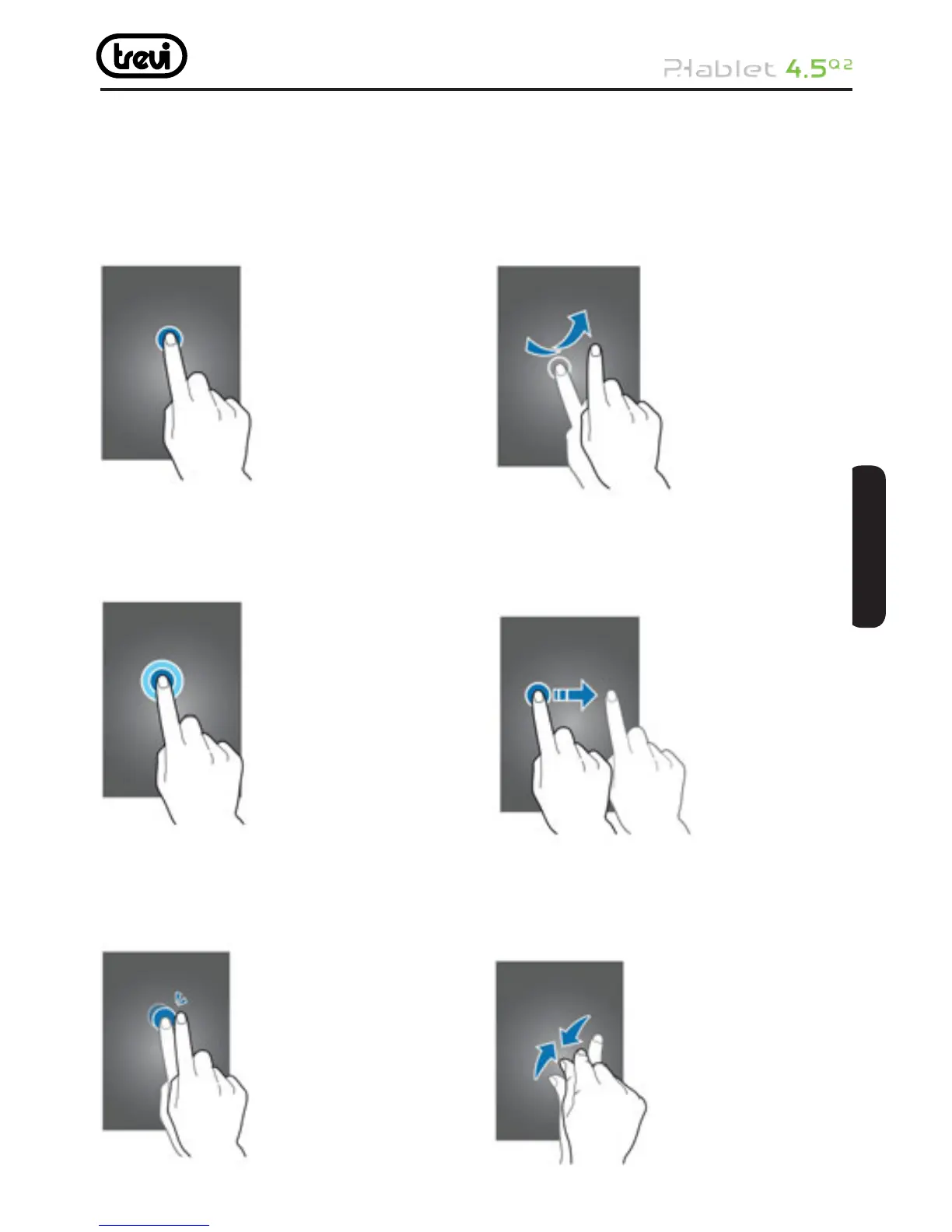
Tapping
To open an application, to select a menu item,
to press an on-screen button, or to enter
a character using the on-screen keyboard,
tap it with a fi nger.
Tapping and holding
Tap and hold an item for more than 2
seconds to access available options.
Double-tapping
Double-tap on a webpage, map, or image to
zoom in a part. Double-tap again to return.
Flicking
Flick left or right on the Home screen or the
Applications screen to see another panel.
Flick up or down to scroll through a webpage
or a list, such as contacts.
Dragging
To move an icon, thumbnail, or preview to
a new location, tap and hold it and drag it
to the target position.
Pinching
Spread two fi ngers apart on a webpage,
map, or image to zoom in a part. Pinch
to zoom out.
ITALIANOENGLISH



 To Next Page