48
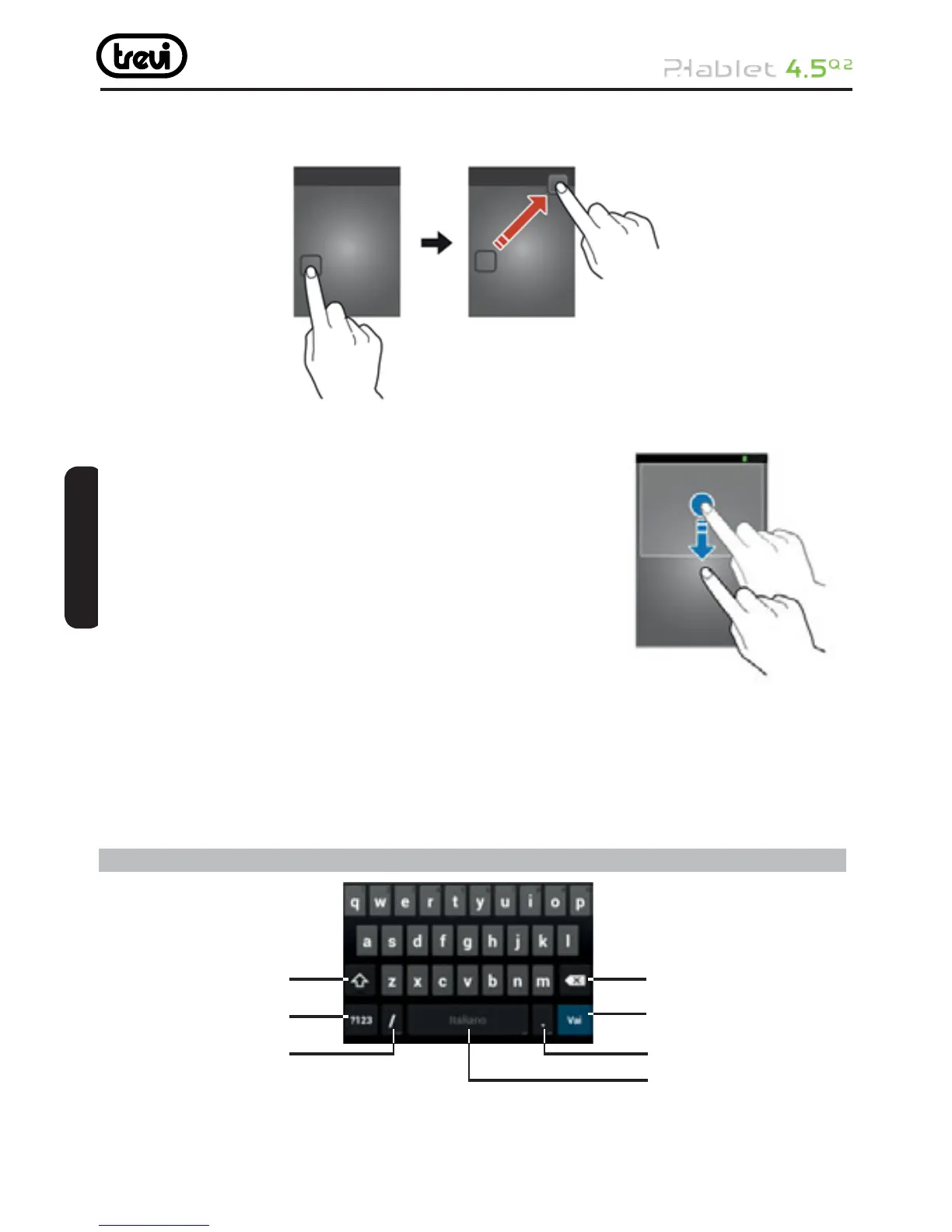
Remove an item from the Home screen
Tap and hold an item, and then drag it to the rubbish bin.
Use widgets
Widgets are small applications that provide convenient
functions and information on your Home screen.
• Some widgets connect to web services. Using a
web- based widget may result in additional charges.
• The widgets available may vary depending on your
region or service provider.
Add a widget to the Home screen
1 In the application list, select Widgets to open the widget panel.
2 Scroll left or right on the widget panel to fi nd a widget.
3 Tap and hold a widget to add it to the Home screen.
7 Using the Android Keyboard
1. Touch to capitalize the next character you will enter. Touch and hold to capitalize all
characters you will enter.
2. Touch to switch to the number and symbol keyboard.
1
2
3
4
5
6
7
ENGLISH



 To Next Page