16
calendar in this order: Hour > Minute > Second > 12/24
Hr > Year >Month > Date > Day language.
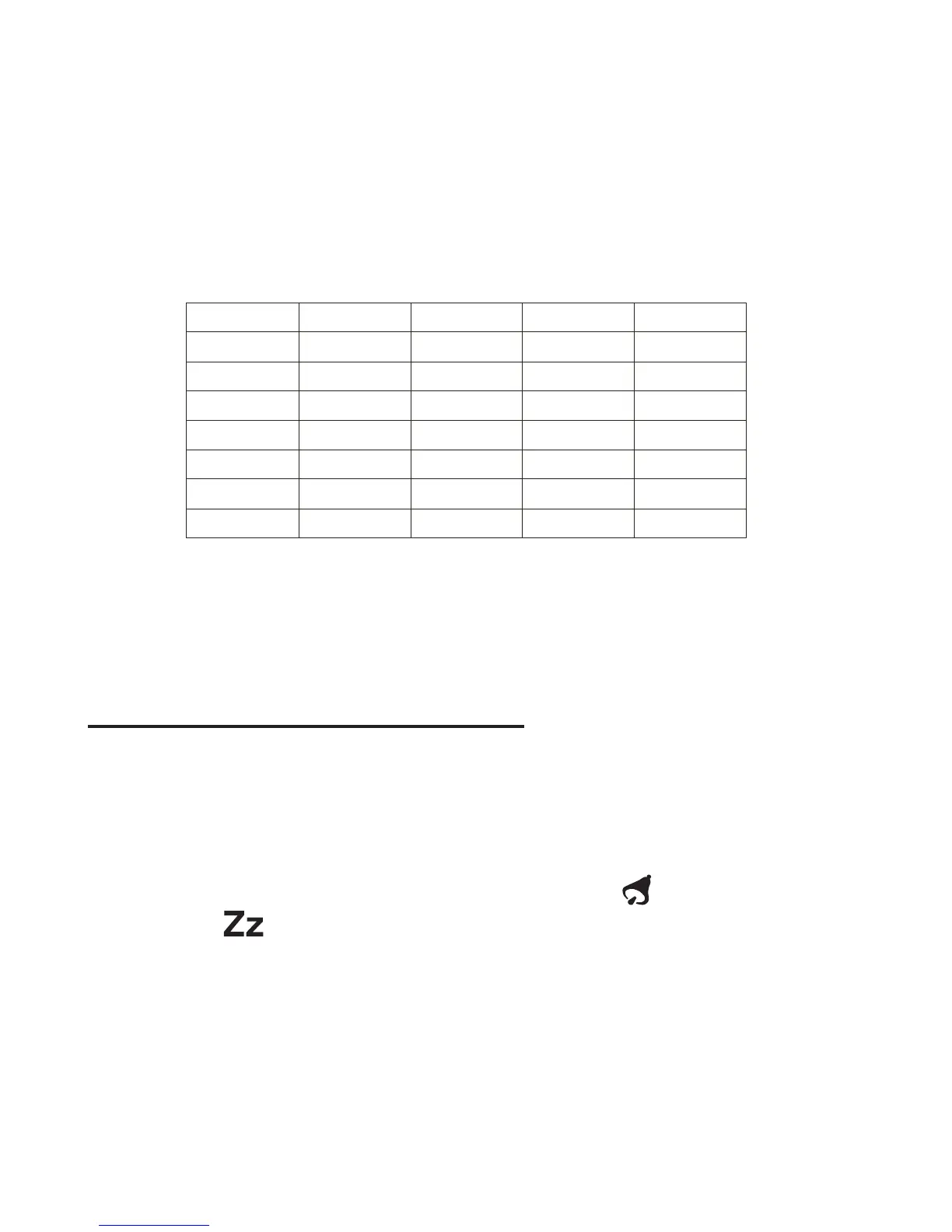
The weekday settings are represented by the following 4.
language abbreviations: GB=English, FR=French,
DE=German, ES=Spanish, IT=Italian.
After you complete all settings, press the “TIME” key 5.
to exit the setting mode, or let it exit automatically 30
seconds later without pressing any key.
ALARM AND SNOOZE SETTING
In normal time mode, press the “ALARM” key to enter 1.
the alarm time mode.
In alarm time mode, press the “UP” key to turn on the 2.
alarm and snooze with the bell icon [ ] and snooze
icon [ ] displayed together on the LCD.
In alarm time mode, press and hold the “ALARM” key 3.
for 2 seconds to enter the alarm time setting mode until
the hour digit ashes.
Press the “UP” or “DOWN” key to change the value of 4.
the ashing hour digit.
SON
MON
DIE
MIT
DON
FRE
SAM
DIM
LUN
MAR
MER
JEU
VEN
SAM
DOM
LUN
MAR
MIE
JUE
VIE
SAB
DOM
LUN
MAR
MER
GIO
VEN
SAB
EnglishGermany
French
Spanish
Italian
SUN
MON
TUE
WED
THU
FRI
SAT


 To Next Page