9
15. BATTERY COMPARTMENT
16. RESET
- Press it to set all values to default values.
- In case of malfunction, the unit may be required to reset.
17. TABLE STAND
- Use it to stand the clock on the desktop.
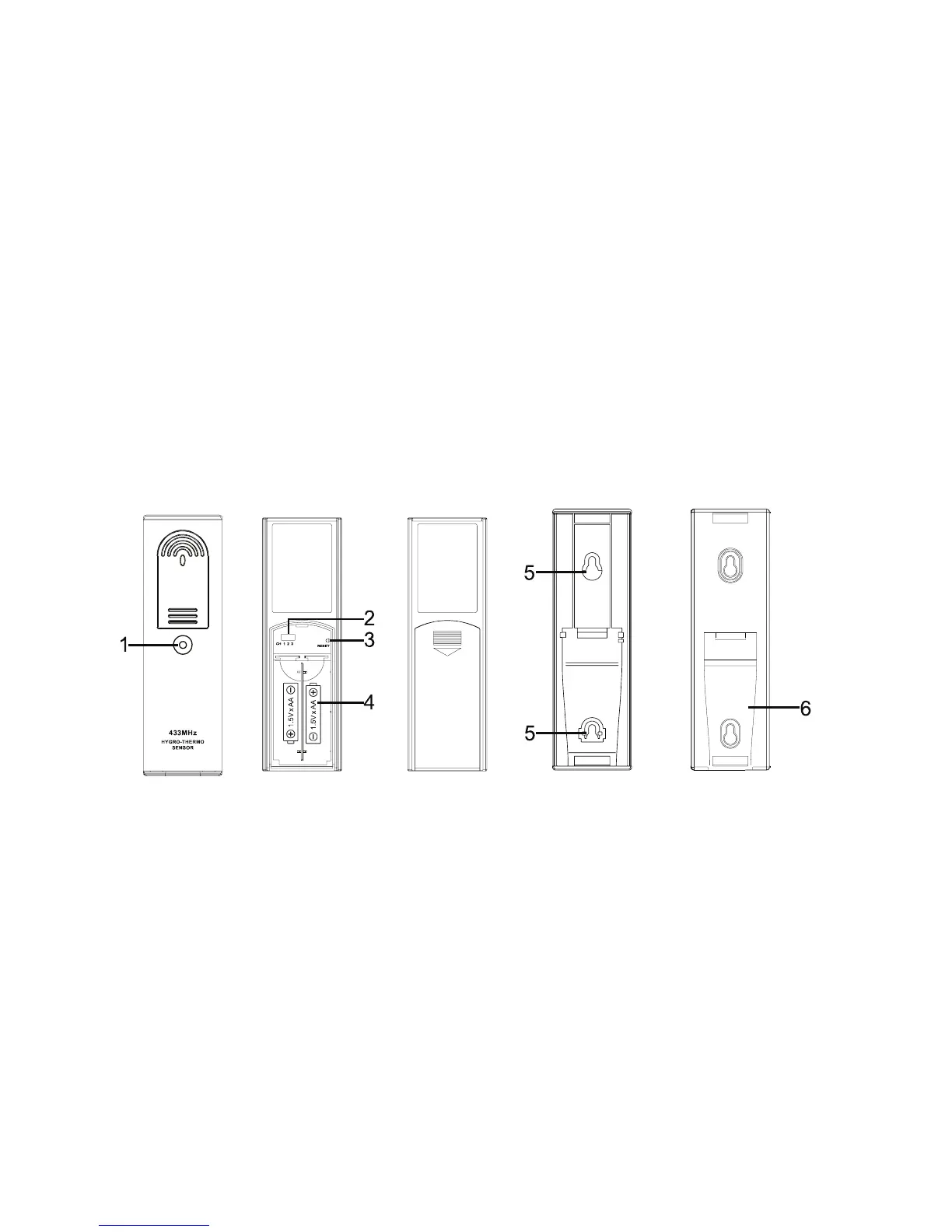
WEATHER STATION TRANSMITTER
1. SIGNAL QUALITY INDICATOR
- Flashes when the remote unit transmits a reading.
2. CHANNEL SLIDE SWITCH
- Assign the transmitter to channel 1, 2 or 3.
3. RESET
- Located behind the battery compartment.
- Press it to restart the transmitter.


 To Next Page