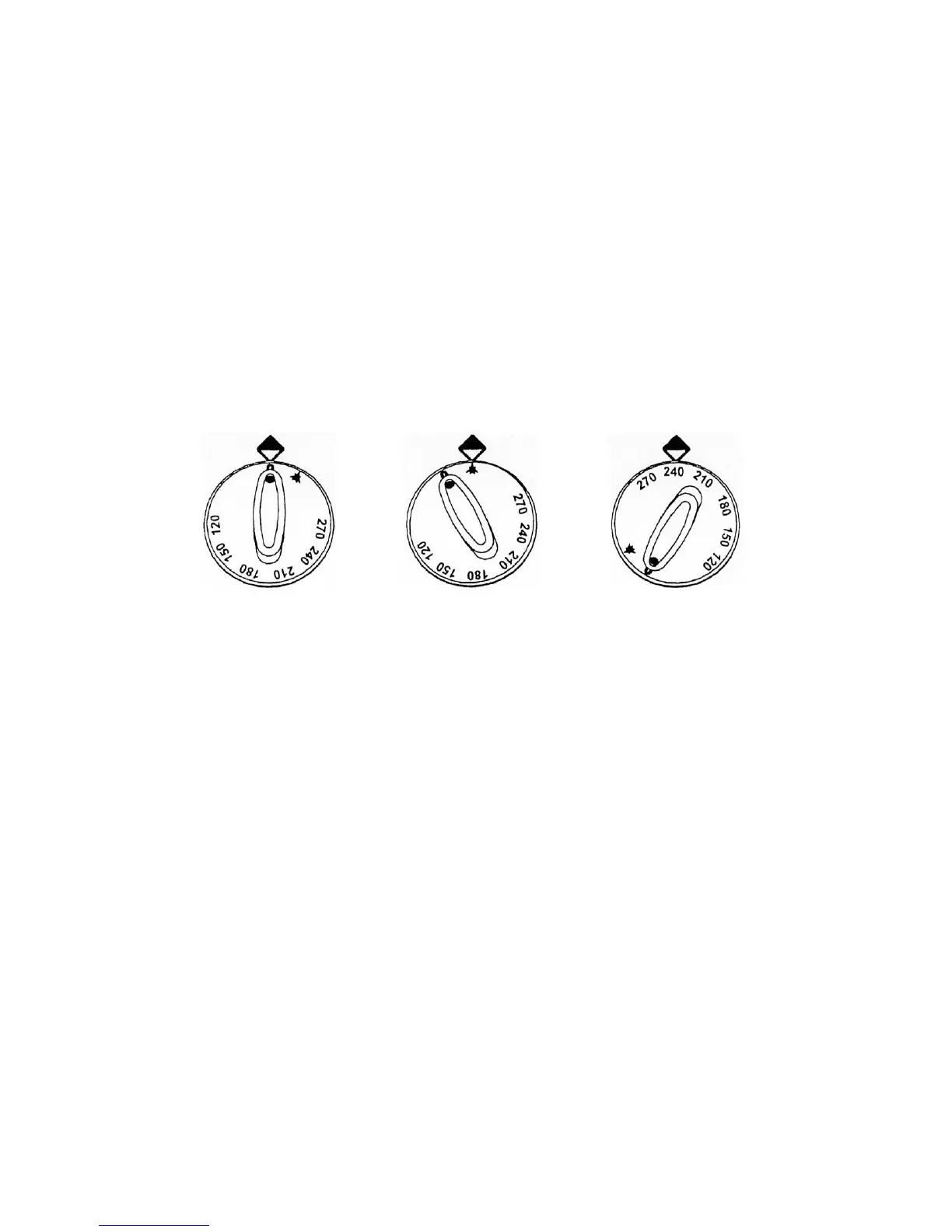
Turning on the Oven Burner - using the Oven knob:
• To light the gas oven pilot flame - push in and turn the knob in an counter clockwise direction to the
position shown in Fig. 5.
• Whilst pushing in the knob - push in and release the ignition button several times. The ignition button is
found by dropping down the small flap below the oven door.
• Check the pilot is lit, by looking through the hole located to the left of the ignition button, continue to push
in the oven knob for 15 seconds to allow thermocouple to activate. If the pilot flame goes out repeat
above procedures.
• Set oven temperature by selecting required temperature shown on the knob, turn knob in an counter
clockwise direction - these temperatures are in degrees Centigrade. Fig. 6.
• To turn off the main burner and leave on pilot, turn the knob in a clockwise direction to the ignition
position, Fig. 5. If you leave the oven on pilot, the main burner will automatically re-light when you select
the temperature.
• To turn off oven and pilot - turn the oven knob in a clockwise direction to the "OFF" position. Fig. 4.
9
Fig. 4 - Off
Fig. 2 - Ignition &
Pilot
Fig. 3 - Temperature
o
Setting C



 To Next Page