HOW TO TREAT
Before every treatment, shave, clean and dry the area you wish to treat.
Before your first full treatment on any new area, perform a patch test in that area.
Repeat treatments every 2 weeks for up to 3 months or until you’re satisfied with results.
1. TURN ON DEVICE
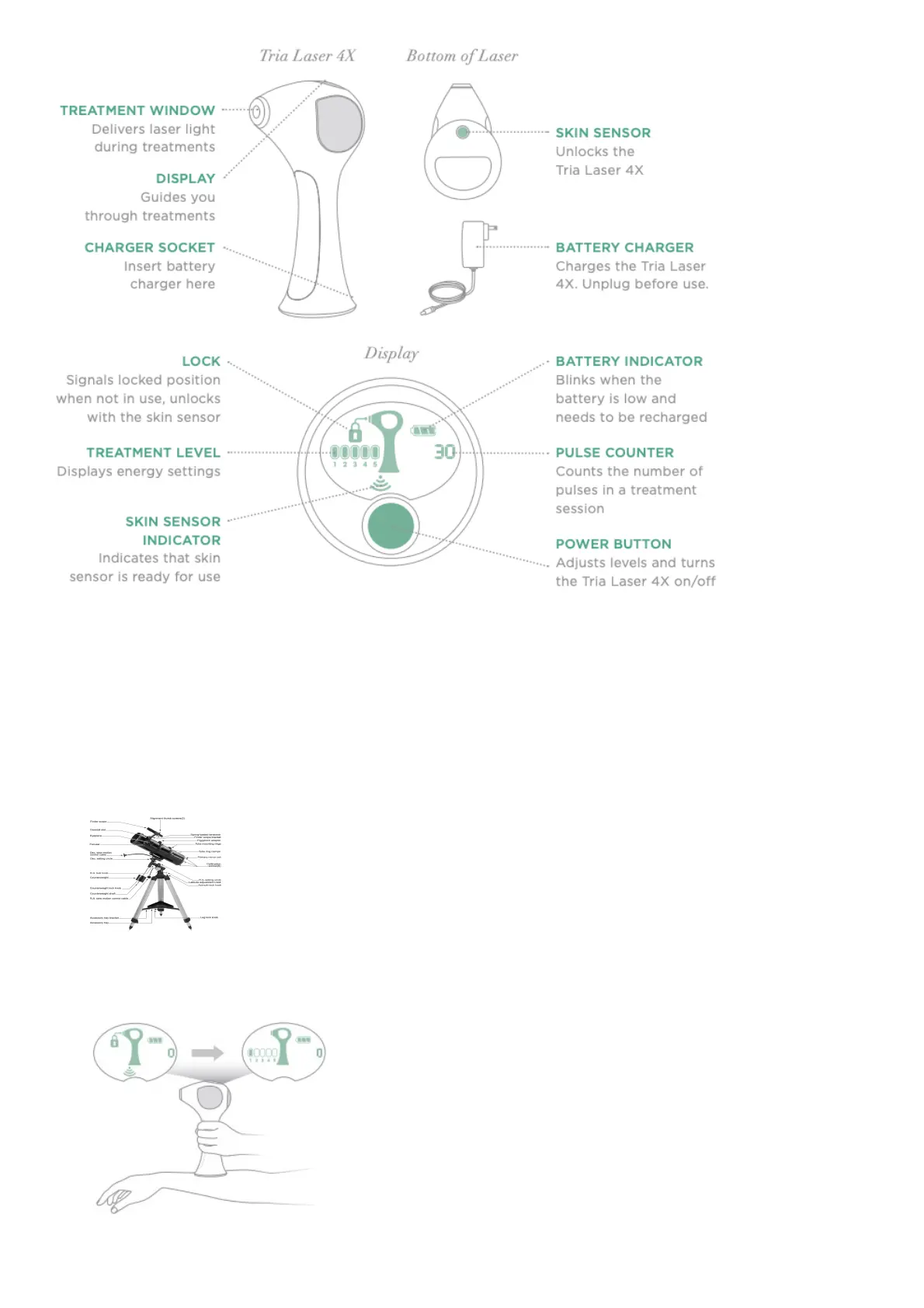
Unplug the Tria Laser 4X from the battery charger and press the power button.
2. UNLOCK
Unlock the device by holding the Skin Sensor against the skin in the area you wish to treat. If the
Tria Laser 4X is safe for your skin tone, a tone will sound and the Tria Laser 4X will unlock (if
device doesn’t unlock, see Instructions for Use for more information).
3. SET THE TREATMENT LEVEL
Press the power button to adjust levels.



 To Next Page