EN EN
Charging
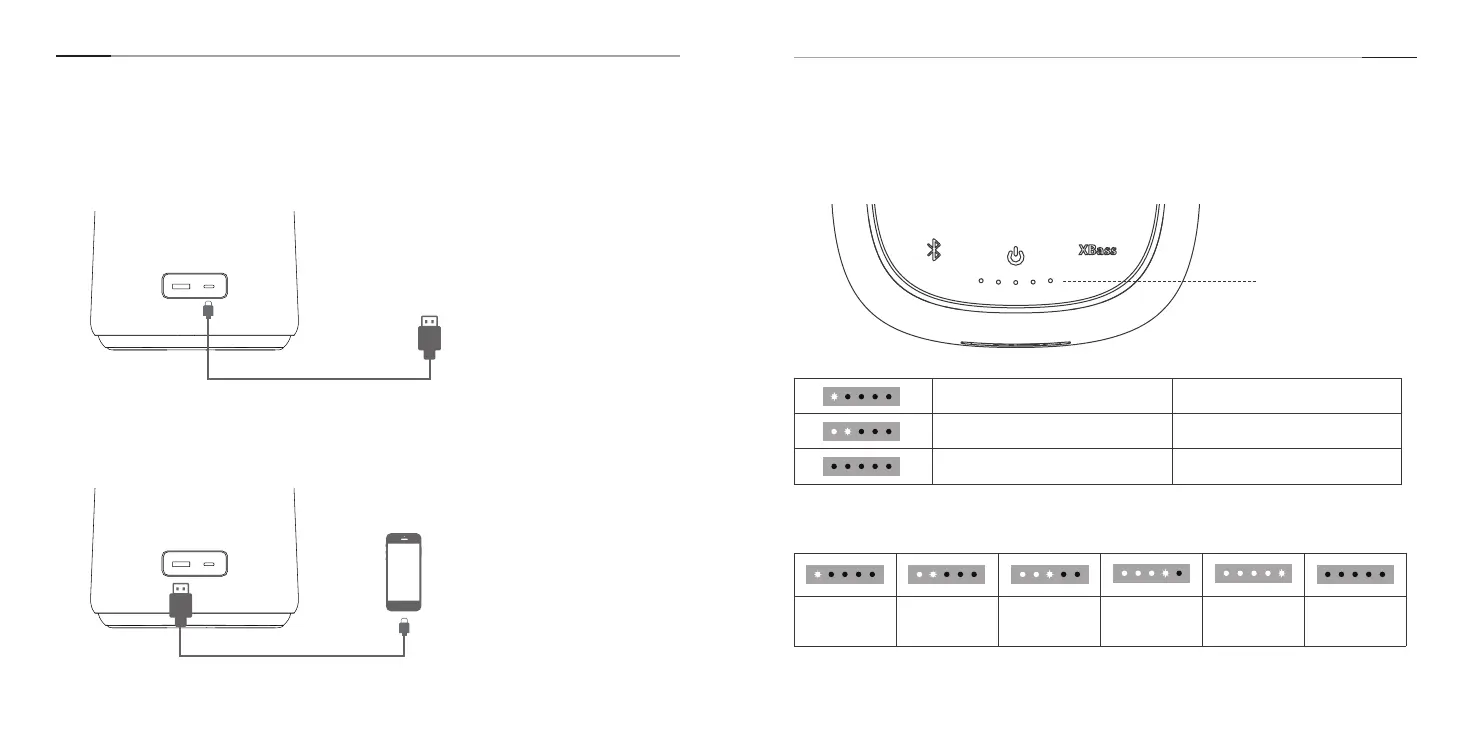
1. To Charge the Speaker
Connect this speaker to a 5V power outlet via the providing USB-C charging cable.
3.Charging Indicator
2.To Charge Other Devices
Connect the speaker with your USB-enabled device via a USB-A charging cable(not
included).
Red indicator is ashing Low battery
White indicator is ashing Charging
All indicators turn o Fully charged
10-30% 30-50% 50-70% 70-80% 80-100% Fully charged
Battery Indication
4.Battery Indication
5V~2A
3 4













 To Next Page