10
Moving any one or more of the four faders next to their associated frequency select switches to the
right of centre, will result in the chosen frequency being increased in level. Moving the faders to the
left of centre will result in the chosen frequency being attenuated. Operating the frequency select
switch in the high section (8kHz to 15kHz shelving) will introduce a subtle change of emphasis of the
high frequencies being affected. Operating the frequency select switch in the upper mid section
(3kHz to 9kHz peaking) will introduce a distinct difference according to the frequency selected, since
it is now peaking rather than shelving and also due to the characteristics of the inductor-based
topology. Operating the frequency select switch in the 'lower mid' section, 250Hz - 2kHz peaking, will
also introduce a distinct difference according to the frequency selected, again because of its
peaking nature and the use of inductors in this part of the circuit. Operating the frequency select
switch in the low section, 80Hz - 150Hz shelving, will introduce an effective change of emphasis to
the low frequencies, according to the switch setting.
Finally, the three shelving 'low-pass' and 'high-pass' filter sections are employed to introduce a roll-
off of either high frequencies or low frequencies respectively, according to which of the three push
buttons are selected in each section. The high-pass filters are useful for the minimization of
extraneous low frequency 'rumble' caused, for example, by someone's feet moving about near a
microphone stand, nearby traffic noise, AC systems, etc. Additionally, a high-pass filter can be used
effectively during recording to reduce the accumulation of low frequency sounds that can adversely
affect a mix. The three high-pass corner frequencies are 25Hz, 50Hz and 100Hz. The low-pass
filters are used to minimize high frequency noise that may cause 'harshness' in a vocal, or to tame
the output of a violin or guitar amplifier, etc. Low-pass filtering is often employed on kick and snare
drums and bass guitars, as well as a means of reducing 'hiss'. The three low-pass filter frequencies
on the are 9k, 12k and 15k. Filters can also be used in combination for greater effect.
The 'Insert In' button enables the unbalanced Insert Send and Return points, which are accessible
via ¼" jacks on the rear of the unit. When 'Pre EQ' is selected, the 'Insert' point is located between
the output of the Mic/Line amplifier and the input of the equaliser. In 'post' mode, the 'Insert' point is
instead placed after the equaliser section and before the final output amplifier.
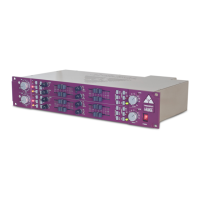
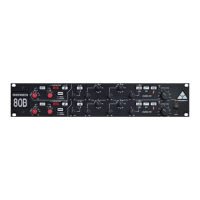
A-Range
The amount of boost (accentuation) or cut (attenuation) that is applied to the audio signal is entirely
dependent on the programme content and it is not our intention to advise on this. Application of
equalisation is a very subjective matter and is best learned by trial and error. The equaliser bypass
switch 'EQ IN' is a useful facility for comparing the signal before and after equalisation.
INSERT IN AND INSERT PRE
These two switches are very useful when the unit is used as two independent 'channel strips'. The
'pre/post' facility allows the user to choose at which point an external signal processing device (such
as a compressor/limiter) is inserted into the signal chain and the 'bypass' facility makes it possible to
compare the unprocessed signal with the processed signal by the touch of a single button.
The ability to bypass the Insert makes it easy to compare the signal with and without the external
processing device, with no need to unplug it from the Send and Return jacks on the rear of the unit.
Without this function it would either be necessary to disconnect the external processor, or operate its
controls separately. Because it is still connected (even when bypassed), it is possible adjust the
external device (eg: to set the correct level) before it is switched into the A-Range signal path.
®
®


 To Next Page
 Loading...