Service Manual
1716
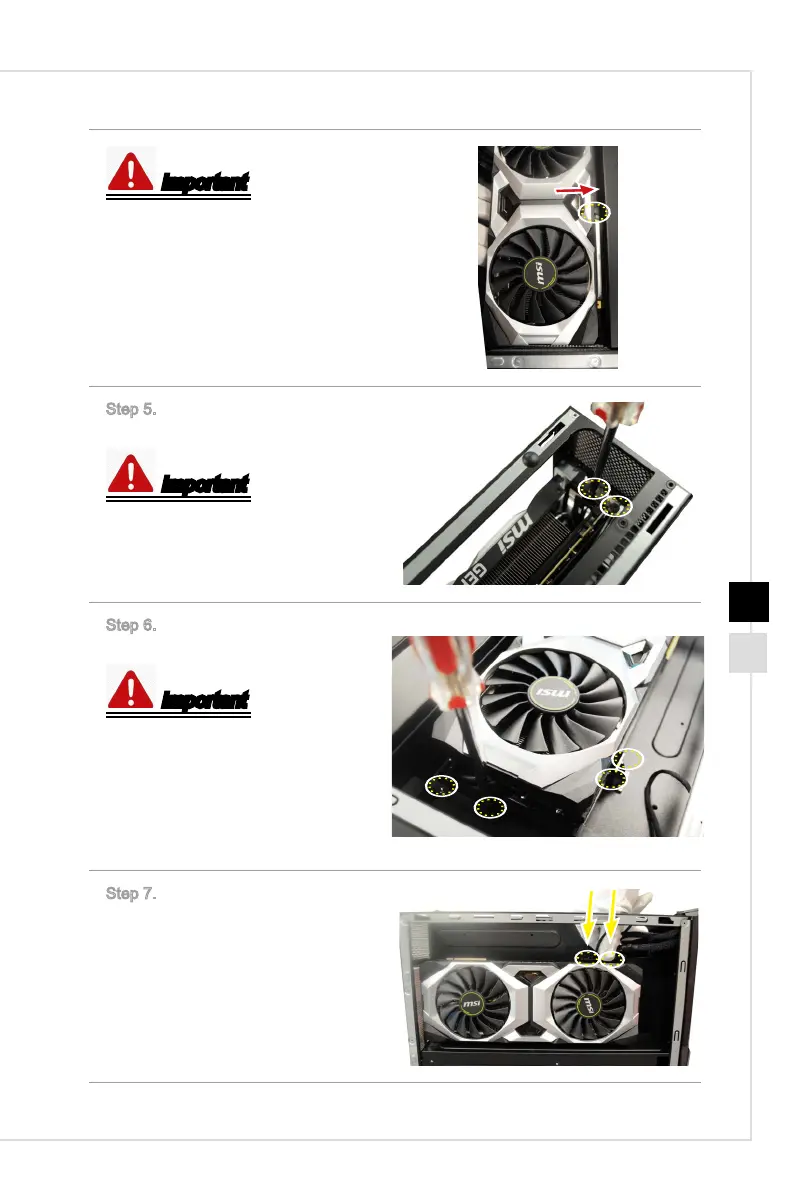
Important
When removing the graphics card, you
need to press the clip to release it.
Step 5. Lock the screws of the auxilia-
ry graphics card support.
Important
6-32 screws * 2.
Step 6. Lock the screws of the auxilia-
ry graphics card support to nish.
Important
M3X4 screws * 4.
Follow the above procedures in
reversed order to remove the graphics
card.
Step 7. Connect the power connectors
to nish.



 To Next Page