Service Manual
1716
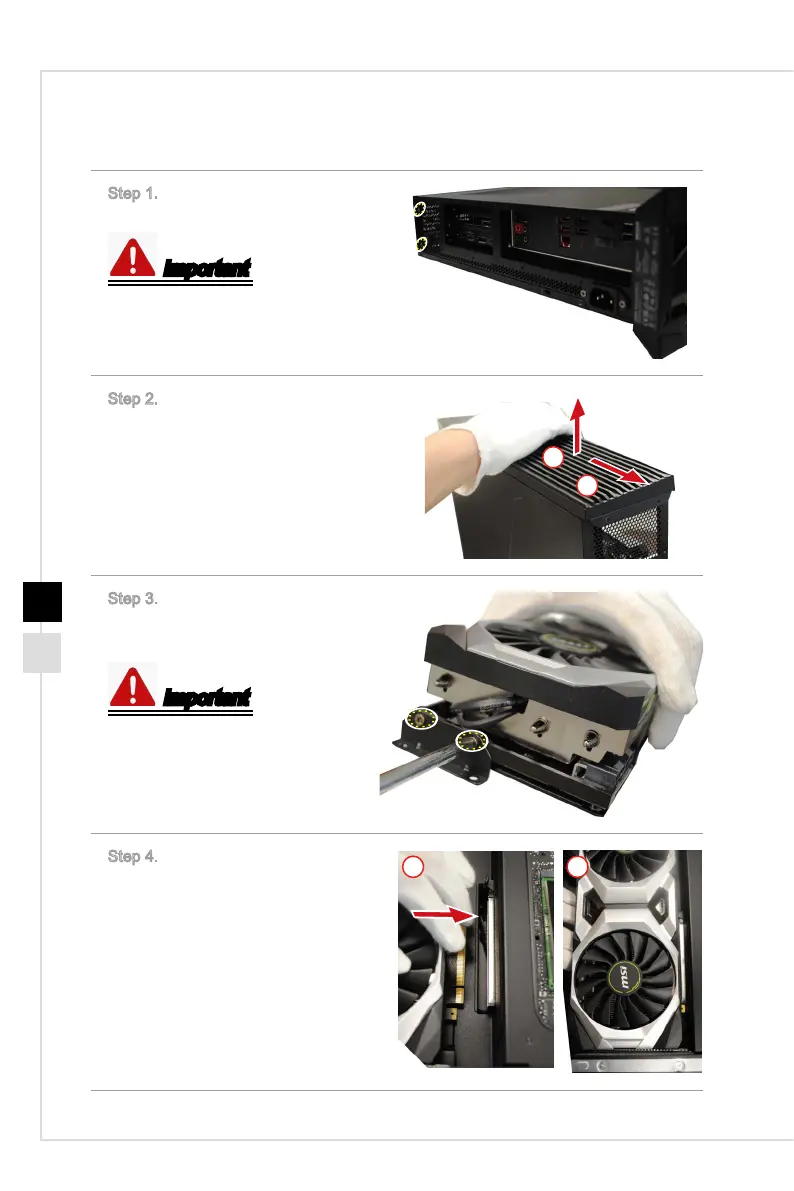
h Installing Graphics Card
Step 1. Unlock the screws that se-
cures the top cover.
Important
M3X4 screws * 2.
Step 2. Open the top cover.
1
2
Step 3. Lock the screws of the auxil-
iary graphics card support to secure
the bracket.
Important
M3X4 screws * 2.
Step 4. Push the graphics card to the
slot.
1 2



 To Next Page