Service Manual
1918
h Installing M.2 SSD (optional)
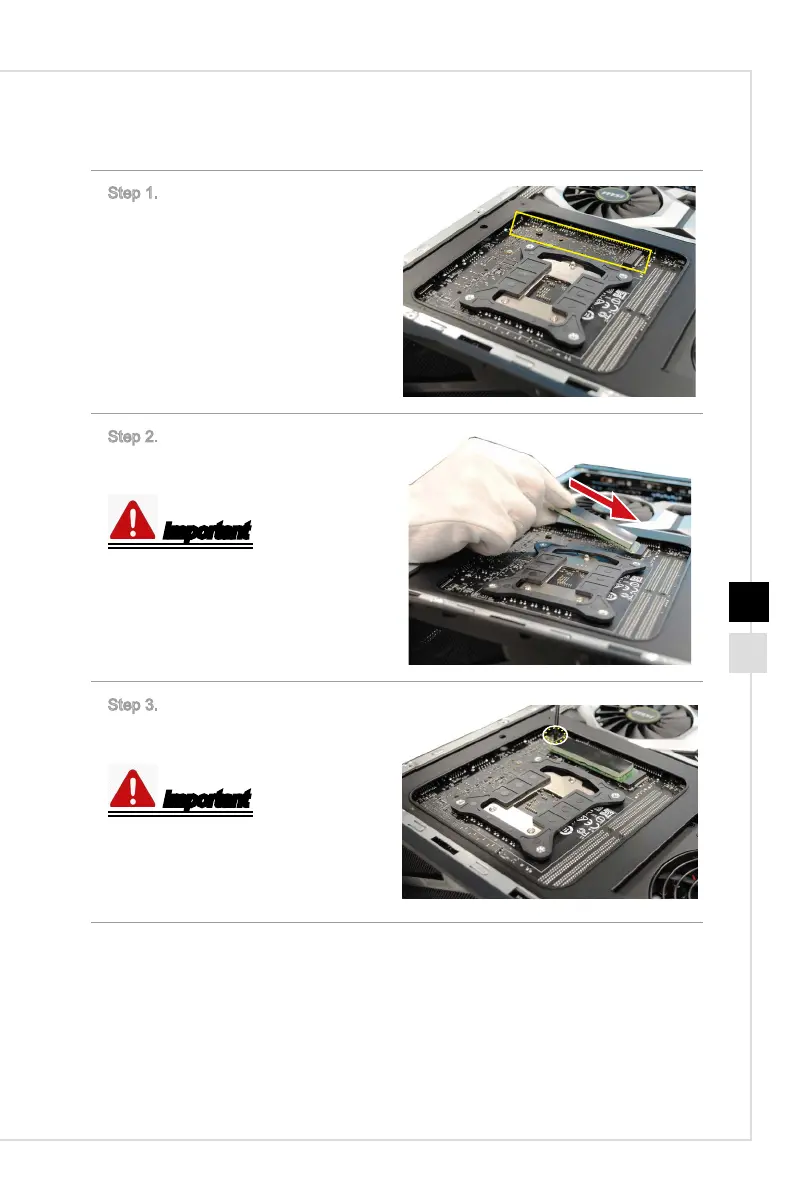
Step 1. Locate the M.2 SSD slot.
Step 2. Slide the M.2 SSD device by
the direction as the gure shows.
Important
Align the notch on the M.2 SSD with
the key on the slot and insert the SSD
into the slot.
Step 3. Push down the M.2 SSD de-
vice and lock it with the M2X4 screw.
Important
M2X4
screw * 1.
Follow the above procedures in re-
versed order to remove the M.2 SSD.



 To Next Page