EN
3
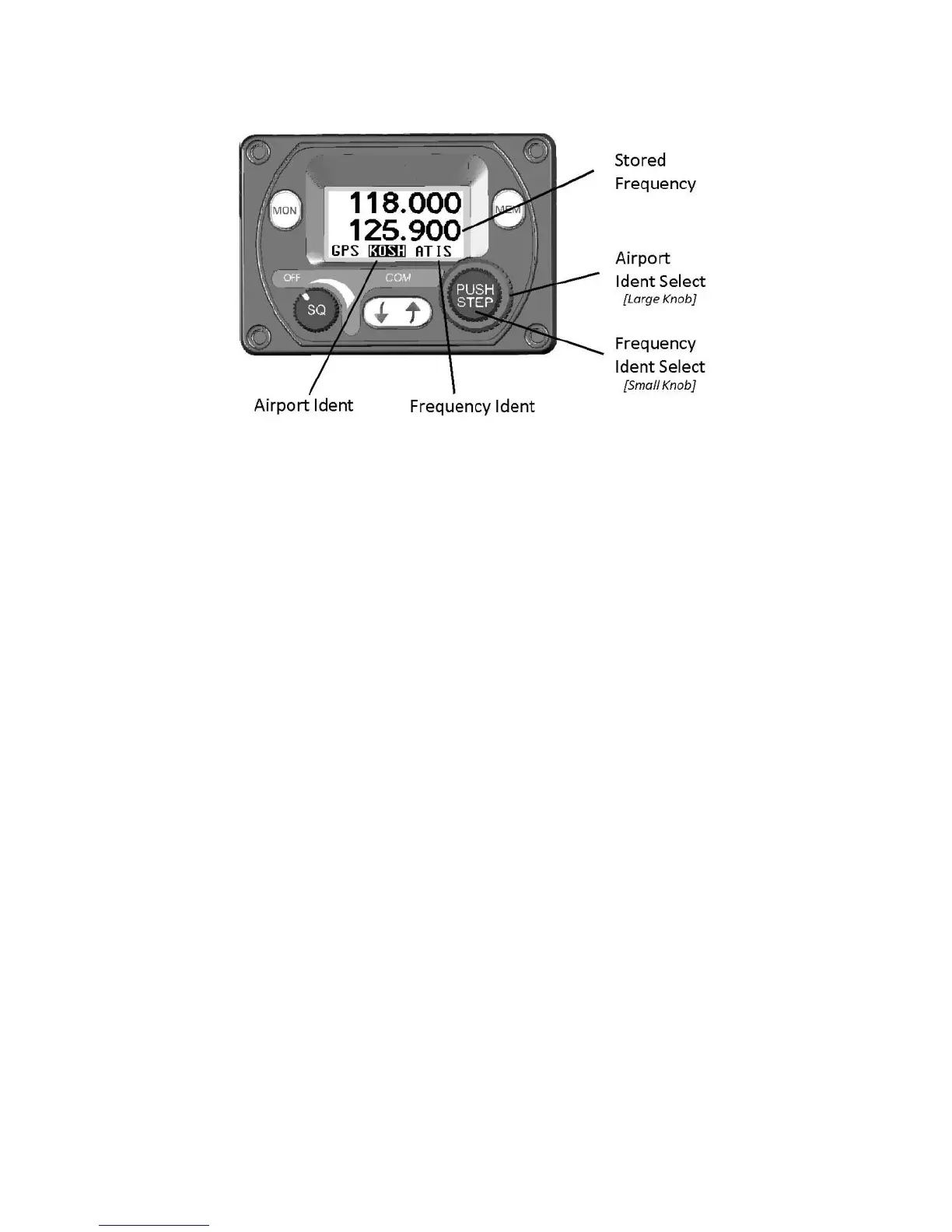
The available airports can be scrolled through using the large
frequency select knob. The individual frequencies associated with that
airport can be scrolled through by using the smaller frequency select
knob. After you have stepped through all the loaded airports, or if
there is no GPS attached, the built-in memory of the controller will be
displayed.
In each case the selected frequency is loaded into the standby
position. Pressing MEM again leaves the stored frequency in the
standby window. Pressing the Flip-flop button loads the stored
frequency directly into the active channel.
Note: When the controller is displaying the available airport
frequencies it will not accept any new updates from the GPS
to avoid the frequencies changing during selection. To allow
the GPS to update the available frequency database you must
come out of memory mode by pressing the MEM or flip-flop
button.
Frequency Memory
If no GPS is connected and the MEM button is pressed, or if the large
knob is rotated beyond the remote database the controller will access
the internal quick reference memory. There are 9 quick reference
memory locations and the bottom edge of the screen will display which
memory location is currently selected (1 – 9).


 To Next Page