
 Need help?
Do you have a question about the Trilithic EASyCAST and is the answer not in the manual?
Presents crucial information regarding installation, setup, and configuration best practices for the EASyCAST.
Explains the core functions of the EASyCAST, including message decoding, audio/video creation, and routing.
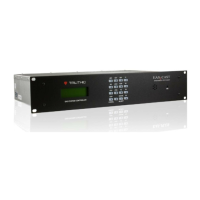
Details the components and user interface elements located on the front panel of the device.
Describes the various connectors and ports available on the rear panel of the EASyCAST unit.
Provides specific pinout and function information for rear panel connectors like COM1, COM2, and Parallel Port.
Illustrates sample connections for monitoring EAS audio sources via antennas and external inputs.
Shows sample wiring diagrams for connecting control interfaces, such as pushbuttons and PCs, to the EASyCAST.
Details sample connections for transmitting EAS data and controlling audio/video output devices.
Presents a summary of the technical attributes and features of the EASyCAST Encoder/Decoder.
 General
| Brand | Trilithic |
|---|---|
| Model | EASyCAST |
| Category | Media Converter |
| Language | English |

 To Next Page