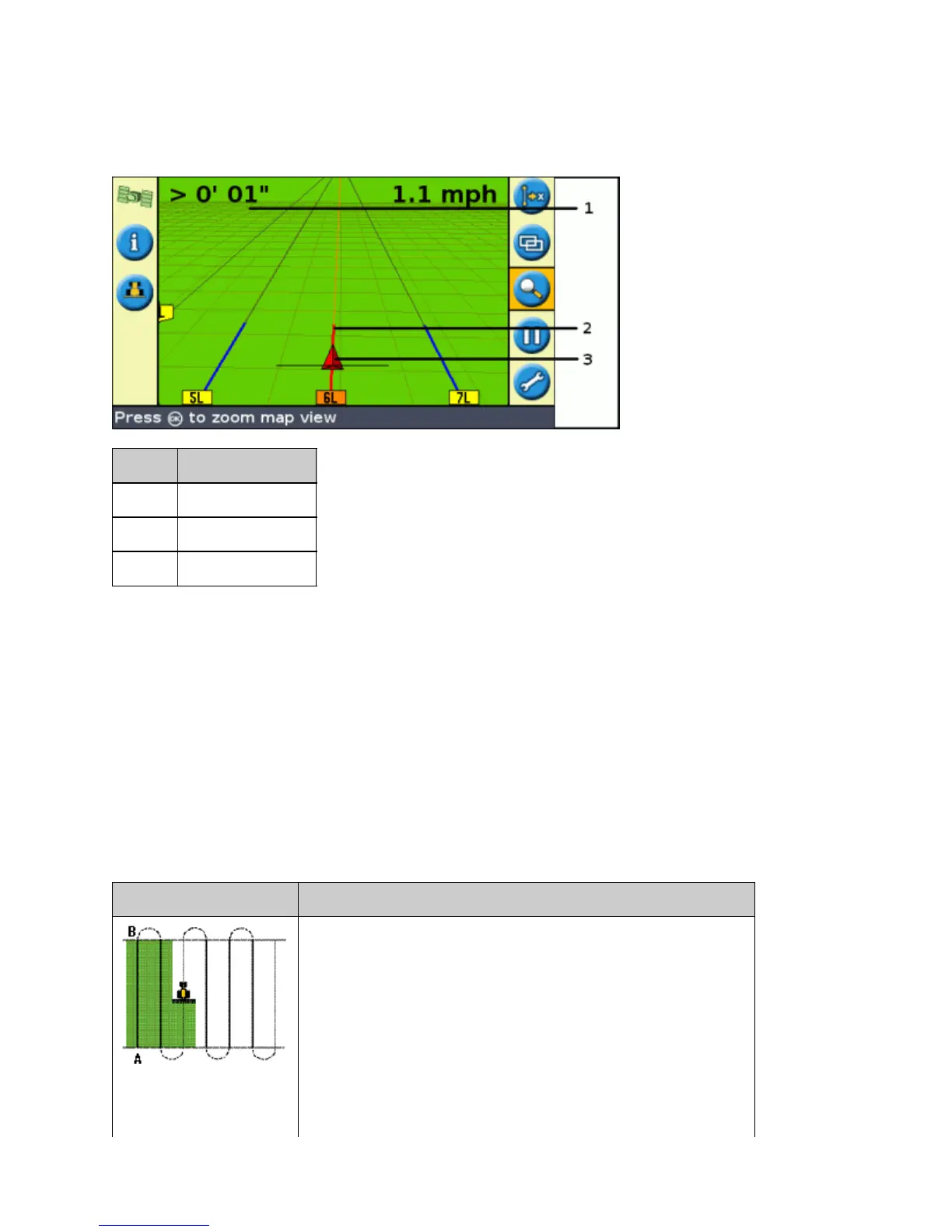
Guidance on the screen
The lightbar screen shows the position of your vehicle in the field, the guidance line, and the offline distance, so
you can tell how much you need to correct your position.
ITEM DESCRIPTION
1 Offline distance
2 Guidance line
3 Vehicle position
Guidance Patterns
The EZ−Guide 250 lightbar has seven guidance patterns so you can create guidance to suit your field layout:
Straight AB
A Straight AB is the most simple form of line. Use a straight AB Line when you do not need to define headlands
and you want to drive the field in parallel straight lines.
To create a straight AB Line, define a start point (A) and an end point (B). The Straight AB Line then appears as a
straight line between the two points.
PATTERN EXAMPLE
19



 To Next Page