4 Connecting to an EZ-Steer System
26 EZ-Guide 500 System Cabling Guide
EZ-Steer 500 system
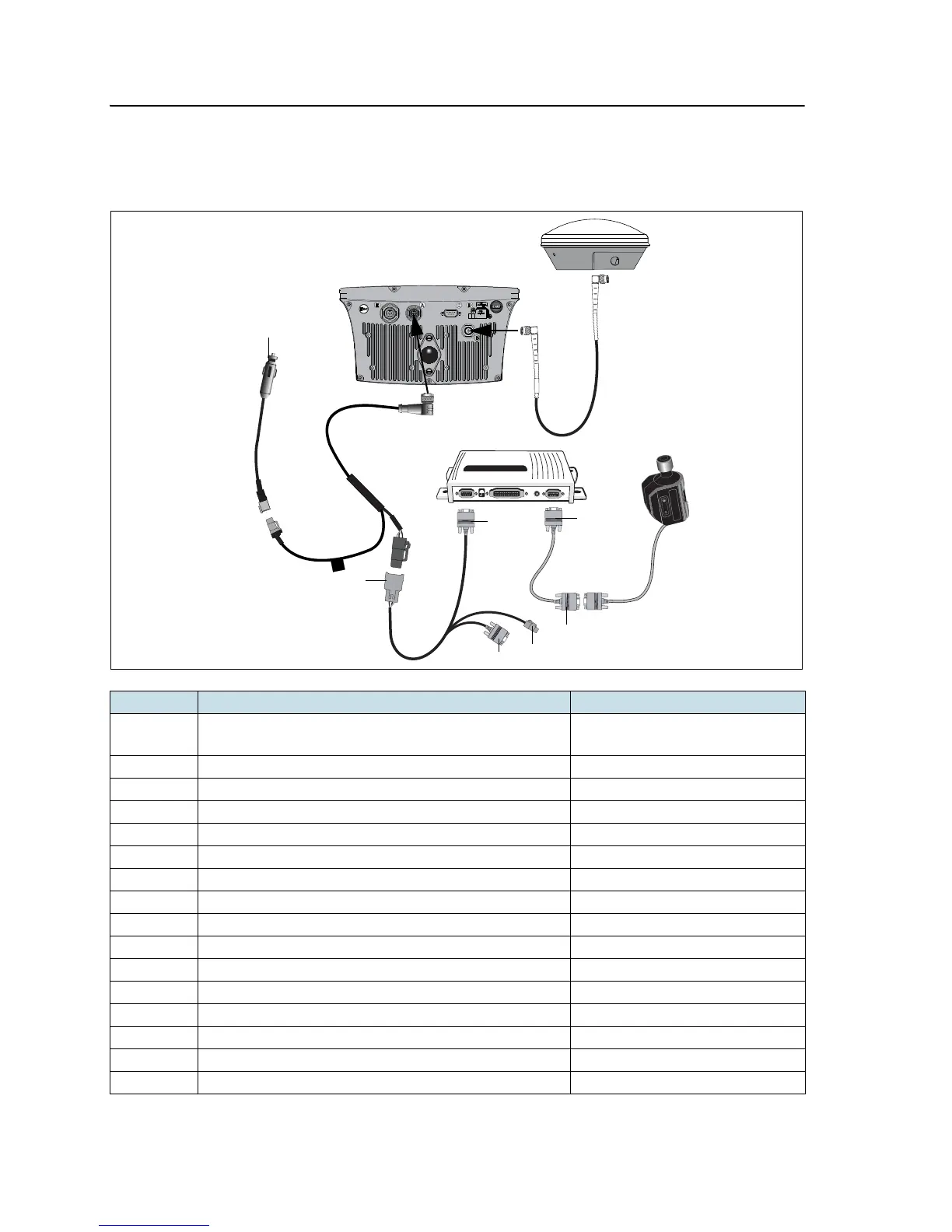
This figure shows how to connect the EZ-Guide 500 lightbar to an EZ-Steer system:
Item Description Part number
A GPS antenna 60600-02 (DGPS)
77038-00 (OmniSTAR/RTK)
B GPS antenna cable 50449
C EZ-Steer motor 53058-00
D EZ-Steer motor cable 62257
E EZ-Steer controller –
F EZ-Steer extension cable 62974
G Power cable 62817
H Power connector cable 62818
I EZ-Guide 500 lightbar 66100-xx
1 “P2” connector –
2 “P1” connector –
3 “P2” connector –
4 Alternate power connector –
5 Laptop connector (for upgrading firmware) –
6 “S1” connector –
7To power –



 To Next Page