6 Connecting to Factory Ready Autopilot System
52 EZ-Guide 500 System Cabling Guide
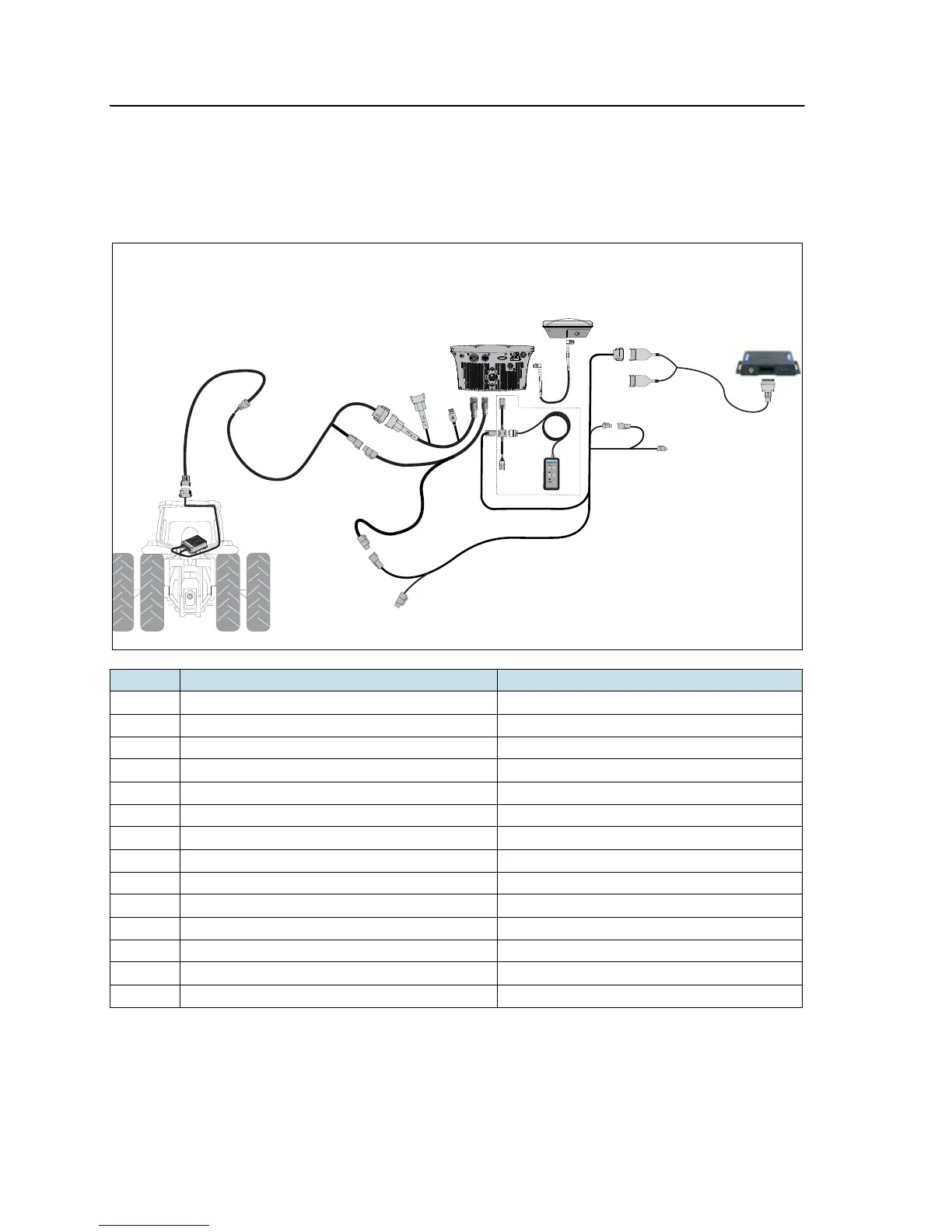
EZ-Guide 500 system / Autopilot / Ag 3000 Modem
This figure shows how to connect an EZ-Guide 500 system to an Autopilot system with
an Ag3000 modem:
Item Description Part number
c EZ-Guide 500 lightbar 66100-xx
d GPS antenna 77038-00
e Ag3000 breakout cable 70433
f Ag3000 interface cable 72639
g AG3000 Modem 68600-xx
h Remote keypad: optional 66030-00
i EZ-Guide 500 power cable 62817
j Port expansion cable 62609
k CNH Hybrid to GPS cable 67120
l NAVController II 55563-00
m Factory-installed harness -
n EZ-Guide 500-to-Autopilot cable 62754
o GPS antenna cable 50449
p External interface cable 62749



 To Next Page