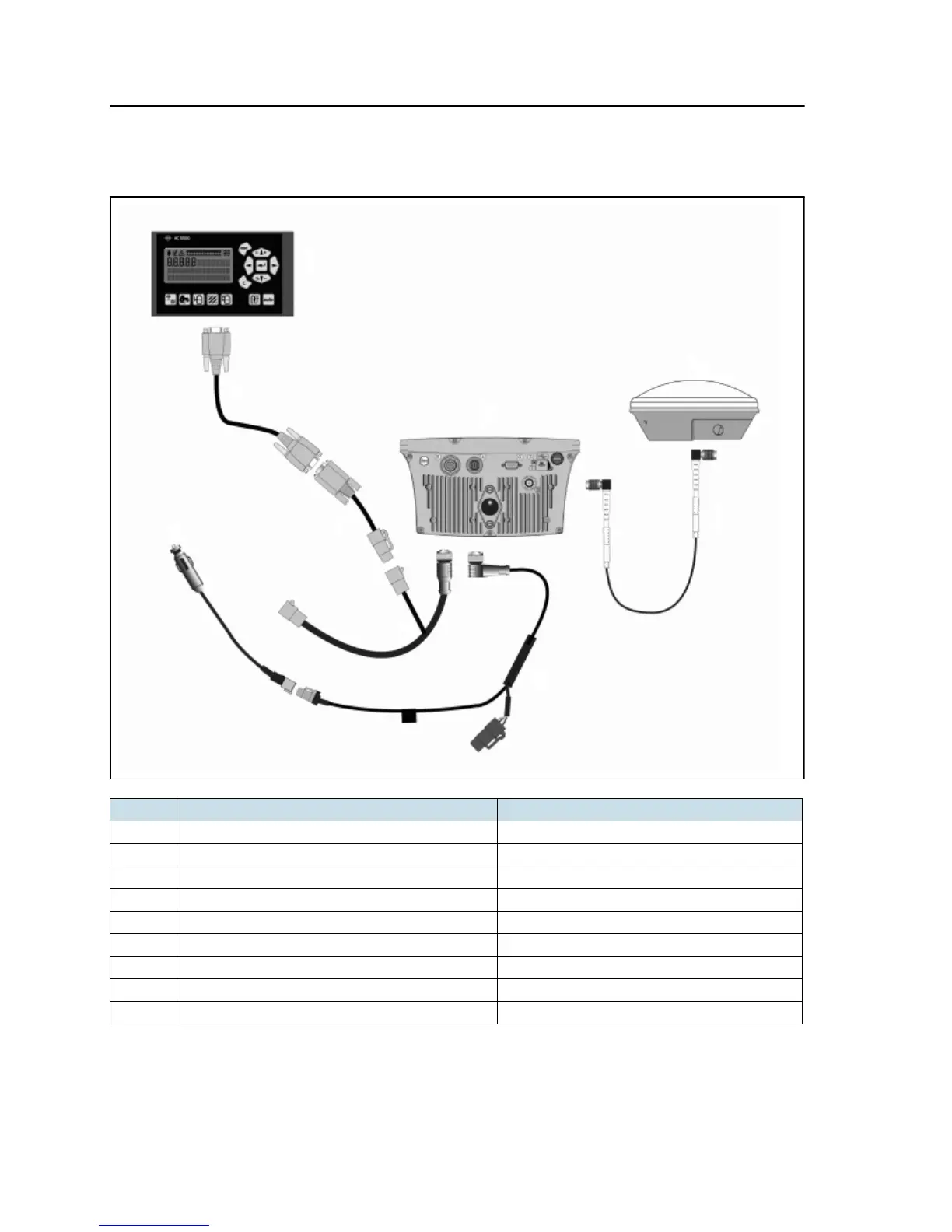
EZ-Guide 500 System Cabling Guide 57
Connecting to a Serial Variable Rate Controller 7
Alternatively, this figure shows how to connect the Hardi 5500 variable rate controller
to the EZ-Guide 500 lightbar AUX port.
Note – The Hardi 5500 controller must have firmware version 3.16 or later installed and
have a JOBCOM control box connected for it to work correctly with the EZ-Guide 500
lightbar.
Item Description Part number
c EZ-Guide 500 lightbar 66100-xx
d Antenna 60600-02 (DGPS), 77038-00 (OmniSTAR/RTK)
e Antenna cable 50449
f EZ−Guide 500 power cable 62817
g To power –
h EZ−Guide 500 AUX port cable 62609
i Serial port extender 63076
j Hardi 5500 (COM1) to EZ−Guide 500 cable 59043
k Hardi 5500 Controller –



 To Next Page