Trimble M3 Total Station User Guide 91
Coordinates 7
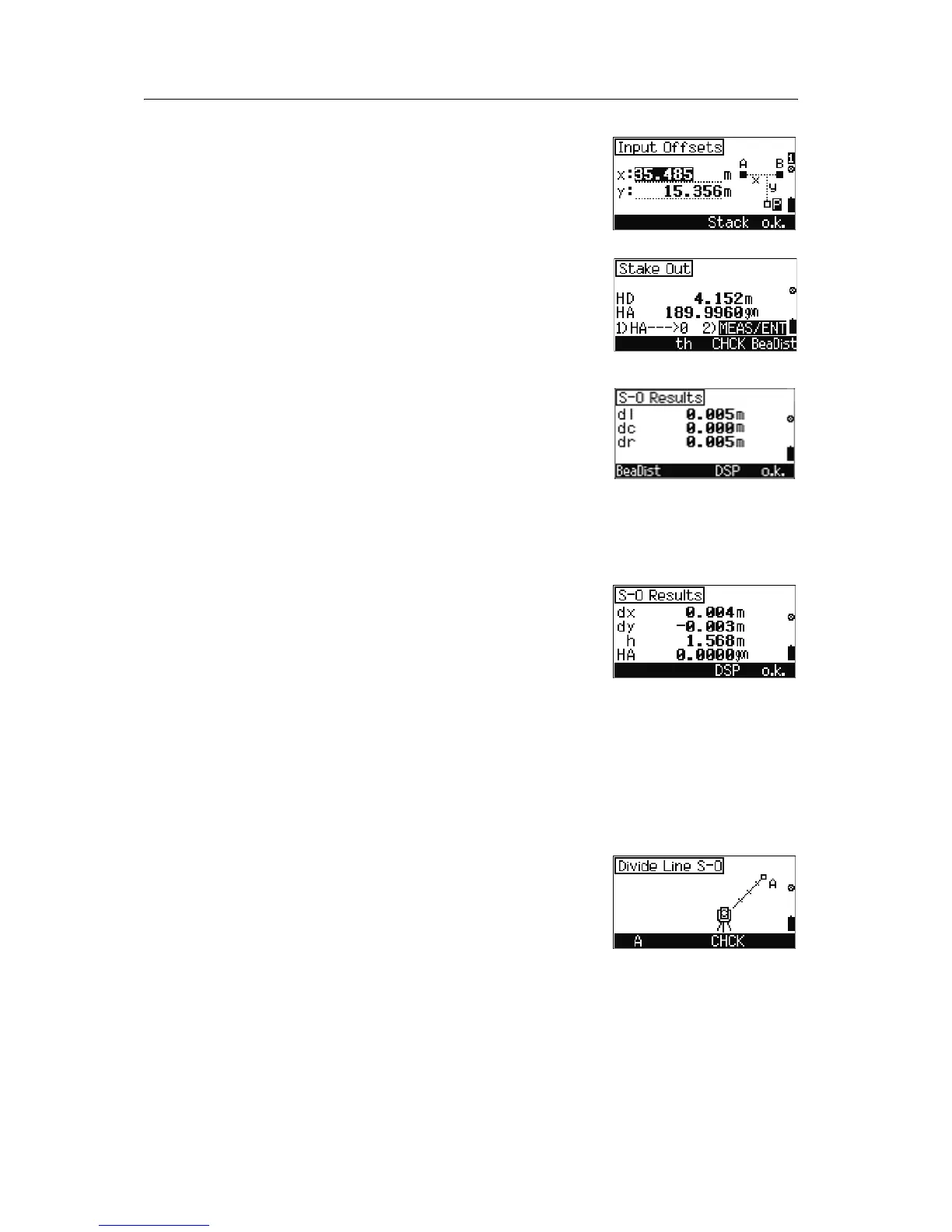
9. To define point P by entering the distance from A
(as x), and the perpendicular line A-B (as y).
You can also select a value from the stack, press
[F3] Stack.
10. To go to the observation screen, press
[F4] o.k.
11. Do one of the following:
– To measure the target height, press
[F2] th.
– To activate the Adjustment C&I program,
press
[F3] CHCK.
–To measure point P, press
[MEAS/ENT].
The following results are shown:
– dl: errors in In/Out from the station point to
the target point
– dc: errors in Right/Left from the station
point toward the target point
– dr: errors in horizontal distance between
the measured and calculated value.
12. Do one of the following
– To change the display, press
[F3] DSP.
– To record the result, press
[F4] o.k.
70.1 Stakeout by dividing line
To stake out stations on a defined line at the stationing
intervals along the line, use the Stakeout by dividing
line function.
This function divides the line between the instrument
and the first target by an inputspan number. It then
guides you to stake out the points one by one.
1. From the
Stake out menu, select
[6] DivLine 2D. Do one of the following:
–To define point A, press
[F1] A.
– To activate the Adjustment C&I program,
press
[F3] CHCK.


 To Next Page
 Loading...