7 Coordinates
92 Trimble M3 Total Station User Guide
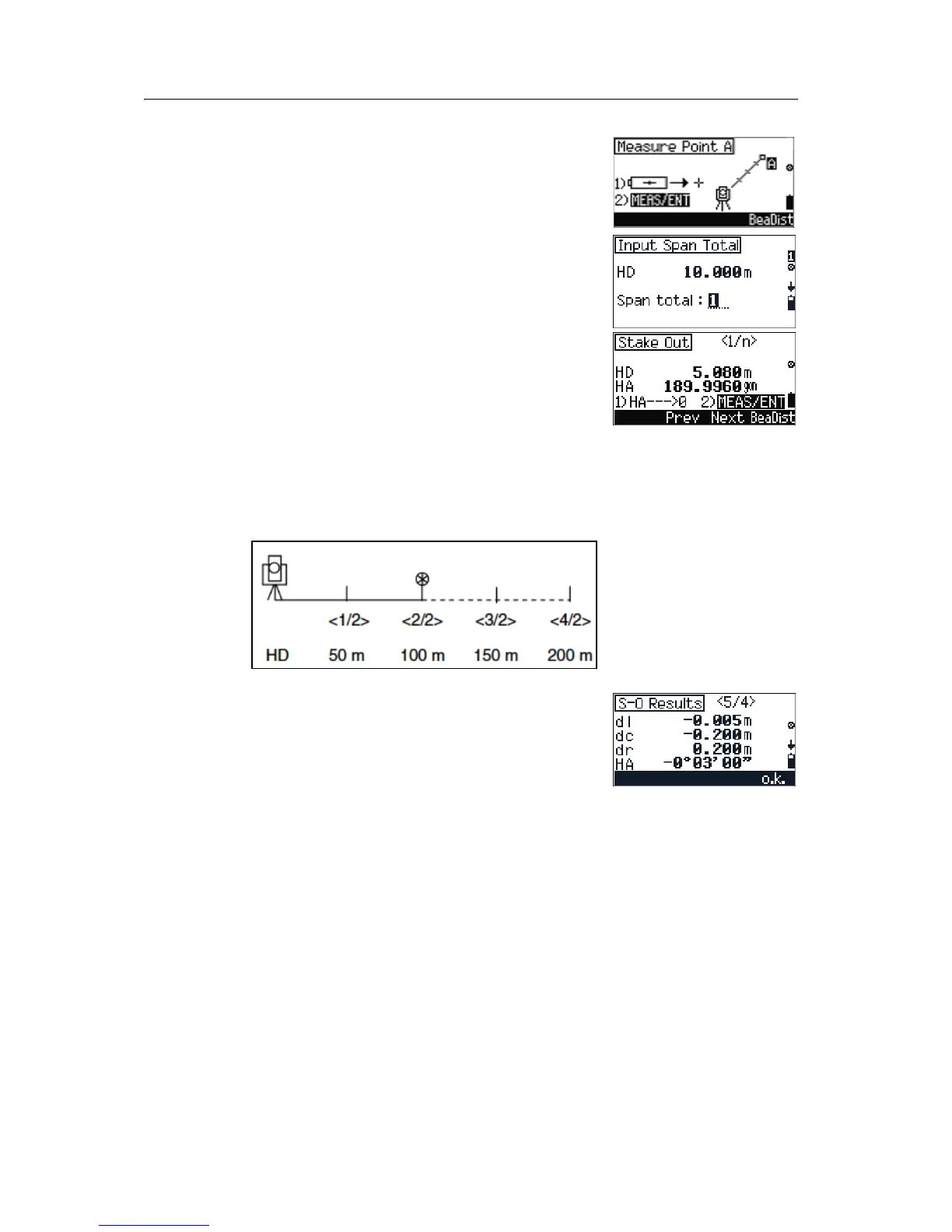
2. Sight point A and then press [MEAS/ENT] to take a
measurement.
3. After taking a measurement to point A, enter the
number of spans you are going to use to divide
the distance from instrument to point A and
then press
[MEAS/ENT].
4. Sight the closest point from the station and press
[
MEAS/ENT]. Do one of the following:
– To change the target point to the previous
point (in this case, point 8/4),
press
[F2] Prev.
– To change the target point to the next point
(in this case, point 2/4), press
[F3] Next.
B
Tip – If you measure to the end point at 100 m from the
instrument and set the span total to 2, the next four
points are calculated and can be staked.
After taking a measurement to each target, the
error between the calculated and measured point
are to be displayed.
5. Do one of the following:
– To record the point, press
[F4] o.k.
– To return to the
Input Span Total
screen, press
[ESC].



 To Next Page