8 Applications
98 Trimble M3 Total Station User Guide
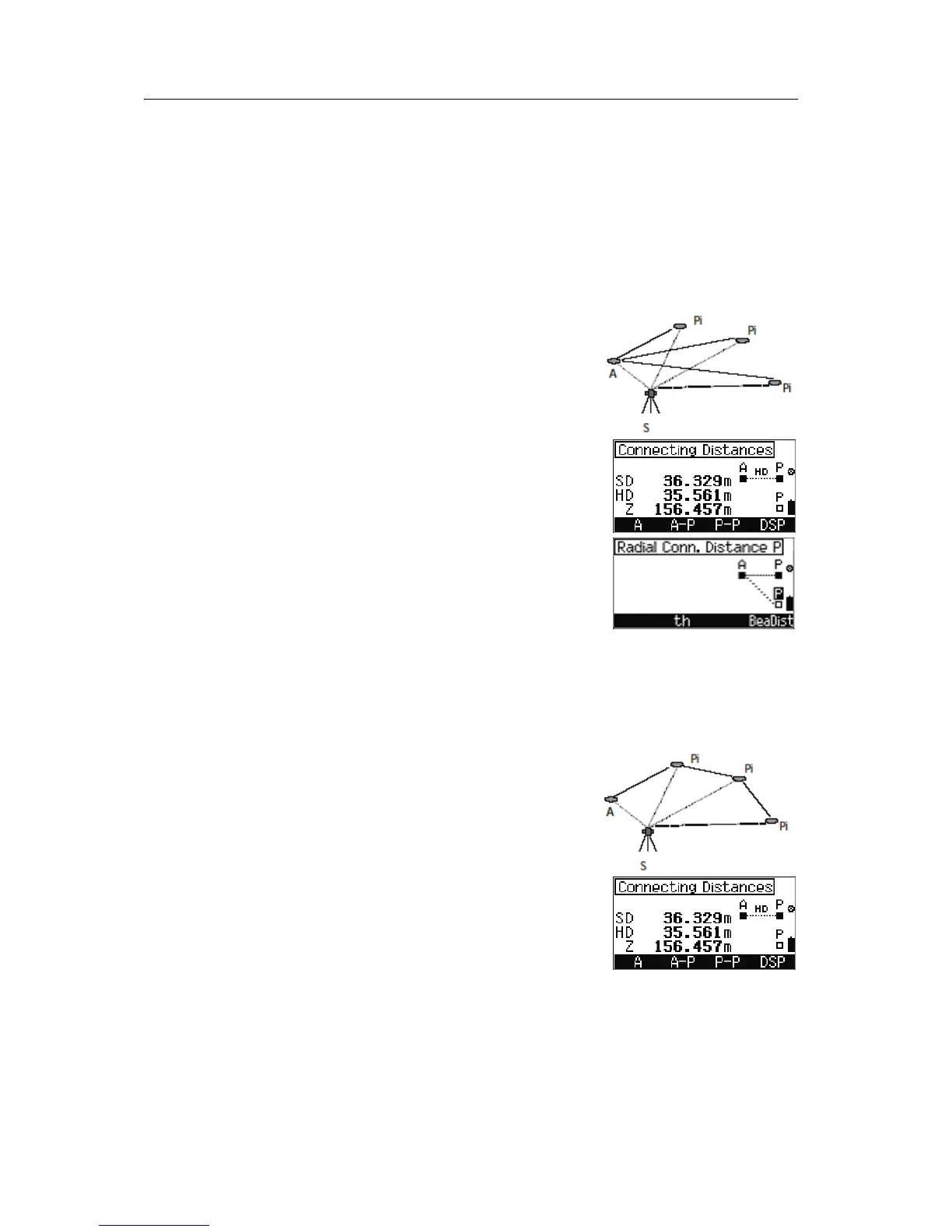
• To proceed with Polygonal Connecting Distance
function, press
[F3] P-P. See Polygonal
connecting distance P - P, page 98.
Note – If you are taking 3D measurements, you can press
[F4] DSP to change the display between SD/HD/Z and
SD/HD/h.
Radial connecting distance A - P
The results always relate to point A.
In the first result screen, press
[F2] A-P.
In the
Radial Conn. Distance P screen, do one
of the following:
• To take a measurement to point P, press
[MEAS/ENT].
• To change target height, press [F2] th.
• To go back to the Select A & P screen, press
[ESC].
Polygonal connecting distance P - P
The results always relate to the last two points
measured.
In the first result screen, do one of the following:
• Press [F3] P-P.
• To change the display between Z and h, press
[F4] DSP.
Note – This option is only available when you are taking
3D measurements.



 To Next Page