10 Checking and Adjustment
122 Trimble M3 Total Station User Guide
100.1 Adjusting the laser beam
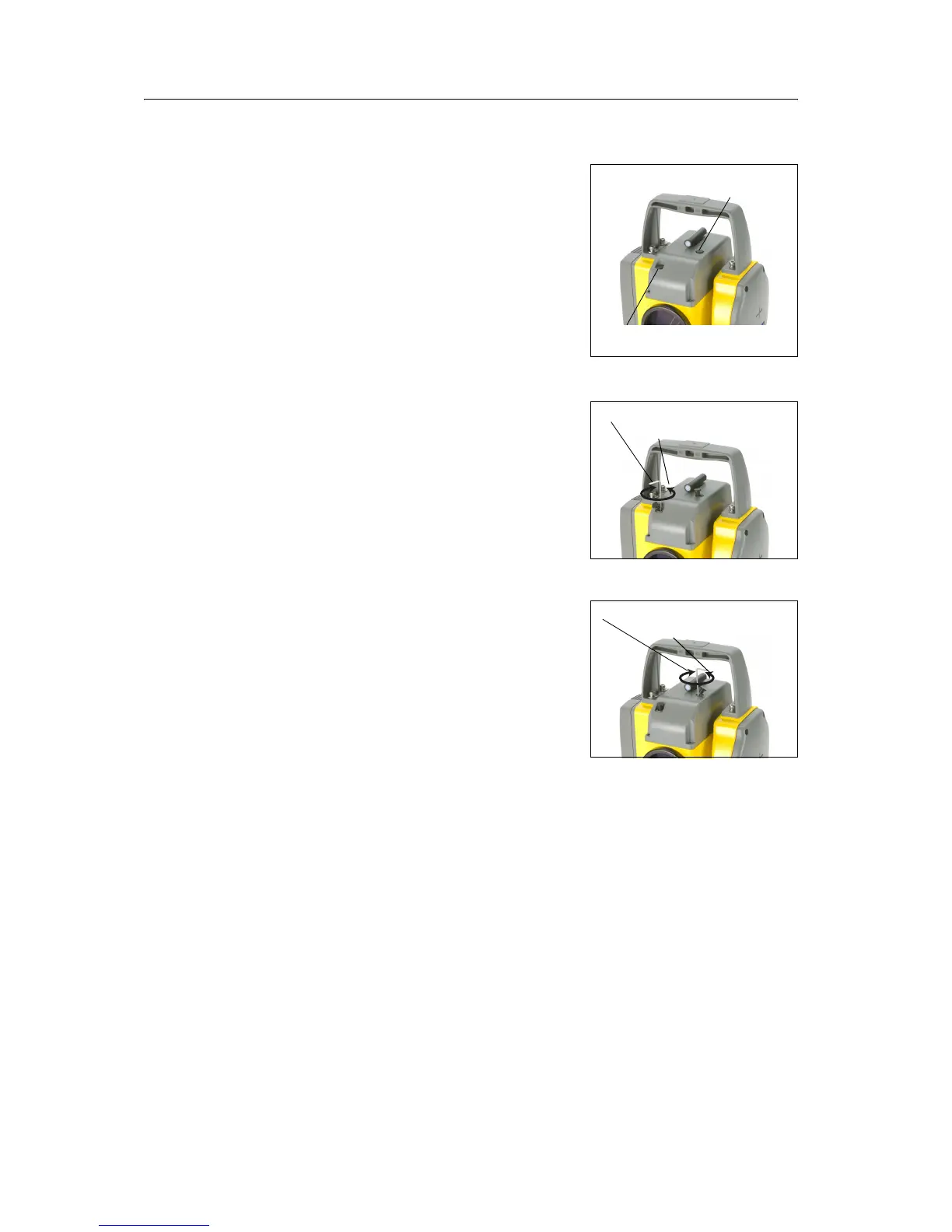
1. Pull out the two plugs from the adjustment
ports on top of the telescope cover.
2. To correct the vertical position of the laser
spot, insert the allen wrench into the vertical
adjustment port and turn it as shown in the
figure. Turn clockwise to move the vertical
position down. Turn counter-clockwise to
move it up.
3. To correct horizontal position of the laser
spot, insert the allen wrench into the
horizontal adjustment port and turn it as
shown in the figure. Turn clockwise to move
the horizontal position left. Turn counter-
clockwise to move it right.
4. Check the alignment of the laser spot and the
cross-hairs. Throughout the adjustment
procedure, keep the telescope pointing to the
adjustment target. The adjusting screws are of
a high tension because they are self locking.
The screws tighten automatically after you
adjust them.
5. Refit the plugs in the adjustment holes. Make sure that the plugs are correctly
fitted for proper sealing against the cover.
Horizontal pointer
adjustment port
Vertical pointer
adjustment port
Clockwise = Down
Counter-clockwise = Up
Clockwise = Left
Counter-clockwise = Right
Lasesr pointer adjustment ports
Vertical position adjustment
Horizontal position adjustment


 To Next Page
 Loading...