Trimble M3 Total Station User Guide 61
Basic Measurement Screen 5
5.1 Setting the station elevation
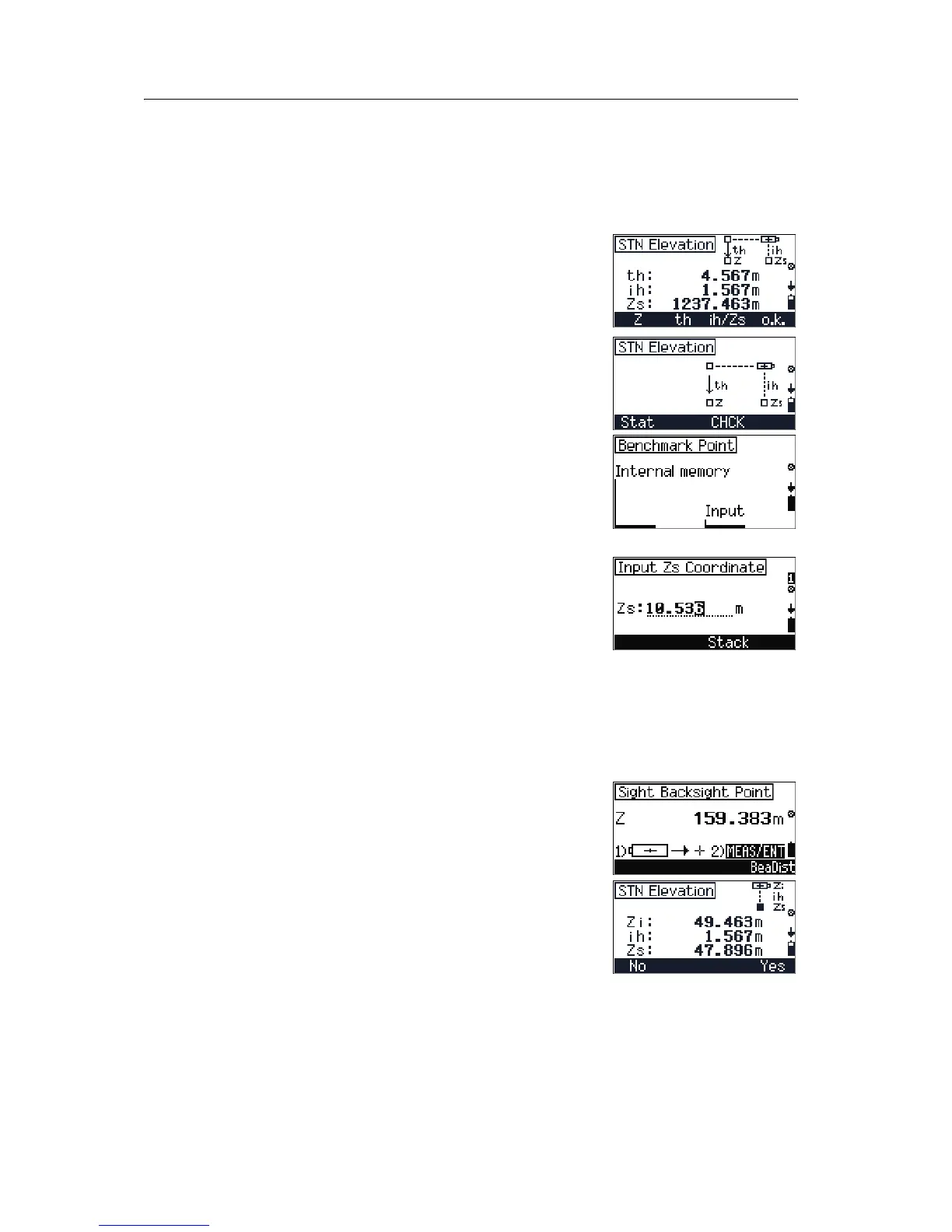
The station elevation function defines the Z coordinate
of the station point after you have set up the
instrument by 2D.
To activate the station elevation function, press
[F1] Z in
the
STN Elevation screen.
To set the station elevation:
1. Do one of the following:
– To start the program, press
[F1] Stat.
– To activate the Adjustment C&I program,
press
[F3] CHCK. See Checking and adjusting
the compensator (C) and index (I), page 119.
2. To select a benchmark point, do one of the
following:
– To select the benchmark point from the
internal memory (database), press
[F1].
– To input a new benchmark point, press
[F3].
3. Enter the station
Z coordinate value and press
[MEAS/ENT]. The Input ih screen appears.
Enter the instrument height
ih and press
[MEAS/ENT]. The Input th screen appears.
Enter the target height
th and press [MEAS/ENT].
The
Sight backsight point screen
appears.
Note – You can also press
[F3] in any input screen (when
you input Z, ih, or th) to select a previously input value
from the Stack.
4. To go directly to the bearing and distance
function, press
[F4] BeaDist. See Bearing-
Distance, page 63.
5. The
STN Elevation screen shows the result.
Do one of the following:
– To exit the program without saving the
result, press
[F1] No.
– To record the result on the screen and finish
the program, press
[F4] Yes.


 To Next Page
 Loading...