5 Basic Measurement Screen
66 Trimble M3 Total Station User Guide
50.1 Eccentric Object
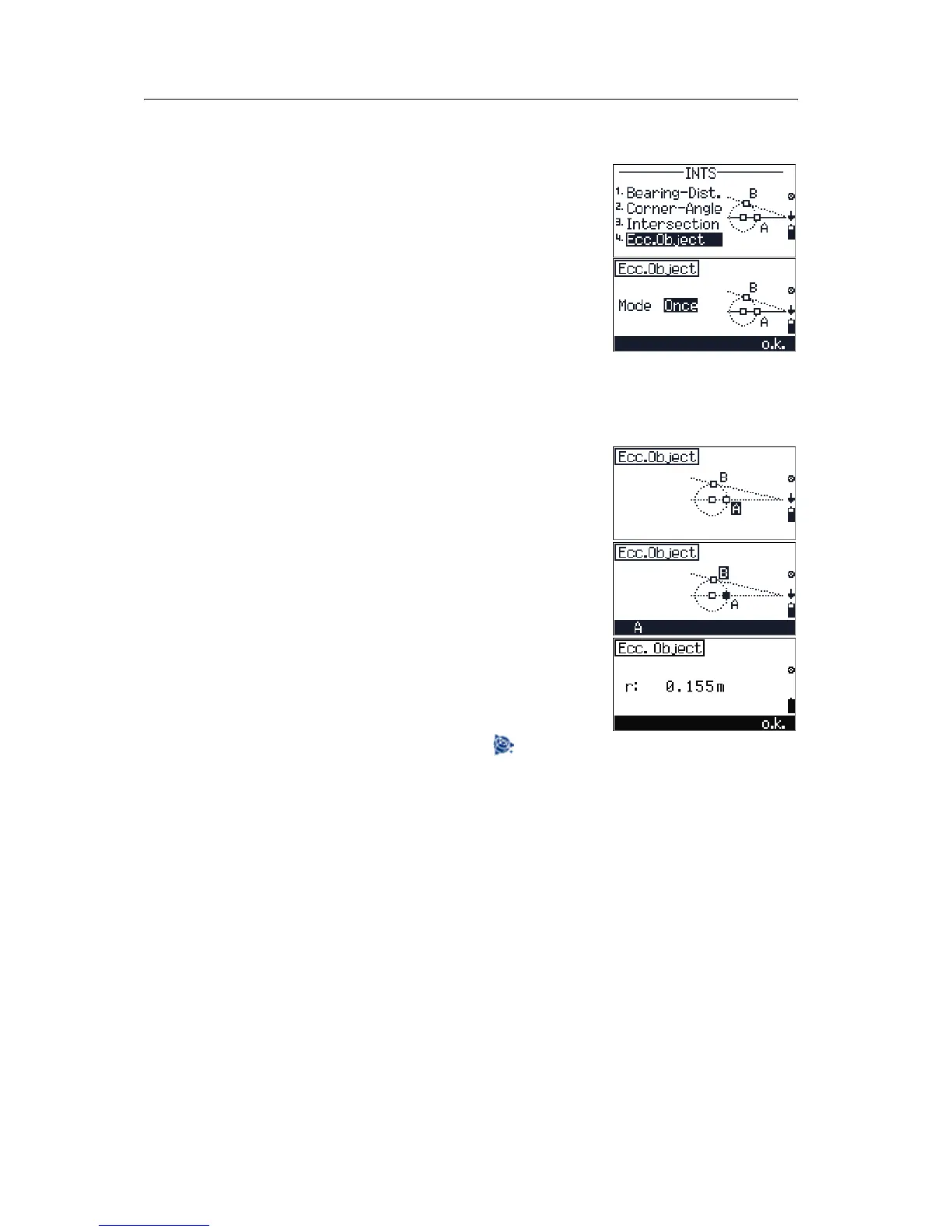
Use this method to determine the radius and the center
point of a vertical round object.
1. Press
[4] in the INTS menu to open the Ecc.
Object screen.
2. Press
[<] or [>] to change the Mode setting. The
options are
OFF/Once/Perm.
If
Mode is set to Perm you can continue using
this offset measurement until you escape from
the function.
3. Press
[F4] o.k.
4. Sight point A and press [MEAS/ENT].
5. Sight point B and press
[MEAS/ENT].
6. If you want to repeat a measurement, press
[F1] A
to remeasure to point A.
The calculated radius appears.
7. Do one of the following:
– To record the result, press
[F4] o.k.
– To change the point name or code before
you record the point, press .
– To return to the first screen without
recording data, press
[ESC].



 To Next Page