12
• If the orange indicator light still does not turn on after 3-5 minutes, select a higher power
level. If the indicators still do not illuminate after increasing a higher power setting, try
moving the device slower, without stopping the motion.
• If the orange indicator light turns ON immediately or if you feel excessive heat, select a
lower power level.
8.
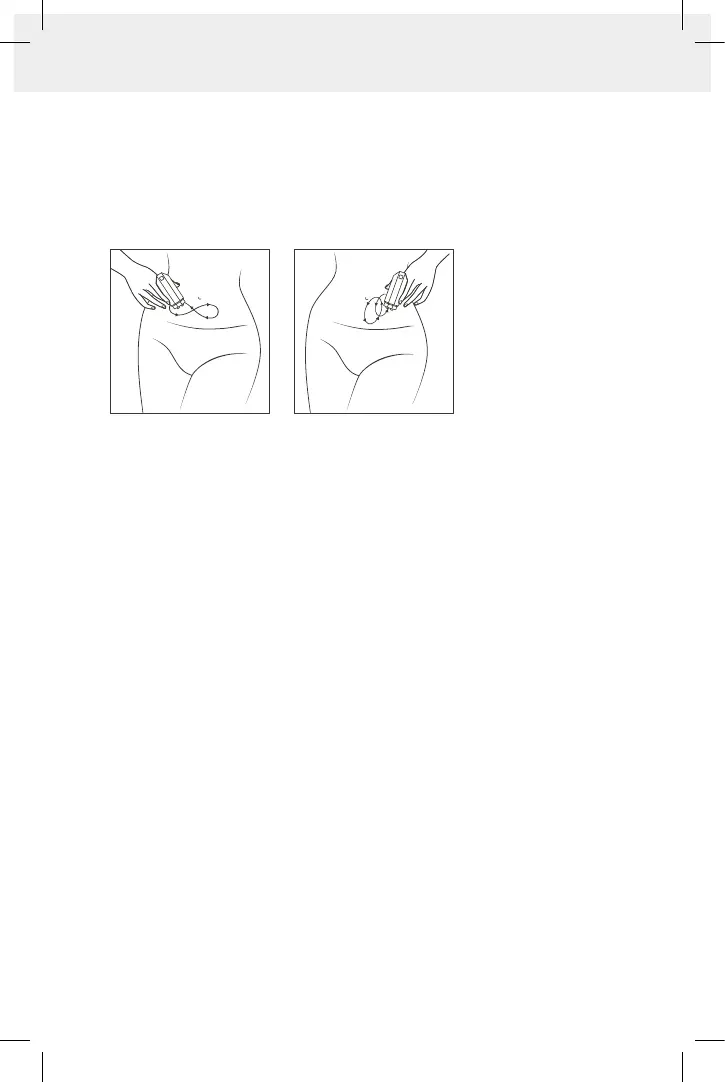
Once the orange indicator light illuminates followed by a 'beep' sound, you have
reached the optimal temperature. Continue the same slow circular motion for a few
moments and then gradually enlarge your movements in the treated area. Proceed
with this technique covering the entire treated area, making sure the orange indicator
light is illuminated as much as possible during the treatment. As you move from one
treated area to another, the orange indicator light may turn-off if the temperature
of the skin is not warm enough.
The device's automatic temperature sensor protects the skin from overheating. After
the skin has reached the maximal treatment temperature, the GREEN or the BLUE
indicator light turns off, indicating that the energy source has been automatically shut
down. The device will turn on automatically when the skin temperature drops below
the maximal temperature, or when you move the device to an adjacent area where the
skin temperature is lower.
9.
Continue working on the entire treated area in a slow circular motion for 5 minutes.
Make sure to maintain constant heating while covering the entire treated area.
10.
Once you have finished the treatment time according to the body area, you can
proceed to the next treatment area repeating steps 5-9.
Important: After treatment, some redness (erythema) may be visible, and slight
skin swelling (edema) may occur in the treated area. Both should disappear after
a short time.
11. Turn OFF the device by holding down the Power button for two seconds.
12. Unplug the power supply from electrical outlet.
13.
Remove the preparation gel gently from your skin and rinse the area. You can apply
moisturizer.
14. Clean the 4 electrodes with a damp cloth or paper towel and cover the device’s tip
with its protective cover.
Warning: Do not submerge the device in water.
FIG.11


 To Next Page