This document is a user manual for Tripp Lite SmartOnline Rack/Tower Mount On-Line UPS Systems. These UPS (Uninterruptible Power Supply) systems are designed to provide continuous, clean, and reliable power to connected equipment, protecting it from various power problems such as blackouts, brownouts, surges, and line noise. The manual covers installation, basic operation, troubleshooting, battery replacement, storage, service, and regulatory compliance for several models, including SU750RTXL2U, SU1000RTXL2UA, SU1500RTXL2UA, SU2200RTXL2UA, SU3000RTXL2U, SU3000RTXR3U, and SU3000RTXR3UHW. It emphasizes that these UPS systems are not suitable for mobile applications.
Function Description
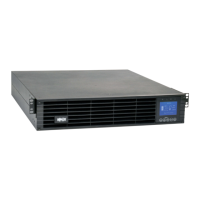
The Tripp Lite SmartOnline UPS systems are on-line, double-conversion UPS units. This means they continuously convert incoming AC power to DC, and then back to AC, providing a constant, clean sine wave output regardless of the quality of the incoming utility power. This double-conversion architecture isolates connected equipment from all types of power disturbances. In the event of a power outage, the UPS seamlessly switches to battery power, ensuring uninterrupted operation for critical loads. The systems are designed for rack/tower mounting, offering flexibility in deployment. They feature various output receptacles, communication ports for monitoring and control, and options for external battery packs to extend runtime.
Important Technical Specifications
The manual lists several models with their respective series numbers:
- SU750RTXL2U (Series Number: AGPS5542)
- SU1000RTXL2UA (Series Number: AGPS5180)
- SU1500RTXL2UA (Series Number: AGPS5194)
- SU2200RTXL2UA (Series Number: AGPS5183)
- SU3000RTXL2U, SU3000RTXR3U (Series Number: AGPS5204)
- SU3000RTXR3UHW (Series Number: AGPS7039)
While specific power ratings (VA/Watts) are not detailed in the provided excerpts, the model numbers (e.g., SU750, SU1000, SU1500, SU2200, SU3000) typically indicate the VA rating of the UPS. The "RTXL2U" and "RTXR3U" suffixes suggest rack/tower form factors and potentially different rack unit heights (2U or 3U) or extended runtime capabilities.
The UPS systems support various output receptacles, including NEMA 5-15R and NEMA 5-15/20R, depending on the model. Input power is typically provided via a permanently attached power cord.
For external battery packs, the manual indicates compatibility with 24V, 48V, and 72V battery packs, with various Amp-Hour ratings:
- 24V Battery Packs:
- BP24V15RT2U: 14 Ah
- BP24V28-2U: 28 Ah
- BP24V36-2US: 36 Ah
- BP24V70-3U: 70 Ah
- 48V Battery Packs:
- BP48V24-2U: 18 Ah
- BP48V27-2US: 27 Ah
- BP48V60RT-3U: 42 Ah
- 72V Battery Packs:
- BP72V15-2U: 15 Ah
- BP72V18-2US: 18 Ah
- BP72V28RT-3U: 28 Ah
Usage Features
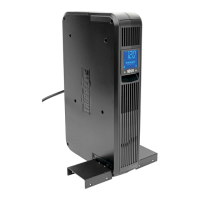
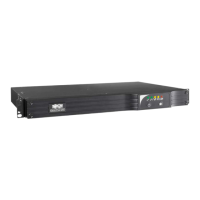
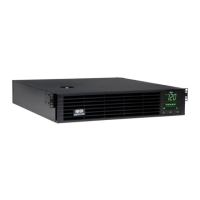
- Rack/Tower Mounting: The UPS can be installed in a 4-post or 2-post rack, or configured as a tower. Hardware for 4-post mounting is included, and some models feature an adjustable rackmount shelf kit for additional support. Tower mounting requires an optional base stand (Tripp Lite Model # 2-9USTAND).
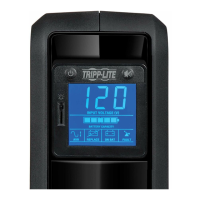
- Front Panel Controls: The UPS features "ON/TEST" and "OFF" buttons.
- "ON/TEST": Turns the UPS ON, initiates a 10-second battery self-test, and silences the alarm.
- "OFF": Turns the UPS OFF and disconnects power to the receptacles.
- Front Panel Indicator Lights:
- "ON LINE" (Green): Indicates normal on-line operation (filtering and resynthesizing incoming AC line voltage to provide pure sine wave output).
- "LINE" (Green): Indicates that the line voltage at the wall outlet is nominal.
- "BYPASS" (Yellow): Indicates the UPS is in "Bypass" mode, where the inverter is deactivated and the UPS is passing utility power directly to the output. This can occur during normal operation (Economy Mode), internal fault, or overload.
- "FAULT" (Red): Indicates a UPS fault, such as wiring problems, missing ground, or an internal failure.
- "LOAD ACTIVE METER" (Green): Displays the load level of the UPS.
- "BATT ACTIVE METER" (Green): Displays the battery charge level.
- "OVERLOAD" (Red): Indicates the UPS capacity has been exceeded.
- "BATT LOW" (Yellow): Indicates low battery charge.
- "ON BATT" (Green): Indicates the UPS is operating on battery power.
- "REPLACE BATT" (Red): Indicates a battery fault or that the battery is less than fully charged after a self-test.
- Communication Ports:
- Phone Line or Phone/Network Line Surge Suppression: Protects connected equipment from surges on telephone or network lines. Not compatible with PoE (Power Over Ethernet).
- USB and RS-232 Serial Communications: Allows connection to a computer for monitoring and control using Tripp Lite's PowerAlert software. Supports additional communication ports via optional PowerAlert accessories.
- EPO (Emergency Power Off) Port: Provides a connection for a facility's Emergency Power Off circuit, allowing for immediate shutdown of the UPS inverter and transfer to bypass mode.
- External Battery Pack Connector: Allows connection of optional Tripp Lite External Battery Packs for extended runtime.
- Output Receptacles: Models feature various AC output receptacles (15, 20, or 30-amp) to connect protected equipment.
- Input Circuit Breaker: Resettable breaker protects against input current damage.
- Fan: Internal fan for cooling UPS components.
Maintenance Features
- Battery Replacement: The manual provides a detailed procedure for battery replacement, which should only be performed by qualified service personnel. It directs users to Tripp Lite's website to find specific replacement batteries. The process involves removing the front panel, disconnecting and removing old batteries, adding new batteries, connecting them (black-to-black, red-to-red), and replacing the front panel.
- Storage: For extended storage, the UPS should be turned OFF, disconnected from the wall outlet, and all equipment unplugged. The batteries should be fully recharged every three months by plugging the UPS into a live AC outlet for 4-6 hours. Failure to do so can result in permanent loss of battery capacity.
- Service: Tripp Lite offers extended warranty and on-site service programs. For service, users are instructed to review the manual, contact Tripp Lite support, and obtain a Returned Material Authorization (RMA) number if necessary. Products shipped for service must have the RMA number clearly marked on the outside of the package.
- Product Registration: Users are encouraged to register their product for quicker service and peace of mind, with a chance to win a surge protector.
- Self-Test: The "ON/TEST" button can be used to initiate a 10-second battery self-test, which helps assess battery health.
- Troubleshooting Guide: The manual includes a comprehensive troubleshooting section with solutions for various indicator light combinations and conditions (e.g., FAULT, LINE, BYPASS, OVERLOAD, BATT LOW, ON BATT, REPLACE BATT). Solutions often involve restarting the UPS, checking connections, ensuring proper ventilation, or contacting Tripp Lite for repairs.

 Need help?
 General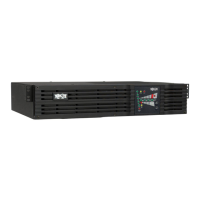


 To Next Page