EasyManua.ls Logo

Tripp Lite B020-008-17 - User Manual

Tripp Lite B020-008-17
29 pages
Print Icon
To Next Page IconTo Next Page
Loading...
Tripp Lite World Headquarters
1111 W. 35th Street, Chicago, IL 60609 USA
(773) 869-1234, www.tripplite.com
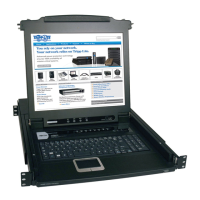
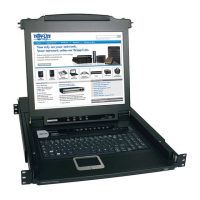
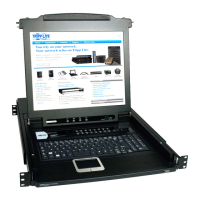
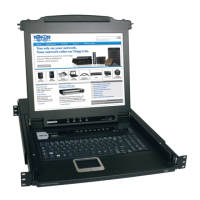
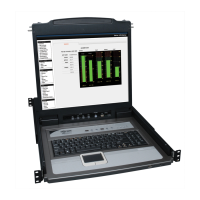
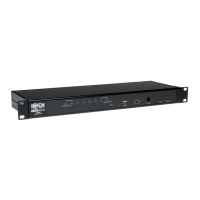
8- or 16-Port 1U Console KVM Switch or
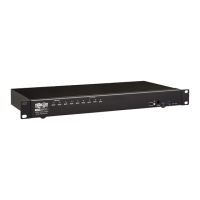
16-Port 1U Rackmount KVM Switch
Model #: B020-008, B020-008-17, B020-016, B020-016-17 or B022-016
NOTE: Follow these instructions and operating procedures to ensure correct performance
and to prevent damage to this unit or to its connected devices.
Copyright © 2005 Tripp Lite. All rights reserved. All trademarks are the property of their respective owners.
The policy of Tripp Lite is one of continuous improvement. Specifications are subject to change without notice.
WARRANTY
REGISTRATION
Register online today for a
chance to win a FREE Tripp Lite
product! www.tripplite.com/warranty
Owner’s Manual
This package should consist of:
• 1 KVM Switch (B020-008, B020-008-17, B020-016, B020-016-17 or B022-016)
• 1 USB Keyboard/Mouse Adapter
• 1 Power Adapter with Power Cord
• Firmware Upgrade Cable
• 1 Owner's Manual with Quick Start Guide
• 1 Rackmount Kit (B022-016 only)
Check to see that the unit arrived undamaged, with all of its contents. Contact your dealer if there is a problem.

200506056 93-2463 Console KVM OM.qxd 6/29/2005 12:30 PM Page 1

Table of Contents

Questions and Answers

  • M
    Monica LopezAug 11, 2025
    What to do if keyboard and/or mouse not responding on Tripp Lite Switch B022-016?
    • D
      David HernandezAug 11, 2025
      If the keyboard and/or mouse are not responding on the Tripp Lite Switch B022-016, it might be due to an improper reset. To resolve this, unplug the cable(s) from the console port(s) and then plug them back in.
  • B
    bmillerAug 19, 2025
    What to do if Tripp Lite B020-008-17 B022-016 keyboard and/or mouse not responding and all station IDs display as 01?
    • D
      david11Aug 19, 2025
      If your Tripp Lite Switch B022-016 exhibits erratic behavior such as the keyboard and/or mouse not responding, and all station IDs display as 01, here are a few things to try: * First, check that the power adapter supplied with the unit is plugged in and functioning properly. * Second, try unplugging the cable(s) from the console port(s), and then plug them back in. * Third, wait a few seconds to allow the system to reinitialize the station sequence and display the proper IDs. This issue may also occur if station 1 has lost power, the unit is not receiving enough power, or the mouse and/or keyboard reset improperly.
  • S
    stevenconnerAug 26, 2025
    Why is my Tripp Lite Switch behaving erratically?
    • J
      Jennifer FryAug 26, 2025
      If your Tripp Lite Switch is behaving erratically, it might not be receiving enough power. Ensure that the power adapter supplied with the unit is properly plugged in and functioning.
  • T
    tamarawoodsSep 2, 2025
    What to do if all Station IDs display as 01 on Tripp Lite B020-008-17?
    • H
      Holly ThompsonSep 2, 2025
      If all Station IDs on your Tripp Lite Switch display as 01, it's likely that Station 1 has lost power. Allow a few seconds for the system to reinitialize the station sequence and display the correct IDs.

Tripp Lite B020-008-17 Specifications

General IconGeneral
BrandTripp Lite
ModelB020-008-17
CategorySwitch
LanguageEnglish

Related product manuals