
 Need help?
Do you have a question about the Tripp Lite B120-000 and is the answer not in the manual?
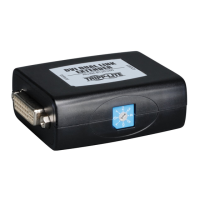
Connect the longer DVI-D cable from the DVI Source to the B120-000 IN port.
Connect the shorter DVI-D cable from the DVI Display to the B120-000 OUT port.
Connect the DC power to the B120-000 and the adapter to the wall socket.
Directly connect source and display with a short cable to verify functionality.
Confirm short cables work, then use them with the B120-000 to isolate issues.
Measure DC adapter output voltage; 5V confirms adapter is functional.
 General
| Input Voltage | 100-240V AC, 50/60Hz |
|---|---|
| Connector Type | HDMI |
| Operating Temperature | 0°C to 40°C |
| Regulatory Approvals | CE, RoHS |
| Ports | 1 |



 To Next Page