11
Assembly
7
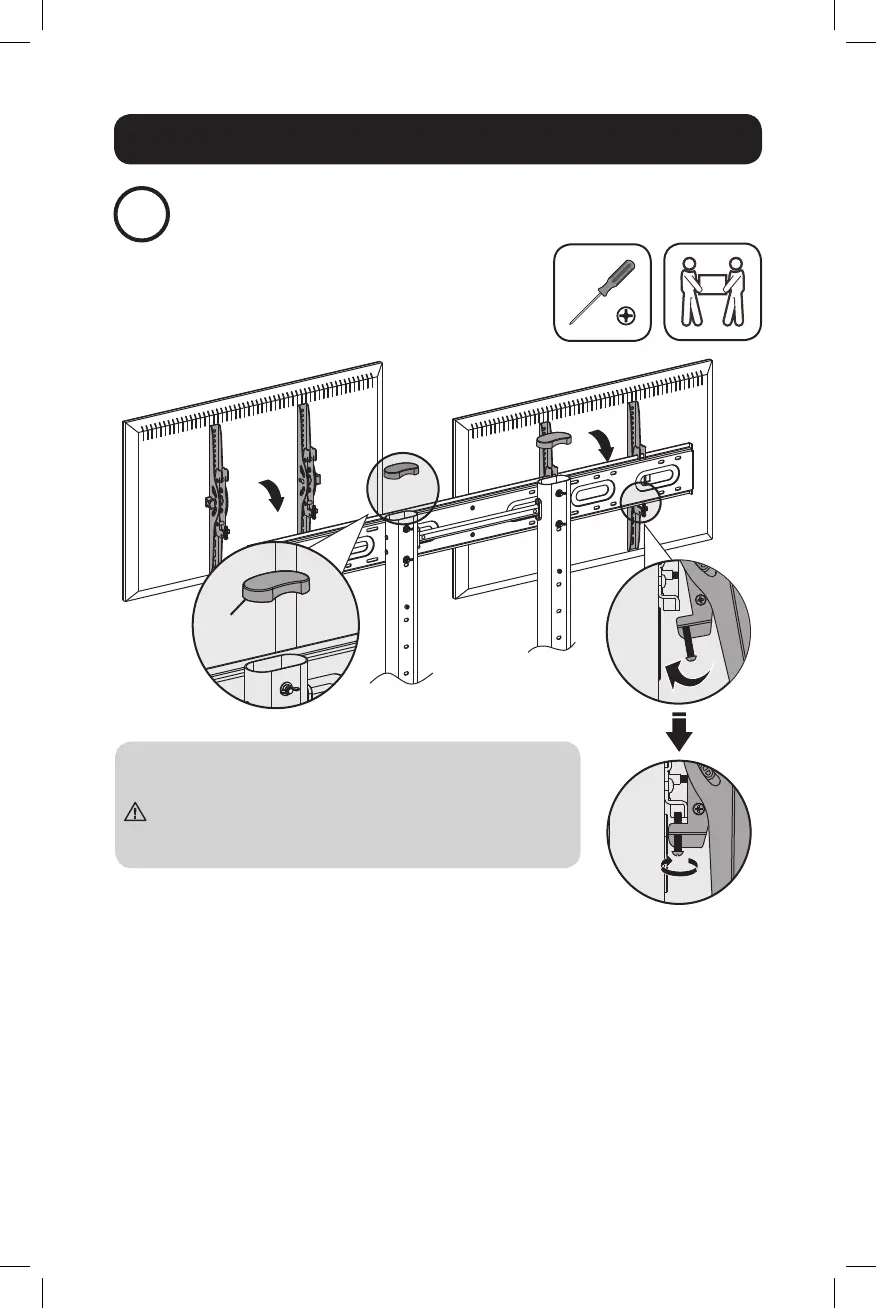
Attach the Displays onto the Universal Plate
F
• Hang the displays onto the universal plate.
• Tighten the bottom screws to secure.
Make sure the displays are mounted correctly and the
screws are tightened safely before releasing the
displays.
19-04-452-933908-EN.indd 11 5/6/2019 9:43:47 AM


 To Next Page