EasyManua.ls Logo

Tripp Lite PDUB15 - User Manual

Tripp Lite PDUB15
28 pages
Print Icon
To Next Page IconTo Next Page
Loading...
1
Owner’s Manual
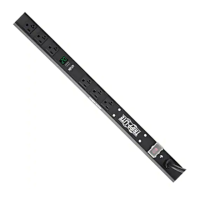
Hot-Swap PDU
with Maintenance Bypass Switch
Models: PDUB15, PDUB20, PDUB30, PDUBHV10, PDUBHV20
Important Safety Warnings 2
Mounting 2
Features 4
Connection & Operation 6
Troubleshooting 7
Service, Warranty & Product Registration 7
Español 8
Français 15
Русский 22
PROTECT YOUR INVESTMENT!
Register your product for quicker service and ultimate peace of mind.
You could also win an ISOBAR6ULTRA surge protector—a $100 value!
www.tripplite.com/warranty
1111 W. 35th Street, Chicago, IL 60609 USA • www.tripplite.com/support
Copyright © 2019 Tripp Lite. All trademarks are the sole property of their respective owners.

Questions and Answers

  • A
    ashley87Aug 12, 2025
    What to do if some loads are not receiving power from my Tripp Lite Power distribution unit?
    • H
      houstonthomasAug 12, 2025
      If some loads are not receiving power from the Tripp Lite Power Distribution Unit (PDUB30 only), it may be due to a tripped circuit breaker on the PDU. Try resetting the PDU’s circuit breaker.
  • L
    lopezjulieAug 20, 2025
    Why are loads not receiving power from my Tripp Lite Power distribution unit after resetting the circuit breaker?
    • J
      Julie DownsAug 20, 2025
      If loads are not receiving power after resetting the circuit breaker on your Tripp Lite Power distribution unit, the connected load may be overloading the PDU. Try reducing the connected load.
  • C
    cameron70Aug 27, 2025
    What to do if the yellow light does not illuminate on my Tripp Lite Power distribution unit?
    • C
      Caitlyn ColemanAug 27, 2025
      If the yellow light does not illuminate on your Tripp Lite Power distribution unit, it could be due to: * No utility power. In this case, contact your utility company or a qualified electrician. * The PDU is not plugged into the utility source. Ensure the PDU is connected to a compatible utility source.
  • M
    Michael AndrewsSep 3, 2025
    How to troubleshoot a Tripp Lite Power distribution unit when the green light does not illuminate?
    • I
      ianbutlerSep 3, 2025
      If the green light does not illuminate on your Tripp Lite Power distribution unit, it could be due to: * The UPS system having no output. Refer to the UPS manual for proper startup. * The input and output of the UPS not being connected to the PDU. Ensure that you connect the UPS input and output to the PDU.

Tripp Lite PDUB15 Specifications

General IconGeneral
ModelPDUB15
Input Connection TypeNEMA 5-15P
Output Connection TypeNEMA 5-15R
Amperage15 A
Form Factor1U
Input Frequency50/60 Hz
Maximum Current15 A
Outlet TypeNEMA 5-15R
Input Voltage120V
Input Current15A
Mounting TypeRack Mountable
Output Nominal Voltage120V
Input Nominal Voltage120V
Output Voltage120V
Operating Temperature0 to 40°C

Related product manuals