EasyManua.ls Logo

Tripp Lite PDUBHV20 - User Manual

Tripp Lite PDUBHV20
28 pages
Print Icon
To Next Page IconTo Next Page
Loading...
1
Owner’s Manual
Hot-Swap PDU
with Maintenance Bypass Switch
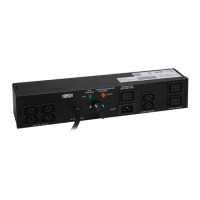
Models: PDUB15, PDUB20, PDUB30, PDUBHV10, PDUBHV20
Important Safety Warnings 2
Mounting 2
Features 4
Connection & Operation 6
Troubleshooting 7
Service, Warranty & Product Registration 7
Español 8
Français 15
Русский 22
PROTECT YOUR INVESTMENT!
Register your product for quicker service and ultimate peace of mind.
You could also win an ISOBAR6ULTRA surge protector—a $100 value!
www.tripplite.com/warranty
1111 W. 35th Street, Chicago, IL 60609 USA • www.tripplite.com/support
Copyright © 2019 Tripp Lite. All trademarks are the sole property of their respective owners.

Other manuals for Tripp Lite PDUBHV20

Questions and Answers

  • L
    Laura WyattAug 10, 2025
    What to do if some loads are not receiving power from my Tripp Lite Power distribution unit?
    • S
      stewartamandaAug 11, 2025
      If some loads are not receiving power from the Tripp Lite Power Distribution Unit (PDUB30 only), it may be due to a tripped circuit breaker on the PDU. Try resetting the PDU’s circuit breaker.
  • S
    Sophia JacksonAug 17, 2025
    Why are loads not receiving power from my Tripp Lite Power distribution unit after resetting the circuit breaker?
    • M
      Melissa DavenportAug 17, 2025
      If loads are not receiving power after resetting the circuit breaker on your Tripp Lite Power distribution unit, the connected load may be overloading the PDU. Try reducing the connected load.
  • P
    Patricia AyalaAug 25, 2025
    What to do if the yellow light does not illuminate on my Tripp Lite Power distribution unit?
    • M
      Mrs. Allison Kemp MDAug 26, 2025
      If the yellow light does not illuminate on your Tripp Lite Power distribution unit, it could be due to: * No utility power. In this case, contact your utility company or a qualified electrician. * The PDU is not plugged into the utility source. Ensure the PDU is connected to a compatible utility source.
  • T
    timothy23Sep 2, 2025
    How to troubleshoot a Tripp Lite Power distribution unit when the green light does not illuminate?
    • E
      Erika BishopSep 2, 2025
      If the green light does not illuminate on your Tripp Lite Power distribution unit, it could be due to: * The UPS system having no output. Refer to the UPS manual for proper startup. * The input and output of the UPS not being connected to the PDU. Ensure that you connect the UPS input and output to the PDU.

Summary

Important Safety Warnings

Save These Instructions

Contains critical instructions and warnings for product installation and operation.

Electrical Safety Precautions

Details on electrical shock risks, grounding requirements, and power source connections for safe operation.

Mounting Procedures

Rack Mounting (2-Post or 4-Post)

Step-by-step guide for attaching mounting ears and securing the PDU to standard rack rails.

Mounting with UPS in 4-Post Racks

Instructions for installing the PDU in the same rack space as a UPS system, including specific rail mounting.

UPS Airflow Considerations

Warning about ensuring unobstructed airflow for UPS systems when mounting PDUs to prevent overheating.

Features Overview

AC Outlet Configuration

Details on the various types of AC outlets provided, including 5-15R, 5-20R, L5-30R, C13, and C19.

Power Input and Connection Ports

Description of UPS source input, utility source input, and UPS connection outlet for system integration.

Switches and Diagnostic Lights

Explanation of the Maintenance Bypass Switch functionality and status of diagnostic indicator lights.

Connection and Operation

Input;Output Power Connections

Step-by-step guide for connecting the PDU to UPS systems and electrical sources for initial setup.

Manual Bypass Operation

Procedure for utilizing the maintenance bypass switch for hot-swapping UPS systems without load interruption.

Troubleshooting

Common Issues and Solutions

A guide to diagnosing and resolving typical PDU problems, such as indicator light status and load issues.

Service, Warranty, and Registration

Product Service and Support

Instructions for obtaining technical support, including the RMA process and return shipping.

2-Year Limited Warranty

Details of the product warranty, including coverage, limitations, and claim procedures.

Product Registration and Compliance

Information on registering the product for warranty benefits and compliance with WEEE regulations.

Tripp Lite PDUBHV20 Specifications

General IconGeneral
Maximum Load20A
Number of Outlets20
Rack MountableYes
Surge ProtectionNo
Output Connection TypeNEMA 5-15R
Cord Length10 ft
Weight5.5 lbs
ColorBlack
MaterialMetal
Output Connectors20 NEMA 5-15R
Form FactorRackmount

Related product manuals