1a
SRGROUND25
1b
SRGROUND25
SRGROUND
2
4
Installation
2-Post and 4-Post Open Frame Racks
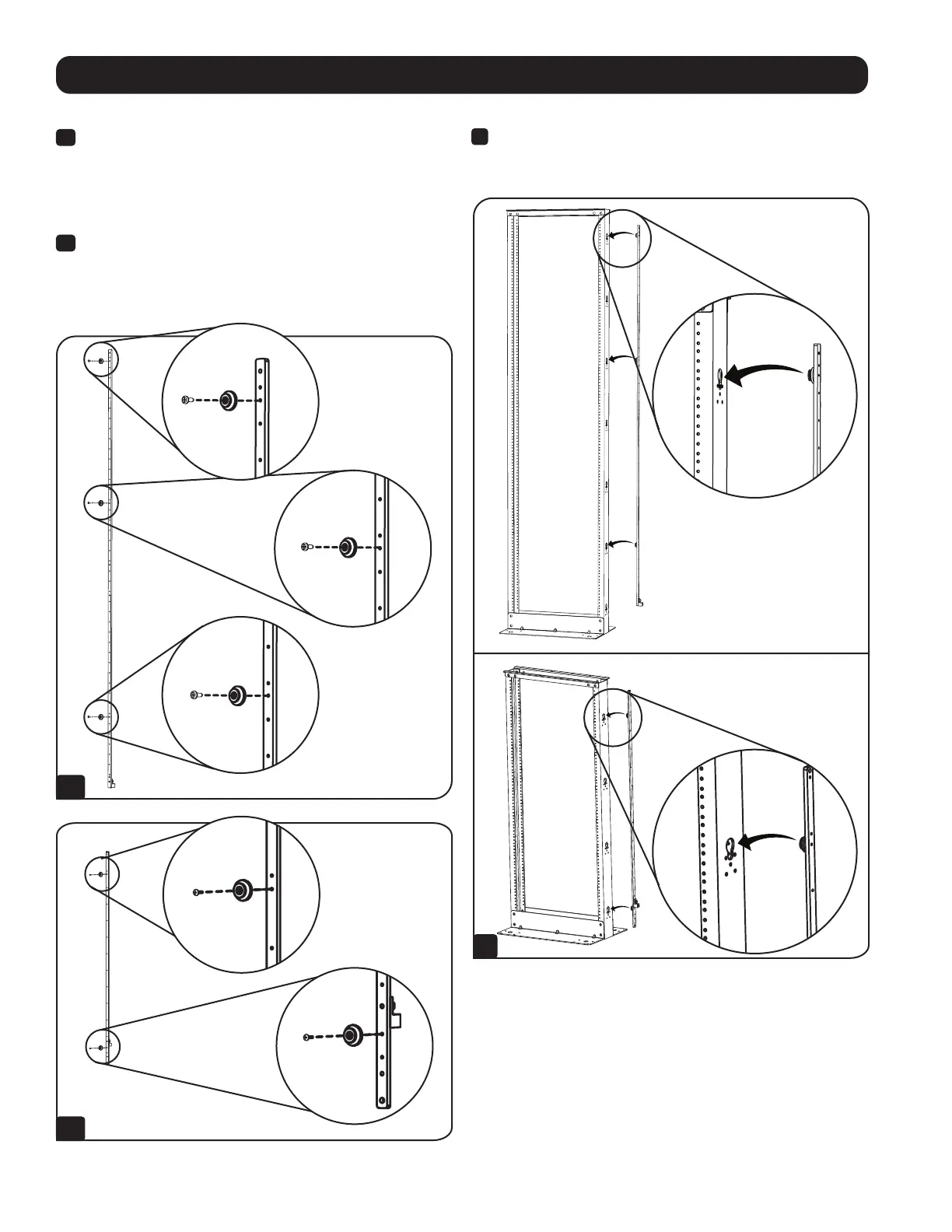
1a
SRGROUND – Attach the 3 Mounting Buttons to the bar
in the following holes:
Button 1: Three holes from the TOP of the bar
Button 2: Eleven holes from the TOP of the bar
Button 3: Five holes from the BOTTOM of the bar
1b
SRGROUND25 – Attach the 2 Mounting Buttons to the bar
in the following holes:
Button 1: Four holes from the TOP of the bar
Button 2: Four holes from the BOTTOM of the bar
SRGROUND
2
Attach the bar to the outside frame of the rack by simply inserting
the Mounting Buttons into the mounting button holes and
snapping them down into place.


 To Next Page