Installation Altimeter Product Manual
0286-SOM-00001, Issue: 09 19 © Tritech International Ltd.
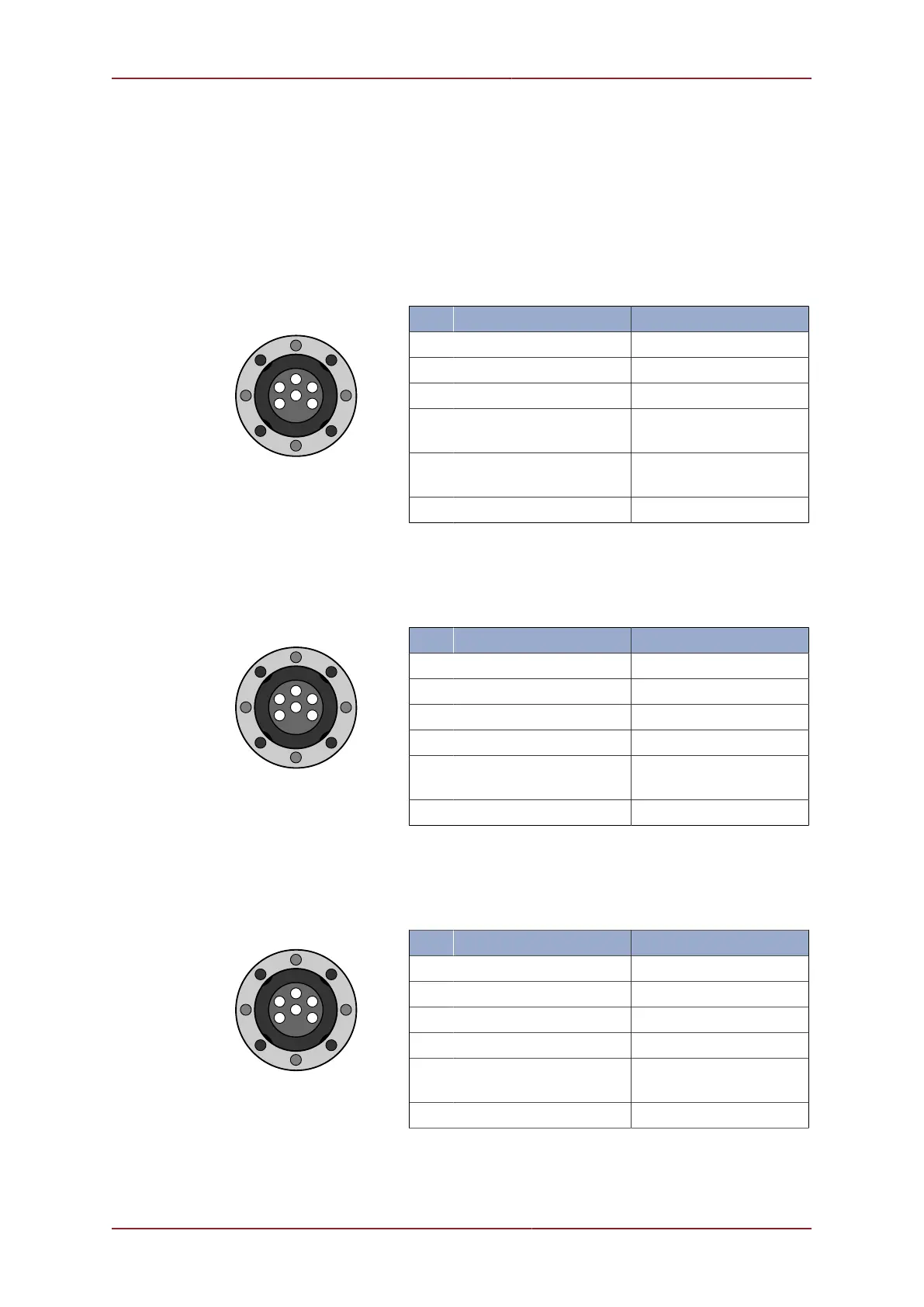
The altimeter can operate in RS232 serial mode, RS485 serial mode, in analogue mode and
as a current loop device. Analogue and serial modes can run on the same device with the
analogue output signal on Pin 5. The pin out configurations are shown below for each type.
Note that the different types require different communications boards so it is not generally
possible to change from one type to another without returning the unit to Tritech.
RS232 Configuration
Tritech Waterblock
Pin Function Wire colour
1 RS232 Tx Yellow
2 RS232 Rx Blue
3 +V DC Red
4 0V, RS232 Ground,
Analogue Ground
Black
5 Analogue
Output (optional)
Green
6 Chassis Ground cable screen
RS485 Configuration
Tritech Waterblock
Pin Function Wire colour
1 RS485 A Yellow
2 RS485 B Blue
3 +V DC Red
4 0V, Analogue Ground Black
5 Analogue
Output (optional)
Green
6 Chassis Ground cable screen
Current Loop Configuration
Tritech Waterblock
Pin Function Wire colour
1 + Current Loop Yellow
2 - Current Loop Blue
3 +V DC Red
4 0V, Analogue Ground Black
5 Analogue
Output (optional)
Green
6 Chassis Ground cable screen


 To Next Page