EasyManua.ls Logo

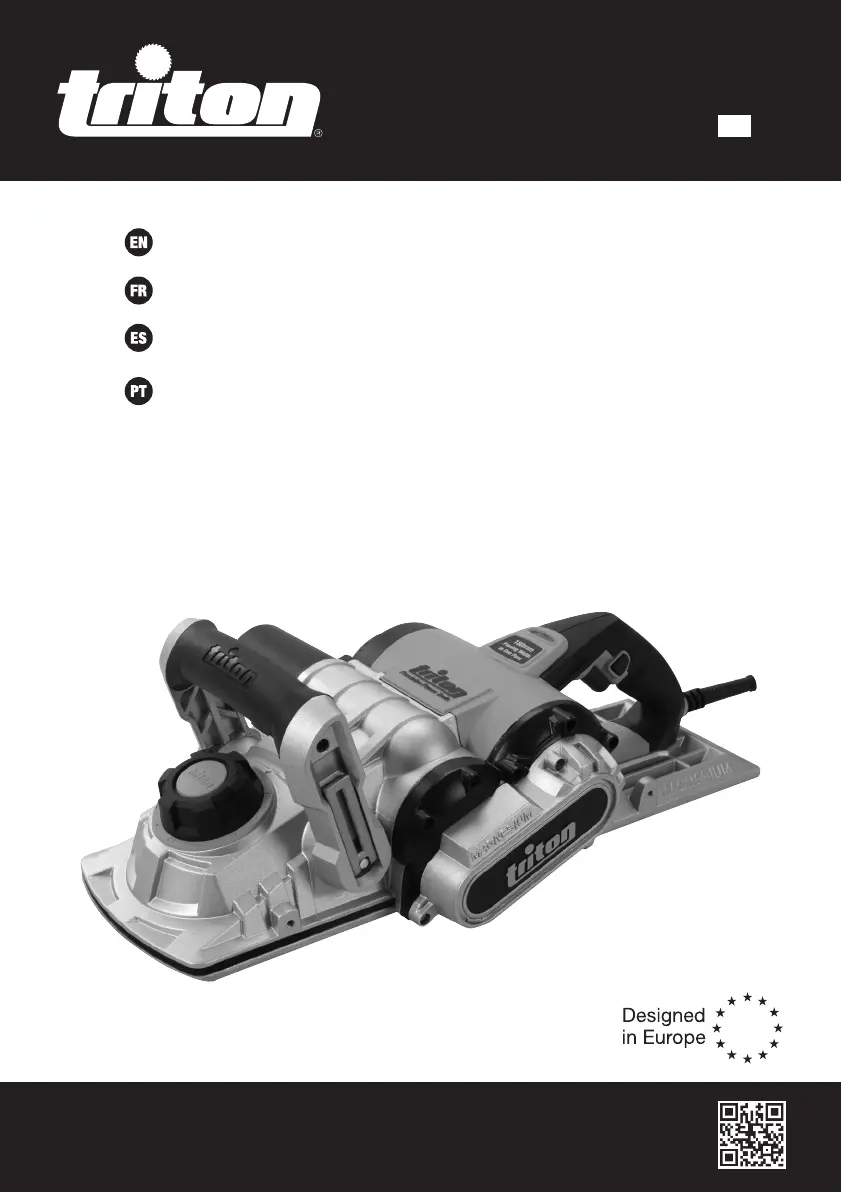
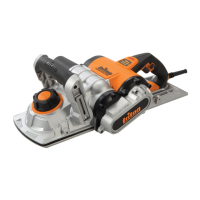
Triton TPL 180 - User Manual

Triton TPL 180
30 pages
Print Icon
To Next Page IconTo Next Page
Loading...
Version date: 03.09.19
tritontools.com
TPL 180
12.5A Triple
Blade Planer 7"
Operating & Safety Instructions
Instruções de
Operação e Segurança
Instructions d’utilisation
et consignes de sécurité
Instrucciones de
uso y de seguridad
459500_Manual.indd 2 03/09/2019 09:21

Other manuals for Triton TPL 180

Questions and Answers

  • H
    herrerarebeccaAug 16, 2025
    What to do if my Triton TPL 180 has no power?
    • M
      Michael FosterAug 17, 2025
      First, ensure the mains plug is properly inserted into the socket and switched on. Check the fuse in the plug or the circuit breaker in your consumer unit; replace the fuse or reset the breaker if necessary. If your Planer is connected to an RCD, try resetting it. Also, verify that the extension lead isn't overloaded; replace it or fully unwind the cable to allow maximum current use and reset thermal protection. If the power lead or its connection is damaged, it requires repair at an authorised Triton service centre. A power tool fault also requires repair at an authorised Triton service centre.
  • D
    David SilvaAug 19, 2025
    Why won't the motor on my Triton TPL 180 start?
    • V
      Vickie RaymondAug 19, 2025
      The motor may not start due to worn carbon brushes, which need replacing by an authorised Triton service centre. Another possible cause is a power tool fault, which also requires repair at an authorised Triton service centre.
  • L
    Laura BrennanAug 22, 2025
    How to fix a rough finish on wood after planing with my Triton TPL 180 Planer?
    • J
      juanirwinAug 22, 2025
      A rough finish can occur if the blades are worn or damaged; in this case, replace all blades or the damaged blade(s). Also, ensure the wood is dry, as wet wood can also cause a rough finish.
  • B
    Benjamin HicksAug 25, 2025
    What to do if the depth of cut is incorrect on my Triton TPL 180?
    • L
      Lauren RobinsonAug 26, 2025
      Incorrect depth of cut can be due to worn or damaged blades, so replace them. It could also be caused by poorly fitted blades, so re-fit them. Finally, check that you are using the correct type of blades and replace them if necessary.
  • O
    ortegadeannaAug 27, 2025
    What to do if my Triton Planer has vibration or abnormal noise?
    • C
      Chad VasquezAug 27, 2025
      STOP using tool immediately. Re-check all user accessible parts are secure and correctly fitted first and if not solved contact an authorised Triton service centre.
  • J
    James MartinAug 30, 2025
    How to fix a Triton TPL 180 Planer when the barrel is not rotating?
    • S
      Scott RussellAug 30, 2025
      If the barrel is not rotating, the drive belt may be broken and needs to be replaced.
  • S
    Selena WalterSep 2, 2025
    Why does my Triton TPL 180 have no power?
    • R
      Renee HartSep 2, 2025
      If your Triton Planer has no power, first ensure the mains plug is properly inserted into the socket and switched on. Check the fuse in the plug or the circuit breaker in your consumer unit and replace or reset if necessary. Also, reset the RCD if it's connected and tripped. If you're using an extension lead, make sure it's not overloaded; replace it or fully unwind the cable. If these steps don't resolve the issue, the power lead, its connection, or the power tool itself might be damaged, requiring repair at an authorized Triton service center.
  • J
    jennifertapiaSep 5, 2025
    What to do if the motor of my Triton TPL 180 Planer does not start?
    • T
      taylormercerSep 5, 2025
      If the motor of your Triton Planer doesn't start, it could be due to worn carbon brushes, which need replacing by an authorized Triton service center. Alternatively, there may be a power tool fault requiring professional repair at an authorized Triton service center.
  • M
    Melissa JohnsonSep 7, 2025
    How to avoid rough finish on wood after planing with Triton TPL 180 Planer?
    • D
      Denise HammondSep 7, 2025
      A rough finish after planing with your Triton Planer can occur if the blades are worn or damaged; replace them all or the damaged ones. Also, ensure the wood is dry, as planing wet wood can result in a poor finish. Allow the wood to dry completely before planing.
  • A
    Andrew JonesSep 10, 2025
    How to fix incorrect depth of cut on Triton TPL 180?
    • H
      Heather RogersSep 10, 2025
      An incorrect depth of cut on your Triton Planer can be caused by worn or damaged blades, requiring replacement. It may also be due to poorly fitted blades, in which case you should refit them. Ensure you are using the correct type of blades; replace them if needed.

Summary

Description of Symbols

Specification

General Safety

Work Area Safety

Guidelines for maintaining a safe and clean work environment.

Electrical Safety

Precautions to prevent electric shock when using the tool.

Personal Safety

Measures to ensure operator safety during use.

Power Tool Use and Care

Best practices for operating and maintaining the tool.

Service

Recommendations for tool servicing and repairs.

Additional Safety for Electric Planers

Product Familiarisation

Depth Adjustment Knob

Identifies the knob used to set the cutting depth.

Combined Parallel and Bevel Fence Guide

Details the attachment and use of the fence guide.

Intended Use

Before Use

Adjusting the Front Handle

Details how to adjust the front handle for optimal grip and control.

Adjusting the Depth of Cut

Operation

Switching On and Off

Instructions on how to safely start and stop the planer.

Planing Technique

Guidance on proper planing technique, feed rate, and finish quality.

Maintenance

Blade Maintenance and Replacement

Procedure for removing, installing, and replacing planer blades.

Troubleshooting

Guarantee

Triton TPL 180 Specifications

General IconGeneral
BrandTriton
ModelTPL 180
CategoryPlaner
LanguageEnglish

Related product manuals