EasyManua.ls Logo

Triton TRTA001 - User Manual

Triton TRTA001
33 pages
Print Icon
To Next Page IconTo Next Page
Loading...
TRT A001
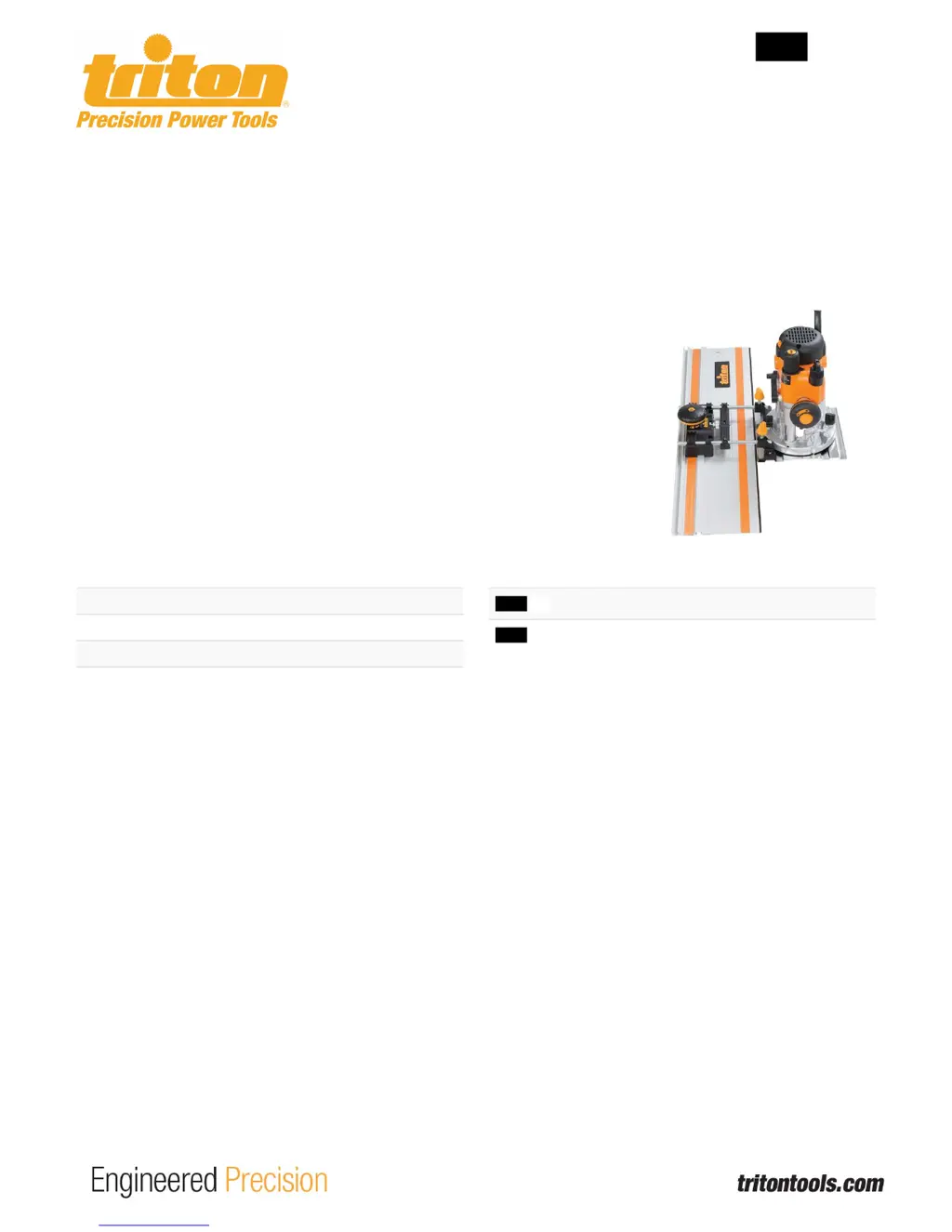
RouterTrackAdaptor
TRTA001
Robustchromeplatedbaseplateandguiderailsprovideasturdystructurewhencombinedwiththeimpactresistantplastic.Quickfastening
mechanismensuresminimaltimeandcomplexityinfixingtheroutertothetrackrail.CompatiblewiththeentireTritonPrecisionPlungeRouterRange.
TechnicalSpecification
ProductHeight 90mm
ProductLength 200mm
ProductWidth 210mm
ProductWeight 1.5kg
TTS TP TrackPack&Connectors
TTS T1500 Track
CompatibleWith

Questions and Answers

  • S
    Stacie WrightJul 27, 2025
    What to do if the guide rail moves when using Triton Power Tool?
    • G
      Gregory StewartJul 27, 2025
      If the guide rail moves during operation of your Triton Power Tool, it's likely that the Adjustment Locking Knob is not tightened securely. Tighten the Adjustment Locking Knob to lock the guide rails into place after adjustment.
  • B
    Benjamin GriffithAug 7, 2025
    Why is the sliding motion resistant on my Triton Power Tool?
    • K
      Kevin PinedaAug 7, 2025
      If you're experiencing a resistant or sticking sliding motion with your Triton Power Tool, it could be due to a couple of reasons. First, check if the Track Width Adjustment Screws are too tight; if they are, loosen them until there is little or no resistance. Secondly, the track might be insufficiently lubricated or have a build-up of dust and debris. In this case, clean the track and apply PTFE spray or another dry lubricant to eliminate the resistance.
  • W
    wallacesusanAug 16, 2025
    How to fix an uneven cut with Triton TRTA001?
    • T
      tyronecaseyAug 16, 2025
      If your Triton Power Tool is producing an uneven cut, this could be due to a loose fastener that allows movement between components. To resolve this, ensure all fasteners are adequately tightened on the Adaptor, Track, and Router.

Summary

Operating and Safety Instructions

Description of Symbols

Product Familiarisation

Intended Use

Unpacking Your Tool

Before Use

Router Track Adaptor assembly

Assemble the adaptor by sliding base plate mounting rails through openings below macro adjustment knobs.

Plunge router attachment

Attach the plunge router to the adaptor by aligning mounting studs with securing holes.

Track rail attachment

Fit adaptor to guide rail, adjust width screws and position using macro adjustment knobs.

Maintenance

Troubleshooting

Triton TRTA001 Specifications

General IconGeneral
BrandTriton
ModelTRTA001
CategoryPower Tool
LanguageEnglish

Related product manuals