EasyManua.ls Logo

Triton TWX7RT001 - User Manual

Triton TWX7RT001
64 pages
Print Icon
To Next Page IconTo Next Page
Loading...
1
Version date: 11.10.2023
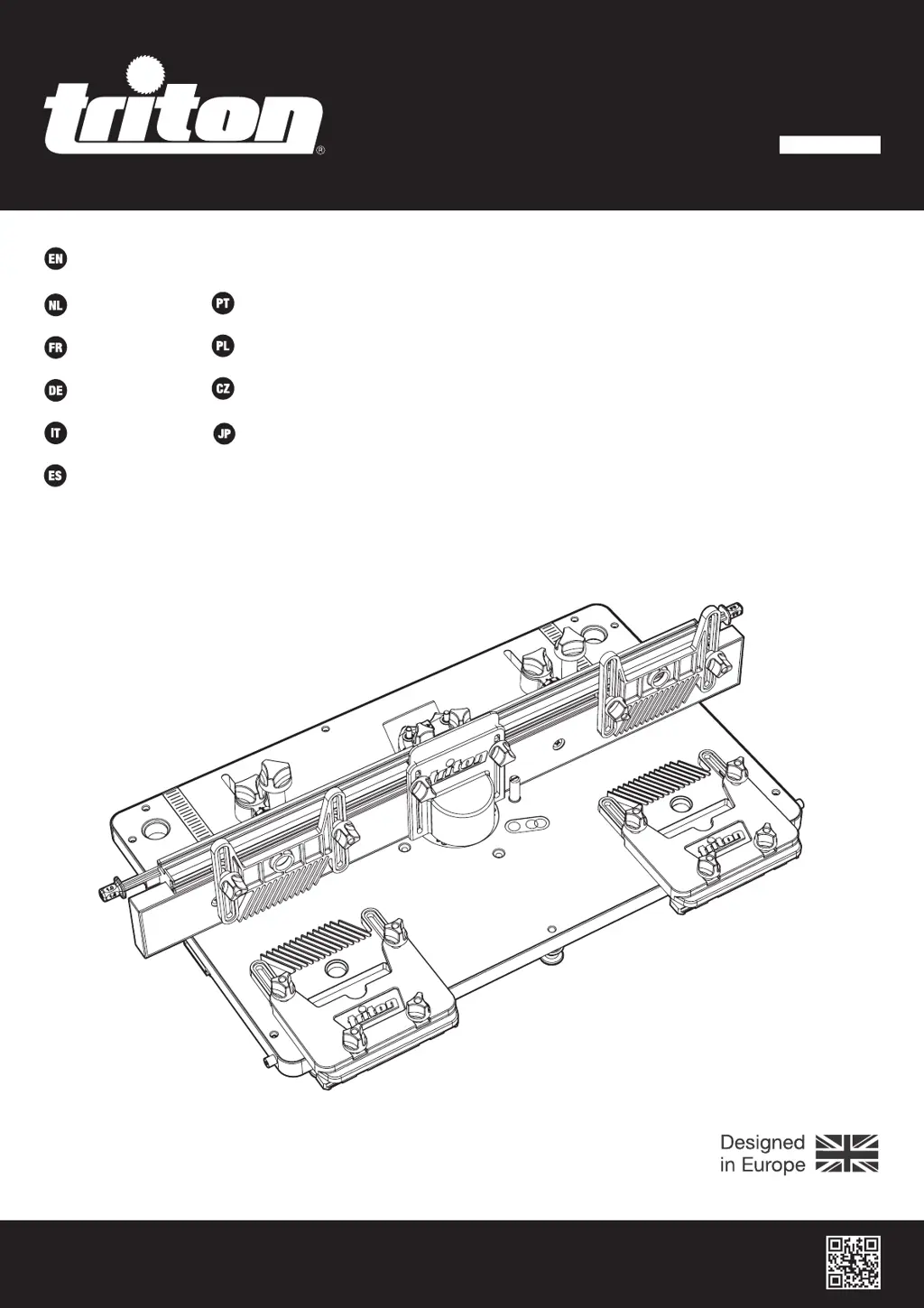
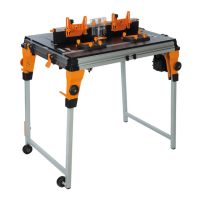
TWX7 Router Table Module
tritontools.com
TWX7RT001
Operating & Safety Instructions
Bedienings- en
veiligheidsvoorschriften
Instructions d’utilisation
et consignes de sécurité
Instrucciones de
uso y de seguridad
Instrukcja obsługi
i bezpieczeństwa
Sicherheits- und
Bedienungsanleitung
Instruções de
Operação e Segurança
Istruzioni per l’uso
e la sicurezza
Provozní a bezpečnostní pokyny
取扱説明書
TWX7RT001_OwnerManual_Worldwide.indd 1TWX7RT001_OwnerManual_Worldwide.indd 1 12/10/2023 09:1912/10/2023 09:19

Other manuals for Triton TWX7RT001

Questions and Answers

Summary

Introduction

General Safety

Workplace Safety and Environment

Maintain a clear, well-lit, and safe work area, keeping others away and storing tools properly.

Personal Protection and Tool Operation

Guard against electric shock, dress appropriately, do not force the tool, and use the right tool.

Router Table Safety

Personal Protective Equipment

Always wear eye protection, respiratory, hearing protection, and suitable gloves.

Safe Work Practices

Ensure dust extraction, secure workpiece, avoid kickback, and use guards.

Additional Safety Information

Use compatible cutters, ensure correct table insert, and check fasteners after re-assembly.

Operation

Workcentre Switchbox Operation

Understand the switchbox operation for powering the tool on and off.

User Position and Feed Direction

Maintain a safe user position near the switch and feed workpieces in the indicated direction.

Fitting and Removing Router Bits

Using the Guard

Ensure the guard is used and set to the correct height for maximum protection.

Using the Fence Spacers

Planing cuts should be performed with the cutter mostly hidden behind the fence faces.

Fitting the Starting Pin

Fit a starter pin to assist freehand routing for the first cut.

Maintenance

General Inspection

Regularly check fixing screws, parts condition, and inspect the power cord for damage.

Cleaning

Keep the tool clean using a soft brush or dry cloth; use mild detergent for casing.

Lubrication and Storage

Lubricate moving parts at intervals and store the tool securely and dry.

Troubleshooting

Guarantee and Warranty Information

Purchase Record

Retain your receipt as proof of purchase for warranty registration.

Australian Warranty Information

Understand your consumer rights and warranty terms for goods purchased.

Summary

Introduction

General Safety

Workplace Safety and Environment

Maintain a clear, well-lit, and safe work area, keeping others away and storing tools properly.

Personal Protection and Tool Operation

Guard against electric shock, dress appropriately, do not force the tool, and use the right tool.

Router Table Safety

Personal Protective Equipment

Always wear eye protection, respiratory, hearing protection, and suitable gloves.

Safe Work Practices

Ensure dust extraction, secure workpiece, avoid kickback, and use guards.

Additional Safety Information

Use compatible cutters, ensure correct table insert, and check fasteners after re-assembly.

Operation

Workcentre Switchbox Operation

Understand the switchbox operation for powering the tool on and off.

User Position and Feed Direction

Maintain a safe user position near the switch and feed workpieces in the indicated direction.

Fitting and Removing Router Bits

Using the Guard

Ensure the guard is used and set to the correct height for maximum protection.

Using the Fence Spacers

Planing cuts should be performed with the cutter mostly hidden behind the fence faces.

Fitting the Starting Pin

Fit a starter pin to assist freehand routing for the first cut.

Maintenance

General Inspection

Regularly check fixing screws, parts condition, and inspect the power cord for damage.

Cleaning

Keep the tool clean using a soft brush or dry cloth; use mild detergent for casing.

Lubrication and Storage

Lubricate moving parts at intervals and store the tool securely and dry.

Troubleshooting

Guarantee and Warranty Information

Purchase Record

Retain your receipt as proof of purchase for warranty registration.

Australian Warranty Information

Understand your consumer rights and warranty terms for goods purchased.

Triton TWX7RT001 Specifications

General IconGeneral
BrandTriton
ModelTWX7RT001
CategoryPower Tool
LanguageEnglish

Related product manuals