EasyManua.ls Logo

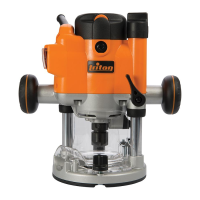
Triton JOF001 - User Manual

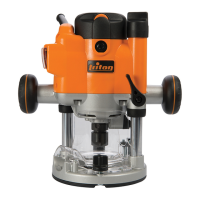
Triton JOF001
64 pages
Print Icon
To Next Page IconTo Next Page
Loading...
Compact Precision
Plunge Router
1010W / 1-
1
2hp
JOF 001
tritontools.com
Operating and
Safety Instructions
Bedienings- en
veiligheidsvoorschriften
Instructions d’utilisation et
consignes de sécurité
Gebrauchs- und
Sicherheitsanweisung
Istruzioni per l’uso e
la sicurezza
Instrucciones de uso y
de seguridad
925837_Z1MANPRO1.indd 1 08/04/2015 08:47

Questions and Answers

  • S
    Stephanie ContrerasAug 6, 2025
    How to troubleshoot a Triton JOF001 Power Tool router that will not operate?
    • S
      Sarah LiuAug 6, 2025
      If your Triton Power Tool router won't operate, first, make sure it's getting power from the source. Then, disconnect the power, open the brush caps, and ensure the brushes can move freely. Also, check if the brushes need replacement.
  • C
    cameronpetersonAug 12, 2025
    Why is my Triton JOF001 Power Tool router running slowly?
    • J
      Julie ThomasAug 12, 2025
      If your Triton Power Tool router runs slowly, it might be due to a blunt or damaged cutter. Try re-sharpening or replacing it. Also, check if the variable speed is set too low and increase it. The motor could be overloaded, so reduce the pushing force on the router.
  • D
    David HarperAug 16, 2025
    What to do if heavy sparking occurs inside the motor housing of my Triton JOF001 Power Tool?
    • F
      Faith GonzalezAug 16, 2025
      If heavy sparking occurs inside the motor housing of your Triton Power Tool, disconnect the power and remove the brushes to clean or replace them. The brushes may not be moving freely.
  • V
    Victoria BlanchardAug 21, 2025
    Why is there excessive vibration in my Triton Power Tool?
    • J
      Jenna BradyAug 21, 2025
      Excessive vibration in your Triton Power Tool is most likely caused by a bent cutter shank. Replacing the cutter should resolve this issue.
  • I
    ireedAug 27, 2025
    What to do if the shutter on the power switch of my Triton JOF001 Power Tool is not releasing?
    • H
      haleymurrayAug 27, 2025
      If the shutter on the power switch of your Triton Power Tool is not releasing, it may be because the router is plunged to full depth in the collet lock position. Reduce the plunge depth to release it.
  • H
    Heather RodriguezAug 31, 2025
    What to do if I can’t plunge my Triton JOF001 to collet lock position?
    • R
      Richard NealAug 31, 2025
      If you can’t plunge your Triton Power Tool to the collet lock position, make sure the power switch is off. Switch the power off to allow plunging.

Triton JOF001 Specifications

General IconGeneral
BrandTriton
ModelJOF001
CategoryPower Tool
LanguageEnglish

Related product manuals