EasyManua.ls Logo

Triton TRA001 - User Manual

Triton TRA001
80 pages
Print Icon
To Next Page IconTo Next Page
Loading...
Version date: 09.07.21
tritontools.com
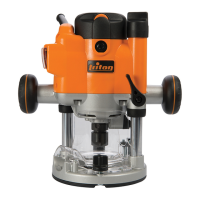
2400W Dual Mode
Precision Plunge Router
TRA001
Operating & Safety Instructions
Bedienings- en
veiligheidsvoorschriften
Instructions d’utilisation
et consignes de sécurité
Instrucciones de
uso y de seguridad
Instrukcja obsługi
i bezpieczeństwa
Sicherheits- und
Bedienungsanleitung
Instruções de
Operação e Segurança
Инструкции по эксплуатации и
правила техники безопасности
Istruzioni per l’uso
e la sicurezza
330165_OwnerManual_08JUL21 .indd 2330165_OwnerManual_08JUL21 .indd 2 09/07/2021 09:1209/07/2021 09:12

Table of Contents

Other manuals for Triton TRA001

Questions and Answers

  • M
    Michael CharlesSep 9, 2025
    How to correct an inaccurate cutting profile on a Triton TRA001?
    • T
      Todd RossSep 9, 2025
      If you are experiencing an inaccurate cutting profile with your Triton Power Tool, ensure that the Depth Stop is correctly adjusted to correspond to the maximum amount of cut permitted by the Turret Stops. Also, check if the router bit or Collet is incorrectly fitted or loose, and tighten the router bit, Collet, and cutter assembly.
  • L
    Lisa GarciaAug 23, 2025
    What to do if my Triton TRA001 Power Tool is making heavy sparking inside the motor housing?
    • G
      gabrielacoxAug 23, 2025
      If you observe heavy sparking inside the motor housing of your Triton Power Tool, it could be due to brushes not moving freely. Disconnect the power, remove the brushes, and clean or replace them. If the problem persists, the armature could be short-circuited or open-circuited, or the commutator might be dirty.
  • A
    Austin ReyesAug 25, 2025
    Why is my Triton Power Tool router running slowly?
    • H
      Holly DixonAug 25, 2025
      Your Triton Power Tool router might be running slowly because the cutter is blunt or damaged, so you should re-sharpen or replace the cutter. Another reason could be that the variable speed is set too low, so increase the variable speed setting. Also, the motor may be overloaded, so reduce the pushing force on the router.
  • N
    Nicholas NunezAug 27, 2025
    What causes excessive vibration in my Triton Power Tool?
    • E
      elizabeth35Aug 27, 2025
      Excessive vibration in your Triton Power Tool is likely due to a bent cutter shank. Replacing the cutter should resolve this issue.
  • A
    Ashley BradleyAug 27, 2025
    What to do if my Triton TRA001 Power Tool micro adjuster “clicks”?
    • K
      Katie RodriguezAug 27, 2025
      If the micro adjuster on your Triton Power Tool “clicks”, it might be because the plunge lock is engaged. Release the plunge lock lever. Alternatively, the plunge selector button may be engaged, so disengage it. Also, you may have reached the end of the adjustment range, so reset the router.
  • J
    Jason FisherAug 29, 2025
    Why is the shutter on the power switch of my Triton TRA001 not releasing?
    • K
      Kristina MurrayAug 29, 2025
      The shutter on the power switch of your Triton Power Tool may not be releasing because the router is plunged to full depth, in the collet lock position. Reduce the plunge depth to resolve this.
  • J
    James YoungSep 17, 2025
    Why does the micro adjuster on my Triton Power Tool “click?”
    • B
      Bonnie WilliamsSep 17, 2025
      The micro adjuster on your Triton Power Tool might “click” because the plunge lock is engaged; release the plunge lock lever. Another reason is if the plunge selector button is engaged; disengage the plunge selector button. It could also be that you've reached the end of the adjustment range, in which case you should reset the router.
  • D
    Dawn CooperSep 19, 2025
    What causes the plunge lock lever not locking on my Triton TRA001?
    • S
      selenapeckSep 19, 2025
      If the plunge lock lever is not locking on your Triton Power Tool, it may not be correctly positioned. Reposition the plunge lock lever.
  • S
    Stacey RossSep 7, 2025
    Why is my Triton TRA001 sparking heavily?
    • R
      rochapaulaSep 8, 2025
      If you notice heavy sparking inside the motor housing of your Triton Power Tool, it could be due to brushes not moving freely. Disconnect the power, remove the brushes, and clean or replace them. If the problem continues, the motor may be damaged or worn, and you should have the tool serviced by an authorized Triton service center.
  • N
    Natasha BrownSep 4, 2025
    How to fix excessive vibration in my Triton Power Tool?
    • M
      Mr. Brian JohnsonSep 4, 2025
      If your Triton Power Tool experiences excessive vibration, it might be due to an incorrectly fitted or loose router bit. Try refitting or tightening the router bit. If the vibration persists, the router bit may be bent or damaged, and you should replace it.

Summary

Operating & Safety Instructions

Specification

General Power Tool Safety Warnings

Additional Safety for Routers

Intended Use

Dust extraction port

Extended baseplate & fence installation

Operation

Switching ON & OFF

Instructions on how to safely turn the router on and off using the power switch.

Variable speed control

Guidance on using the speed controller for optimal cutting performance and avoiding damage.

Cutting depth adjustment

Details on methods for adjusting the router's cutting depth for precision work.

Making multiple pass cuts

Circle Cutting

Table-mounted operation

Maintenance

Troubleshooting

Triton TRA001 Specifications

General IconGeneral
Power1400W
No Load Speed8000 - 21000 RPM
Voltage230 V
Power SourceCorded Electric
Motor Power1400W
Dust ExtractionYes
Variable SpeedYes
Soft StartYes
Collet Size1/2" & 1/4"

Related product manuals