10 of 12
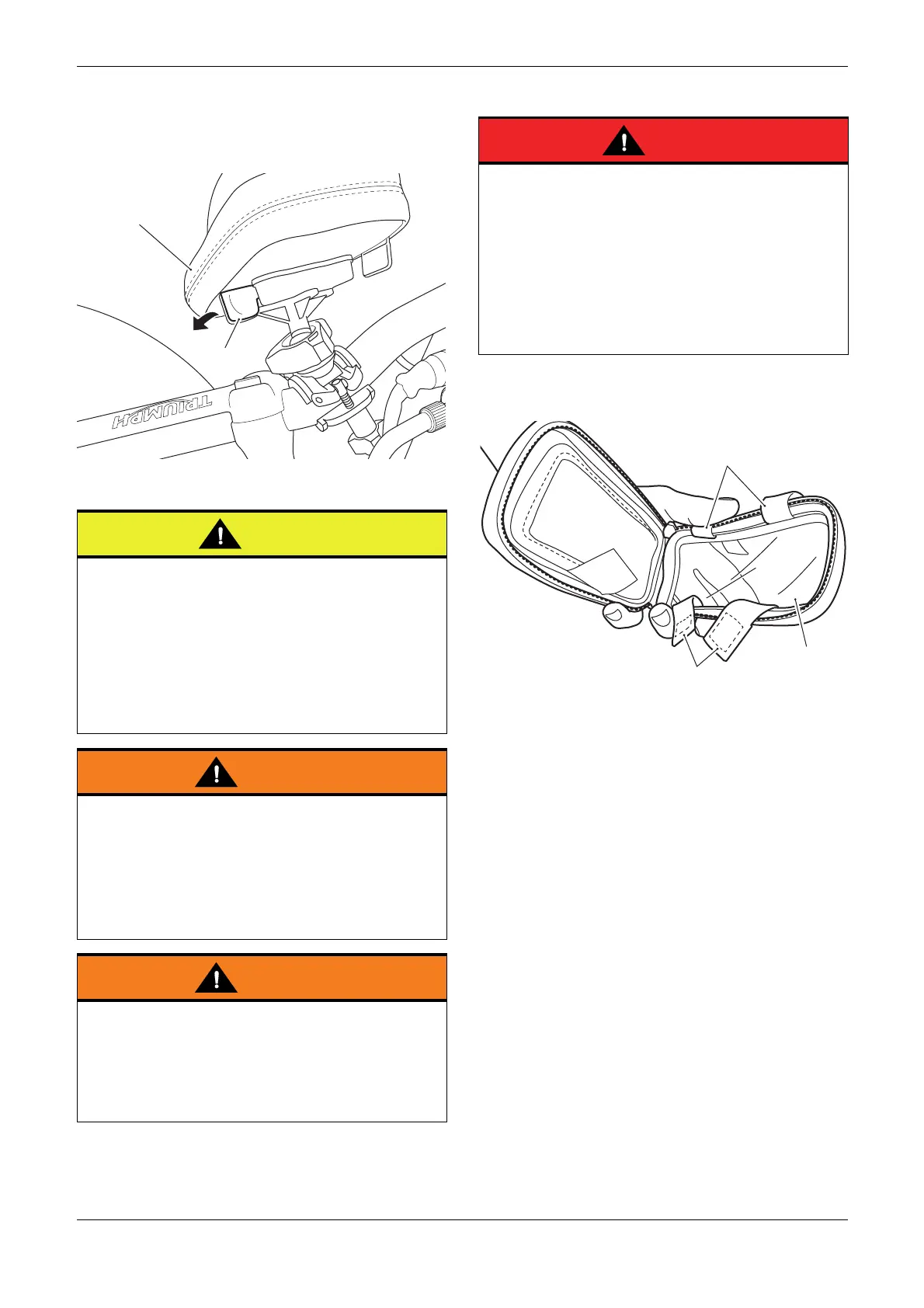
8. Locate the red release lever on the right hand
underside of the phone holder. Press the
release lever down and lift the phone holder
clear of the mounting.
1. Release lever
2. Phone holder
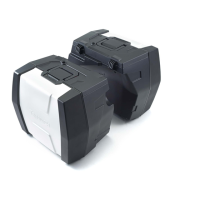
Fitting a Mobile Phone into the Phone Holder
1. Unzip the clear cover on the phone holder and
peel back the hook and loop straps, as shown.
1. Clear cover, phone holder
2. Hook and loop straps
Move the handlebar to the left and right full lock
while checking that the phone holder or phone
holder mounting clamp assembly do not contact
the fuel tank, or any other part of the motorcycle.
This will result in damage to the fuel tank, or other
parts of the motorcycle. Adjust the phone holder
position as required to ensure the phone holder or
phone holder mounting clamp do not contact any
part of the motorcycle.
When mounting a phone holder to the mounting
clamp, ensure the view to the instruments is not
impaired.
If the view to the instruments is impaired, the
rider may not be in full control of the motorcycle
which may result in loss of motorcycle control and
an accident.
Move the handlebars to left and right full lock
while checking that the phone holder or phone
holder mounting clamp do not restrict full lock
operation. Any component that will restrict the
steering may result in loss of motorcycle control
and an accident.
Do not use a mobile phone while you ride.
Do not text while you ride.
Do not attempt to adjust any GPS device while you
ride.
Telephone calls, texting or any attempt to use
your mobile device for any purpose will distract
you, this will cause accidents that can seriously
injure or kill riders, passengers, occupants in other
vehicles and pedestrians.


 To Next Page