9 of 12
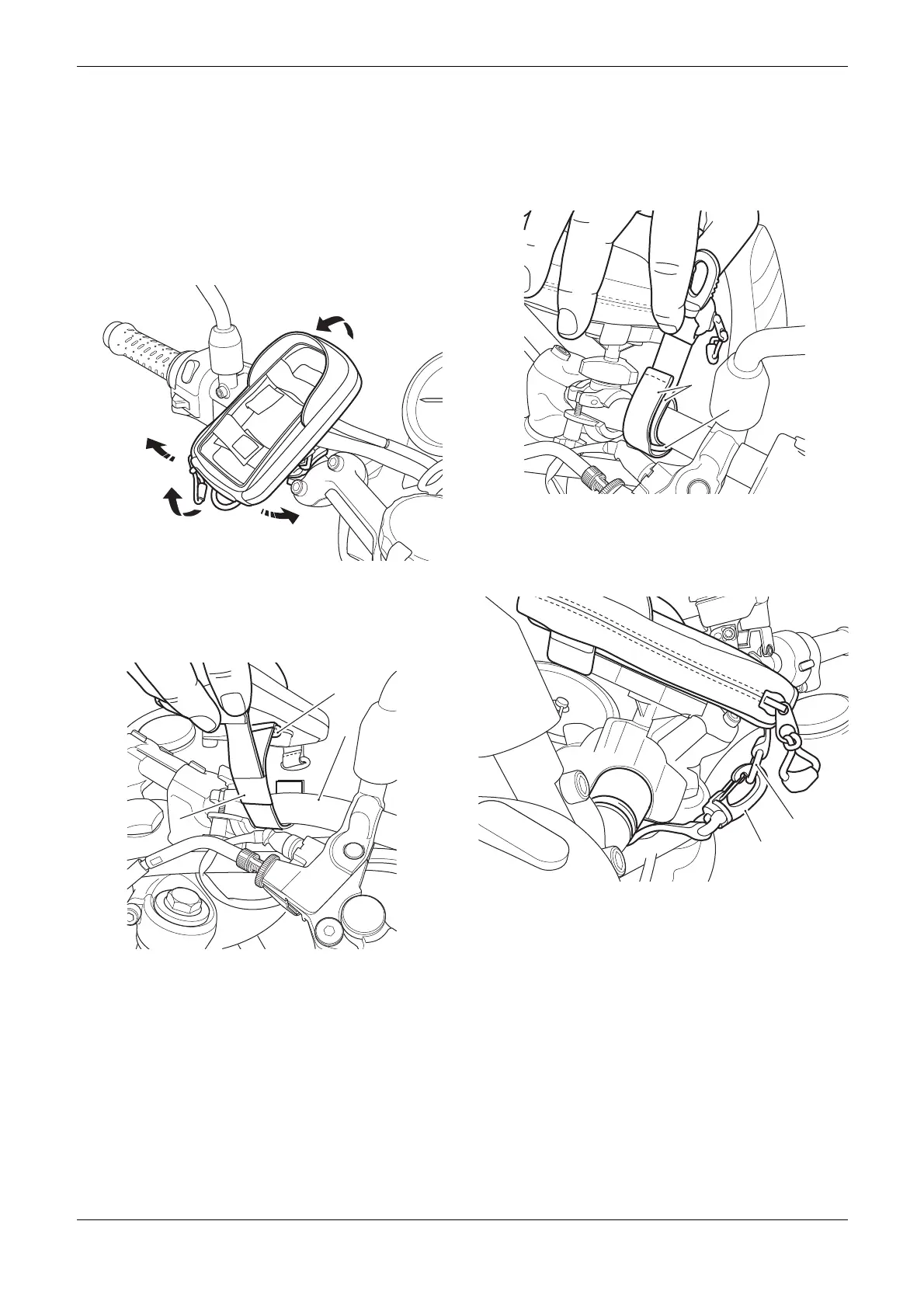
3. Adjust the phone holder to the desired
position. Turn the adjustment ring in a
clockwise direction to lock the phone holder in
position. If necessary, loosen the plastic clamp
nuts and adjust the position of the clamp on
the handlebars to achieve the desired position.
Tighten the plastic nuts evenly until the clamp
assembly is secured to the handlebars and
cannot rotate around the handlebars. Do not
overtighten the plastic nuts.
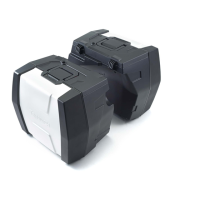
4. Collect the security strap from the kit. Feed the
security strap around the handlebars with the
retaining clip and D-ring sections of the strap
at the top, as shown.
1. Security strap
2. Handlebars
3. D-Ring
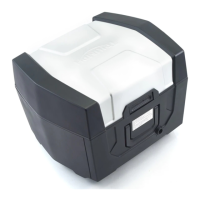
5. Feed the plain end of the strap through the
D-ring and fold back around the handlebars to
attach the hook and loop sections of the straps
together. Ensure no cables or wiring harness
are trapped between the security strap and
the handlebars.
1. D-Ring
2. Straps, hook and loop sections
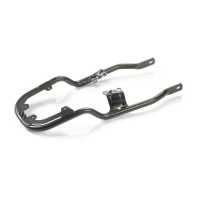
6. Attach the security strap clip to the D-ring on
the phone holder.
1. Clip, security strap
2. D-ring, phone holder
7. To remove the phone holder first release the
security strap from the D-ring on the phone
holder.


 To Next Page