8 of 12
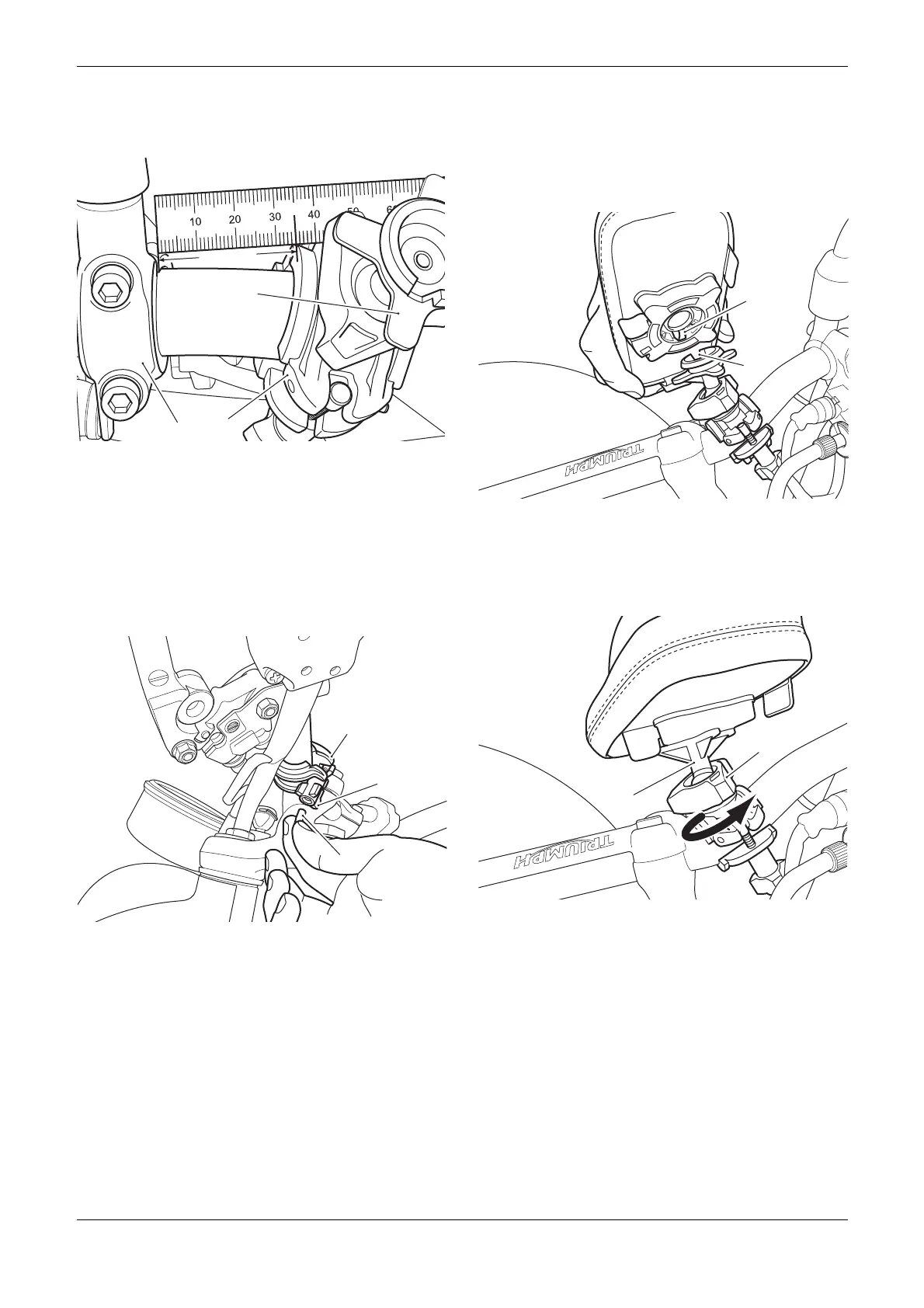
3. Tighten the plastic nuts evenly until the clamp
assembly is secured to the handlebars. Do not
fully tighten the plastic nuts at this stage.
1. Clamp assembly
2. Left hand mirror clamp
3. Adjustable mount
All Models
1. Fit the thread protectors from the kit to the
exposed thread sections of the clamp assembly
screws, inside the plastic nuts.
1. Clamp assembly
2. Plastic nut
3. Thread protector
Installing and Removing the Phone Holder
1. Align the peg on the phone holder with the
corresponding slot in the phone holder
mounting and press the phone holder onto the
mounting until a click is heard.
1. Notch, phone holder
2. Slot, phone holder mounting
2. Loosen the phone holder mounting by turning
the adjustment ring in an anti-clockwise
direction.
1. Mounting, phone holder
2. Adjustment ring


 To Next Page