shown in the picture above. After you have this parameter entered, push the WHEEL
PARAMETERS INPUT AND SHIFT KEY to navigate to the next parameter.
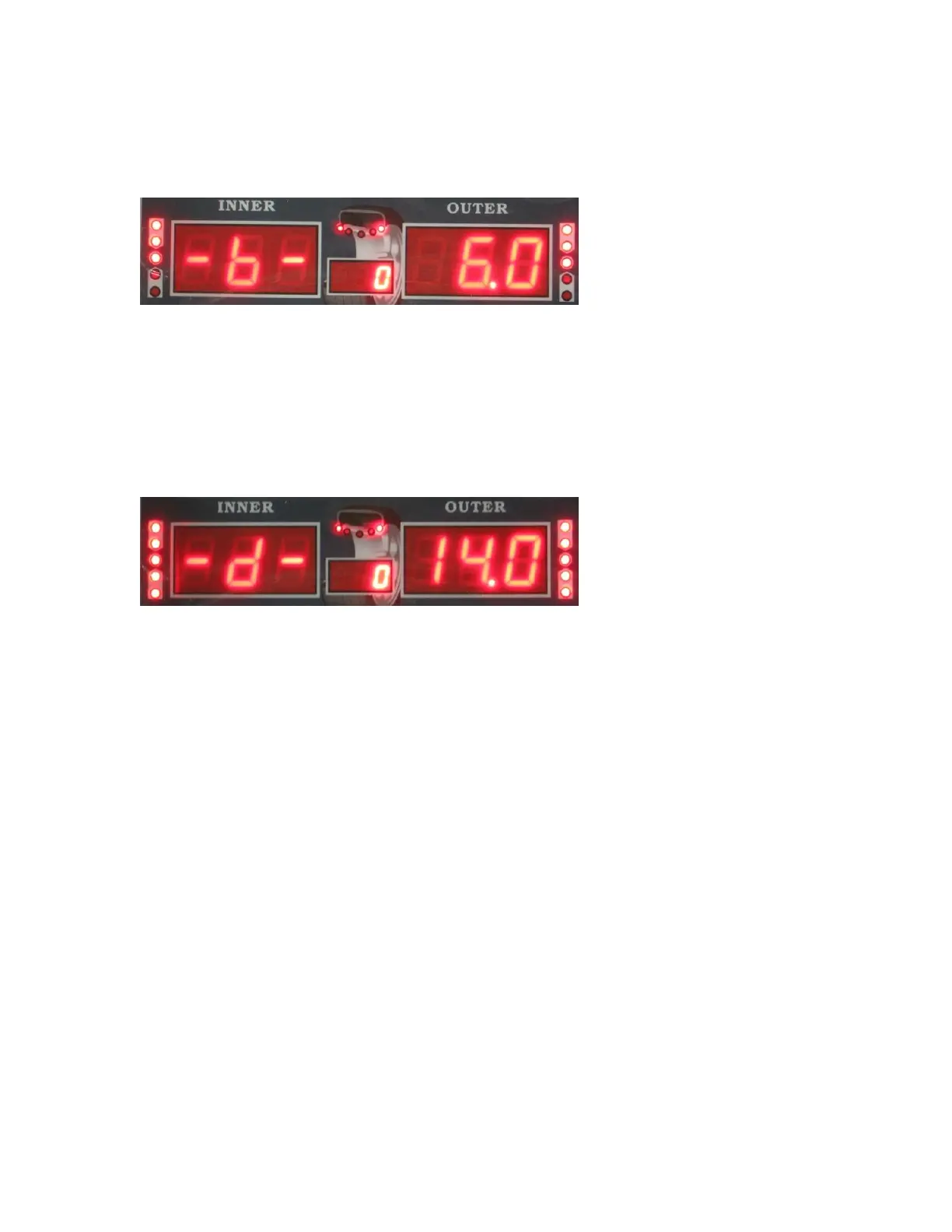
The second parameter will look like this:
This parameter measures the width of the rim. This is the B parameter. Use the plastic
caliper provided with the machine to measure the width of the rim. Touch the caliper to
the edge of the rim on both sides to measure the width. Use the UP or DOWN key to
enter the parameter. Do not multiply this number like you did with parameter A. Simply
enter the number as shown on the caliper. After you have this parameter entered, push
the WHEEL PARAMETERS INPUT AND SHIFT KEY to navigate to the next
parameter.
The third parameter will look like this:
This parameter measures the rim size. This is the D parameter. Use the plastic caliper
provided with the machine to measure the width of the rim. Touch the caliper to the edge
of the rim on one side to measure the rim size. Use the UP or DOWN key to enter the
parameter. Do not multiply this number like you did with parameter A. Simply enter the
number as shown on the caliper.
When you are finished entering each of the 3 parameters, simply push the STOP button
to return to the balancing screen.
At any time you may press the C button to change from Ounces to Grams. You can only
do this when entering the B and D parameter.
When using ALUS mode, you must enter 4 parameters as shown in this diagram:


 To Next Page