34
General Information
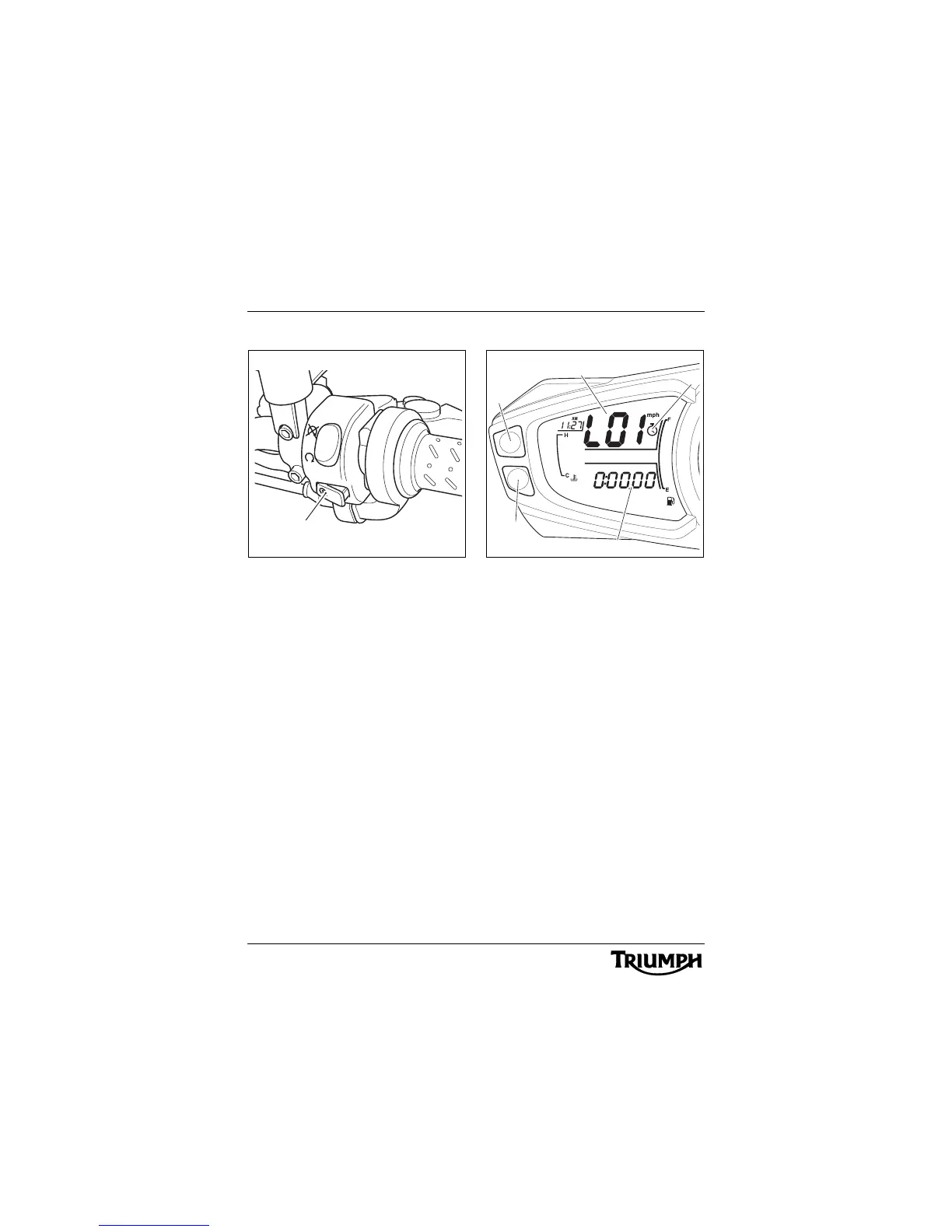
New Lap Recording
1. Starter button
At the end of the lap, pressing the starter
button again will register the start of a new
lap. The display will show the last lap time for
5 seconds, then the new lap number for
5 seconds. After this time, the speedometer
display will show the current lap number and
the display screen will show the current lap
time.
Data Retrieval Mode
1. Lap number
2. Stop watch icon
3. Lap timer
4. Button A
5. Button B
The data retrieval mode can be accessed in
one of two ways:
• With the ignition in the ON position,
from the lap timer display, press
button 'B'.
• From the Data Recording Mode,
with the engine running and the
motorcycle stationary, press the
starter button for 2 seconds. This will
return the display to the 'Lap'
display. From here press button 'B'.
Note:
• The data retrieval mode cannot be
accessed whilst the motorcycle is
in motion.





 To Next Page