Need help?
Do you have a question about the Trixie TX8 2.0 and is the answer not in the manual?
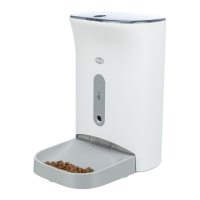
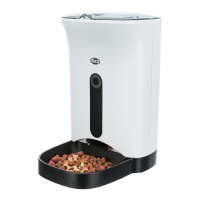
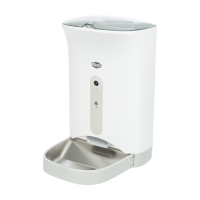
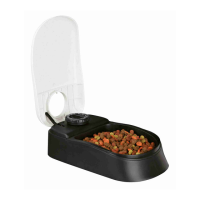
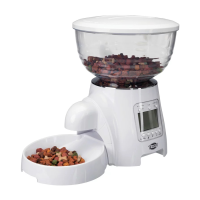
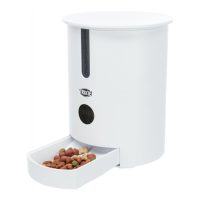
The Trixie TX8 2.0 Automatic Feeder is a device designed to provide automated feeding for pets, ensuring they receive their meals at scheduled times and in controlled portions. This feeder is suitable for both dogs and cats, offering convenience for pet owners and a consistent feeding routine for their animals.
The Trixie TX8 2.0 operates as an automatic pet feeder that dispenses dry food at pre-set times. Users can program up to eight feeding times per day, with the flexibility to set individual portion sizes for each meal. The feeder features a voice recording function, allowing pet owners to record a short message (up to 10 seconds) that plays at each feeding time to call their pet. This can help to reassure the pet and make the feeding experience more familiar.
The device includes a digital display and buttons for easy programming of feeding times, portion sizes, and the voice recording. It is designed to be user-friendly, with clear instructions for setup and daily operation. The feeder can be powered by either a mains adapter or three D batteries, providing flexibility in placement and ensuring continued operation during power outages. The battery compartment is located on the underside of the device, secured with screws to prevent pets from accessing it.
A key feature is the ability to customize portion sizes, ranging from 1 to 10 portions per meal, where one portion equals 24 ml (10 g dry food). This allows owners to precisely control their pet's food intake, which is particularly useful for pets on a diet or those with specific dietary needs. The feeder's design includes a removable bowl for easy cleaning and a transparent lid that allows owners to monitor the food level. The food container itself is designed to keep dry food fresh and secure.
The feeder also incorporates safety features, such as a secure lid to prevent pets from tampering with the food or mechanism, and a robust construction to withstand typical pet interactions. The device is intended for indoor use only and should be placed on a level surface.
Programming Feeding Times: The feeder allows for precise scheduling of meals. To set a feeding time, users press the "SET" button, then use the "+" and "-" buttons to adjust the hour and minute. Each feeding time can be individually activated or deactivated. The feeder supports up to eight distinct feeding times, providing ample flexibility for various feeding schedules.
Adjusting Portion Sizes: For each programmed feeding time, the portion size can be set from 1 to 10 portions. This is done by selecting the desired feeding time and then using the "+" and "-" buttons to increase or decrease the number of portions. This granular control helps manage pet weight and ensures appropriate caloric intake.
Voice Recording: The voice recording feature is activated by pressing the "MIC" button. Users can record a message of up to 10 seconds, which will play automatically at each scheduled feeding time. This can be particularly comforting for pets, associating the sound with mealtime.
Manual Feeding: In addition to automated feeding, the device offers a manual feeding option. By pressing a specific button, users can dispense one portion of food immediately, which is useful for giving extra treats or supplementing meals.
Battery Operation and Power Outage Protection: The option to use D batteries ensures that the feeder continues to operate even if there is a power outage. The device automatically switches to battery power if the mains supply is interrupted. This prevents missed meals and maintains the pet's routine.
Cleaning and Maintenance: The food container and bowl are removable, making them easy to clean. It is recommended to clean these parts regularly to maintain hygiene and prevent food spoilage. The main unit should be wiped with a damp cloth and never submerged in water. The feeder should be checked periodically for any blockages or malfunctions.
Error Messages: The feeder has a system for displaying error codes on the digital display to indicate potential issues, such as food blockages (E2:JA) or lack of food (E3:LA). These codes help users diagnose and resolve problems quickly.
Regular Cleaning: The food bowl and food container should be regularly removed and cleaned with warm water and mild detergent. Ensure all parts are thoroughly dry before reassembling to prevent mold or bacterial growth. The main unit, including the dispensing mechanism, should be wiped clean with a damp cloth. Do not use abrasive cleaners or harsh chemicals.
Checking for Blockages: Periodically inspect the dispensing mechanism and the food chute for any food residue or blockages. Dry food can sometimes clump or get stuck, especially if it's humid. If an error code (E2:JA) indicates a blockage, disassemble the relevant parts (as per the manual) and clear any obstructions.
Battery Replacement: If using batteries, monitor their charge level. The manual may indicate a low battery warning. Replace all three D batteries simultaneously to ensure optimal performance and avoid power interruptions.
Food Freshness: To maintain food freshness, store dry food in a cool, dry place within the feeder. Avoid exposing the feeder to direct sunlight or high humidity. Regularly check the food for any signs of spoilage or infestation.
Software Updates/Troubleshooting: The manual provides troubleshooting steps for common issues, including error codes and programming difficulties. For more complex problems or potential software issues, users are directed to contact customer support.
Disposal: The device should be disposed of in accordance with local regulations for electronic waste. Do not dispose of it with household waste. The WEEE symbol on the device indicates that it should be taken to a designated collection point for electrical and electronic equipment.
 General
| Brand | Trixie |
|---|---|
| Model | TX8 2.0 |
| Category | Pet Care Product |
| Language | English |


 To Next Page