Need help?
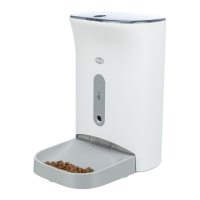
Do you have a question about the Trixie TX9 Smart and is the answer not in the manual?
Read manual, check feed type, age restrictions, placement.
Create an account in the Tuya Smart app for device control.
Connect the dispenser to your smartphone via WLAN.
Network pairing mode using a slow blinking green light.
Alternative network pairing mode for dual-band routers without prior separation.
Set feeding times, days, and portion sizes via the Tuya Smart app.
Dispense food immediately or record a voice message for your pet.
Take screenshots, communicate with your pet, and record videos.
Adjust device name, sharing, motion detection, and display options.
Receive alerts for feeding, low food, or pet proximity.
Tips to help pets adjust to the automatic feeder gradually.
Instructions for cleaning the feed dispenser components safely.
Important security advice for connected smart devices.
 General
| Number of Meals per Day | Up to 6 |
|---|---|
| Product Type | Automatic Pet Feeder |
| Type | Automatic Pet Feeder |
| Material | Plastic |
| Power Supply | AC adapter or batteries |
| Connectivity | Wi-Fi |
| App Supported | Yes |
| Voice Recording | Yes |
| Display | LCD |

 To Next Page