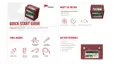
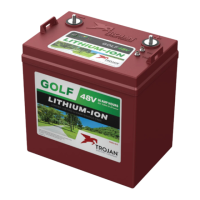
Need help?
Do you have a question about the Trojan GC2 and is the answer not in the manual?
Inspect battery for physical damage, check terminals for cleanliness and dryness.
Specifies terminal type, torque, and hardware installation to prevent high resistance and fire.
Proper placement of lugs and washers to ensure good contact and prevent heating.
Guidance on selecting appropriate cable gauge for expected load and avoiding voltage drop.
Instructions for connecting multiple batteries in parallel to increase capacity, not series.
Ensure sufficient airflow to prevent heat build-up; no specific ventilation requirements.
Batteries must be installed vertically with terminals on top.
Store and install batteries in a clean, cool, dry place, away from water, oil, and dirt.
Operating temperature ranges and how temperature affects battery life and capacity.
Step-by-step guide to turn the battery on and off using the status button and LEDs.
Explanation of the status button and indicator LEDs (Blue, Red, Green) for SOC and alarms.
Information on the CAN bus interface for communication and diagnostics, and its optional use.
Check battery appearance, terminals, and cables for cleanliness and damage.
Clean battery terminals and connectors to prevent corrosion and maintain performance.
Use of recommended chargers and charging profiles for best results.
Steps for initial charging of new batteries, including voltage checks.
How lithium-ion batteries maintain cell balance for full capacity delivery.
Expected behavior during first charging cycles for multi-battery systems.
Recommended I-E charging profile and voltage range for optimal battery performance.
Adjust maximum charging currents at lower temperatures and prohibit charging below 32°F.
Step-by-step guide for correctly connecting and starting the charging process.
Notes on charger types, LED indicators during charging, and dealing with low state of charge.
Charging voltage, float voltage, cutoff, peak and continuous charge current limits.
Maximum continuous and peak discharge current limits.
Conditions under which the battery automatically shuts down to prevent damage.
 General
| Brand | Trojan |
|---|---|
| Model | GC2 |
| Category | Camera Accessories |
| Language | English |


 To Next Page